AI Knowledge Base vs Chat History: Where Useful Conversations Should Go
Learn when AI conversations should stay in chat history, move into notes or docs, become knowledge-base entries, or live as MCP-connected saved transcripts.
May 2, 2026
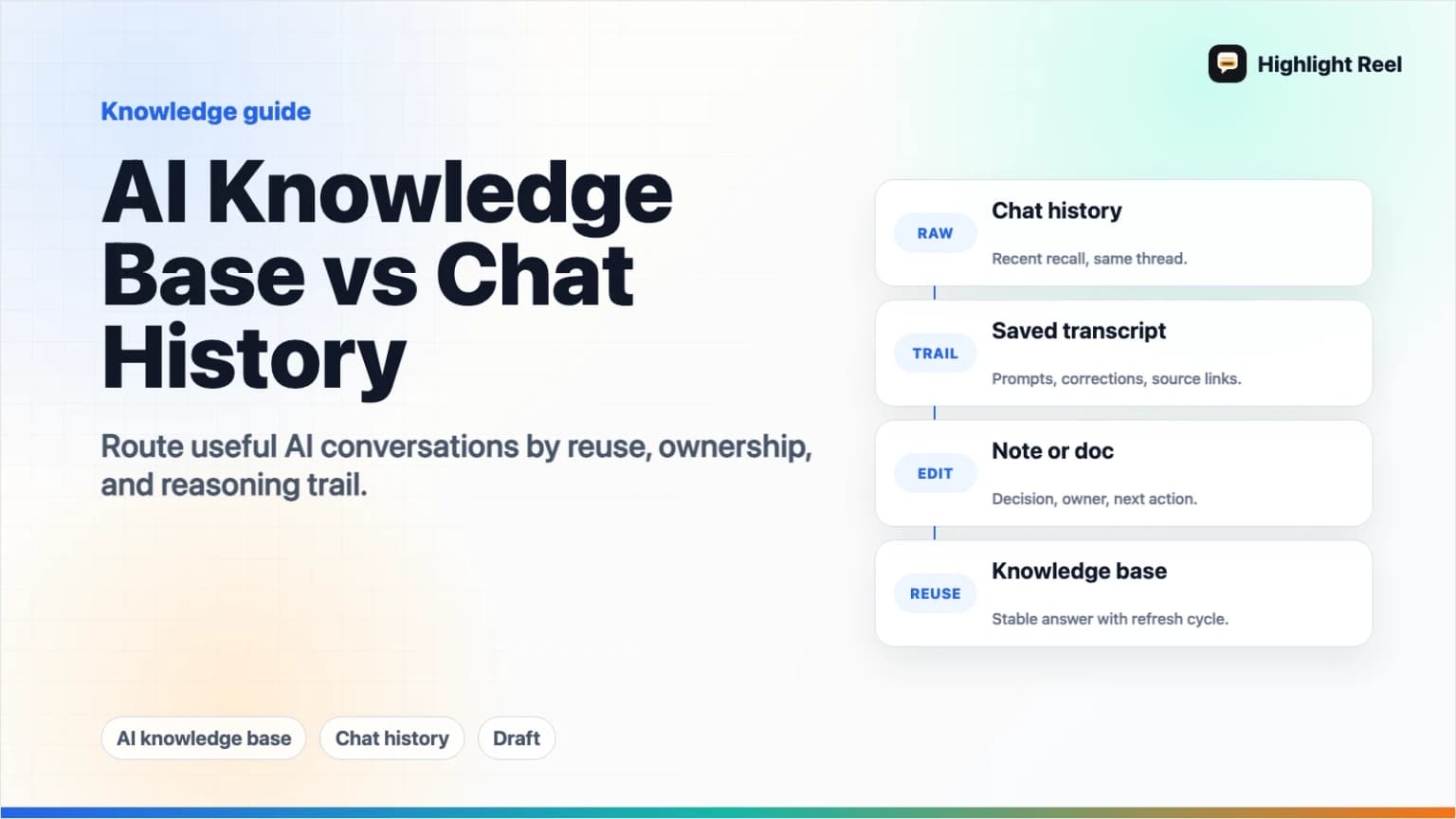
Raw AI chat history is not an AI knowledge base. Chat history is a chronological record of conversations. A knowledge base is curated, labeled, searchable, and maintained so people or AI tools can retrieve the right context later.
Highlight Reel
Turn useful AI conversations into reusable context
Use Highlight Reel to save selected conversations as share pages and transcripts that can be read, shared, exported, and connected back to supported AI tools.
Useful AI conversations usually belong somewhere between those two extremes. Keep casual chats in history. Move stable conclusions into notes or docs. Promote durable answers into a knowledge base. Save high-value conversation trails as transcripts or share pages when the reasoning, prompts, corrections, or selected turns are worth reusing.
Quick Answer
Use this routing rule:
| Destination | Best for | Do not use it for |
|---|---|---|
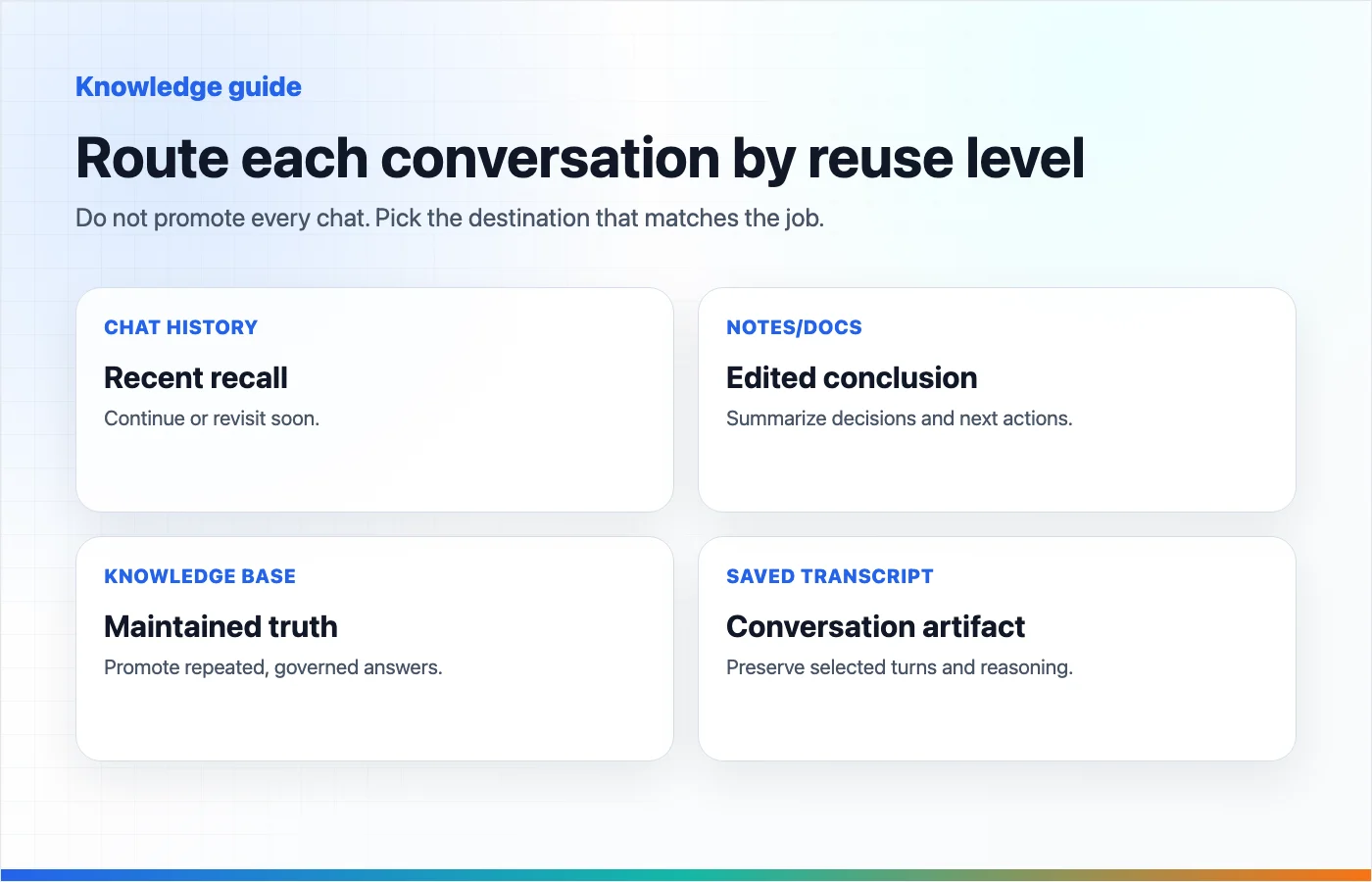
| AI chat history | Recent recall, continuing the same thread, finding what you asked yesterday | Durable team knowledge, clean handoffs, governed context |
| Notes or docs | Edited conclusions, decisions, summaries, and project context | Preserving the conversation trail or exact prompt progression |
| AI knowledge base | Repeatedly reused facts, policies, support answers, research, product context, and source-backed material | Messy drafts, private brainstorming, one-off explorations |
| Saved conversation transcript | Useful AI turns, reasoning trails, prompt recipes, debugging sessions, and source-backed discussions | Everything you have ever typed into an AI tool |
| MCP-connected saved conversations | Selected conversation artifacts that future AI tools should be able to search or fetch as context | Unreviewed raw history, secrets, or content without clear access boundaries |
The default workflow is:
raw chat history -> selected conversation -> saved transcript/share page -> note or knowledge base when it becomes durableChat history is the starting point. It should not be the final home for knowledge you expect to reuse.
Definitions
AI Chat History
AI chat history is the list of conversations inside a tool like ChatGPT, Claude, Gemini, Cursor, or Codex. It is useful because it preserves the original thread and lets you continue where you left off.
It is weak as a knowledge system because it is organized by conversation, not by topic, claim, decision, source, or reuse case.
Notes And Docs
Notes and docs are edited human-readable summaries. They are good for decisions, meeting prep, project context, client-safe explanations, and final conclusions.
They are less good at preserving how an answer emerged. If the prompt progression, correction path, or source trail matters, a note alone can flatten too much.
AI Knowledge Base
An AI knowledge base is curated material that an AI system or person can retrieve for repeated use. It may include documents, source files, policy pages, product context, support answers, research notes, or project instructions.
OpenAI describes ChatGPT Projects as workspaces that group related chats, uploaded reference files, and custom instructions. Claude Projects let users add documents, text files, code snippets, and instructions as project knowledge. NotebookLM is built around adding sources and asking questions grounded in those sources. These are knowledge-base-like behaviors: selected material is made available as context, not left as scattered chat history.
MCP-Connected Saved Conversations
MCP-connected saved conversations are selected conversation artifacts that an AI client can search, fetch, or use through a Model Context Protocol connection.
The MCP specification describes tools as a way for servers to expose callable capabilities to models, including results that contain structured or unstructured content and resource links. In practice, this means saved conversation artifacts can become accessible context for supported AI tools when the server and user permissions allow it.
This is not the same as dumping all chat history into every model. The useful pattern is selected, labeled, reviewed conversations that can be retrieved when they are relevant.
Why Raw Chat History Fails As A Knowledge Base
Chat history feels like memory because it stores what happened. But memory is not the same as knowledge.
Raw history fails for seven reasons:
| Failure mode | Why it hurts reuse |
|---|---|
| Chronological order | You remember the topic, not the date or thread title. |
| Mixed quality | Good answers sit beside false starts, hallucinations, old assumptions, and abandoned drafts. |
| Missing labels | The thread may not say whether it contains a decision, source pack, prompt recipe, or bug diagnosis. |
| Weak governance | Sensitive details, copied source material, internal URLs, and private notes may be mixed into the same thread. |
| Poor portability | A conversation may be trapped inside one platform's interface or export format. |
| No lifecycle | Raw chats rarely get reviewed, merged, updated, archived, or deleted with intent. |
| Context overload | Feeding a whole thread into a future AI tool can bury the useful context in noise. |
That does not mean chat history is useless. It means chat history is raw material.
The Four-Destination Framework
Use four destinations instead of forcing every conversation into one system.
1. Keep It In Chat History
Keep a conversation in native chat history when it is still active or disposable.
Good fit:
- brainstorming you may continue this week
- a short Q&A that does not affect future work
- a draft you are still shaping inside the same tool
- a quick command, translation, or explanation
Bad fit:
- final decisions
- research you will cite later
- prompt workflows you want to reuse
- context another teammate or AI tool will need
2. Convert It To Notes Or Docs
Move the conclusion into a note or doc when the conversation's value is the final answer, not the full trail.
Good fit:
- meeting prep summary
- project brief
- product decision
- edited research conclusion
- client-safe explanation
The note should not pretend to be the full conversation. It should say what was decided, why, what sources or assumptions matter, and what remains open.
3. Promote It To A Knowledge Base
Promote content into a knowledge base when it becomes durable reference material.
Good fit:
- support answers used repeatedly
- product facts
- onboarding instructions
- policy explanations
- research sources
- coding conventions
- team operating rules
Knowledge-base material needs ownership. Someone should know when it was last updated, what source it came from, and whether it still applies.
This is where tools like ChatGPT Projects, Claude Projects, NotebookLM, a company wiki, a docs site, or a RAG-backed internal system can make sense.
4. Save It As A Conversation Artifact
Save a conversation artifact when the trail itself has value.
Good fit:
- a debugging session where commands, logs, and reasoning matter
- a strategy conversation with constraints and tradeoffs
- a prompt recipe refined through several corrections
- a research conversation with sources and caveats
- a writing conversation that captures voice, rejected directions, and final structure
The saved artifact can later be linked from a note, promoted into a knowledge base, or fetched by an AI tool through an MCP-connected workflow.
Comparison: Chat History vs Notes vs Knowledge Base vs Saved Conversations
| Criteria | Chat history | Notes/docs | Knowledge base | Saved conversation artifact |
|---|---|---|---|---|
| Best unit | Thread | Edited page | Maintained source | Selected turns |
| Primary job | Recall and continue | Explain and decide | Retrieve trusted context | Preserve useful AI work |
| Structure | Chronological | Human-edited | Curated and governed | Transcript-like but cleaned |
| Search quality | Depends on platform | Usually good | Should be strong | Depends on labels and metadata |
| Reuse by AI | Often manual copy-paste | Good if pasted or connected | Good when connected to retrieval | Strong when available through search/fetch |
| Risk | Noise, privacy, platform lock-in | Oversummarization | Stale official-looking content | Saving too much without review |
| Maintenance | Low | Medium | High | Medium |
The mistake is asking one destination to do every job. Chat history should not carry governance. A knowledge base should not preserve every exploratory branch. Notes should not hide the reasoning trail when the reasoning matters.
A Routing Checklist For Useful AI Conversations
Ask these questions after a conversation produces value:
- Will I continue this same thread soon?
- Keep it in chat history.
- Do I only need the final answer?
- Turn it into a note or doc.
- Will this answer be reused by other people or many future chats?
- Promote the stable material into a knowledge base.
- Does the prompt progression, reasoning trail, source pack, or correction path matter?
- Save selected turns as a conversation artifact.
- Should future AI tools be able to find it?
- Store it somewhere searchable and connectable, such as an MCP-connected saved transcript system.
- Does it contain private or sensitive context?
- Review, redact, or keep it private before sharing or connecting it.
The routing decision is not permanent. A saved transcript can become a note. A note can become knowledge-base material. A knowledge-base page can link back to the conversation artifact for context.
Where MCP-Connected Saved Conversations Fit
MCP-connected saved conversations are useful because they preserve work that does not fit cleanly into a normal knowledge base.
A knowledge base wants stable, cleaned, source-backed material. But many valuable AI conversations are not stable knowledge yet. They are decision trails, debugging traces, prompt workflows, source-gathering sessions, or reasoning paths.
When those saved conversations are labeled and reviewable, they can become useful context for future AI tools:
- A coding agent can fetch the prior debugging transcript.
- A writing assistant can search the saved voice and structure conversation.
- A research assistant can retrieve the source-backed comparison thread.
- A product planning chat can reuse the previous positioning constraints.
The important word is selected. MCP-connected memory should not mean "send every raw chat everywhere." It should mean "make reviewed conversation artifacts available when they help the next task."
Use Highlight Reel As A Conversation Publishing And Memory Layer
Highlight Reel fits between raw chat history and a formal knowledge base.
Use it when an AI conversation is too valuable to leave in the sidebar but too conversational to rewrite completely into a wiki page. Save the useful turns as a share page or transcript, give it a readable title, keep the structure that matters, and reuse it later as a link, Markdown export, or MCP-connected context in supported tools.
That makes Highlight Reel a practical layer for AI work artifacts:
- not a replacement for ChatGPT, Claude, Gemini, or a team wiki
- not a claim that every chat should become permanent knowledge
- a place for selected conversations that need to be readable, shareable, and reusable
Raw chat history captures what happened. Highlight Reel helps the useful part travel.
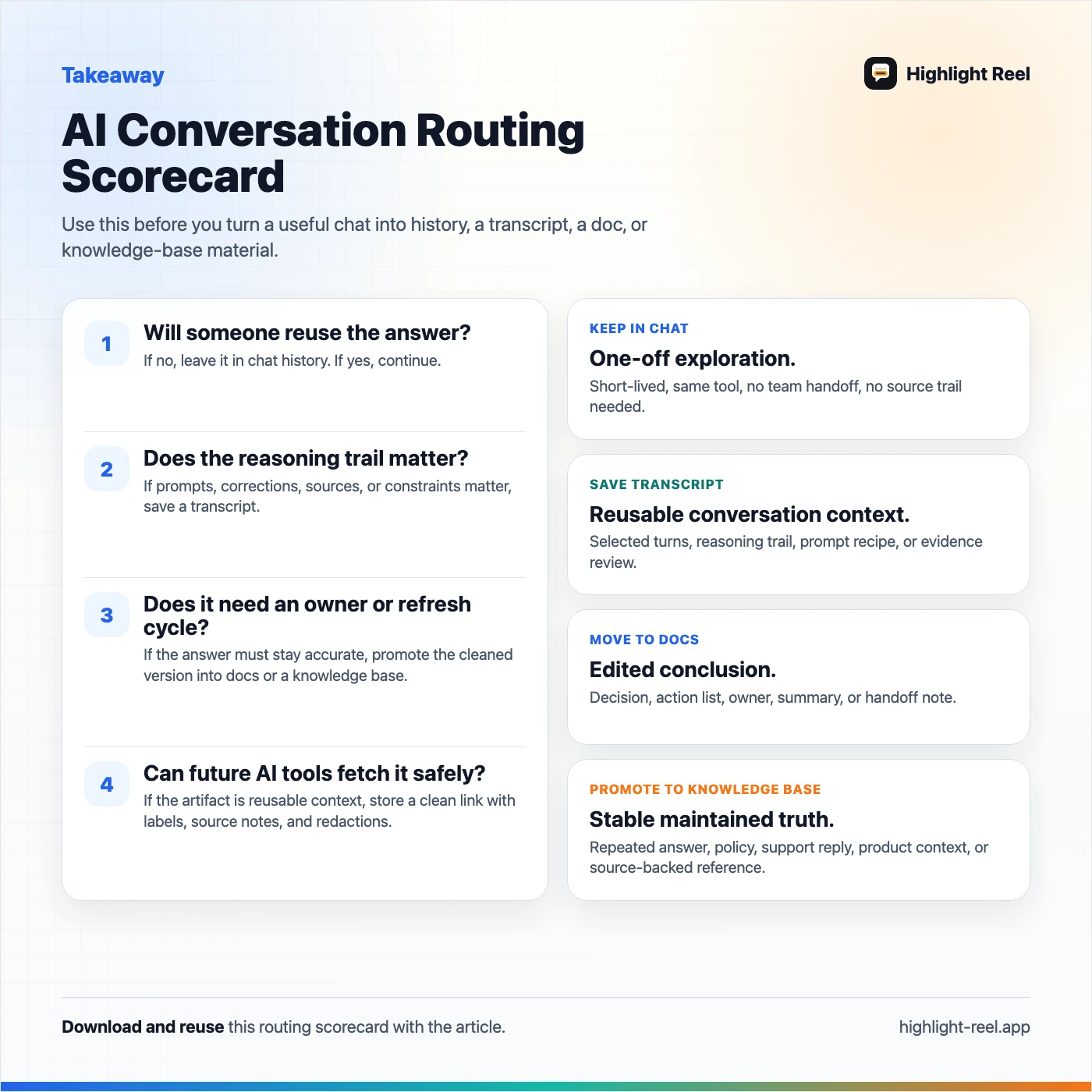
Download the AI conversation routing scorecard
FAQ
Is AI chat history a personal knowledge base?
Not by itself. AI chat history can be part of a personal knowledge system, but raw history is usually too chronological, noisy, and under-labeled to work as a real knowledge base.
When should I move an AI conversation into a knowledge base?
Move it when the content is stable, reusable, and likely to answer future questions. Examples include product facts, support answers, onboarding instructions, research sources, and team rules.
When should I keep a saved transcript instead of writing a summary?
Keep a transcript when the conversation trail matters: prompt iteration, debugging evidence, source evaluation, tradeoffs, corrections, or exact wording. Write a summary when only the conclusion matters.
What is the difference between an AI knowledge base and MCP-connected saved conversations?
An AI knowledge base usually stores curated reference material. MCP-connected saved conversations expose selected conversation artifacts to supported AI clients through tools such as search or fetch. The first is about stable knowledge. The second is about reusable conversation context.
Can Highlight Reel replace my team wiki or docs?
No. A wiki or docs system should remain the home for maintained team knowledge. Highlight Reel is better for selected AI conversation artifacts that need to be shared, reviewed, exported, or reused as context.
Should every AI chat become reusable context?
No. Most chats should remain temporary. Save the ones that contain decisions, sources, prompt workflows, debugging context, writing direction, or other work you would otherwise have to reconstruct later.