How to Share AI Chat Transcripts With Your Team
A practical guide to turning AI chat transcripts into clean team handoffs for Slack, Notion, email, GitHub issues, and Linear or Jira tickets.
April 27, 2026
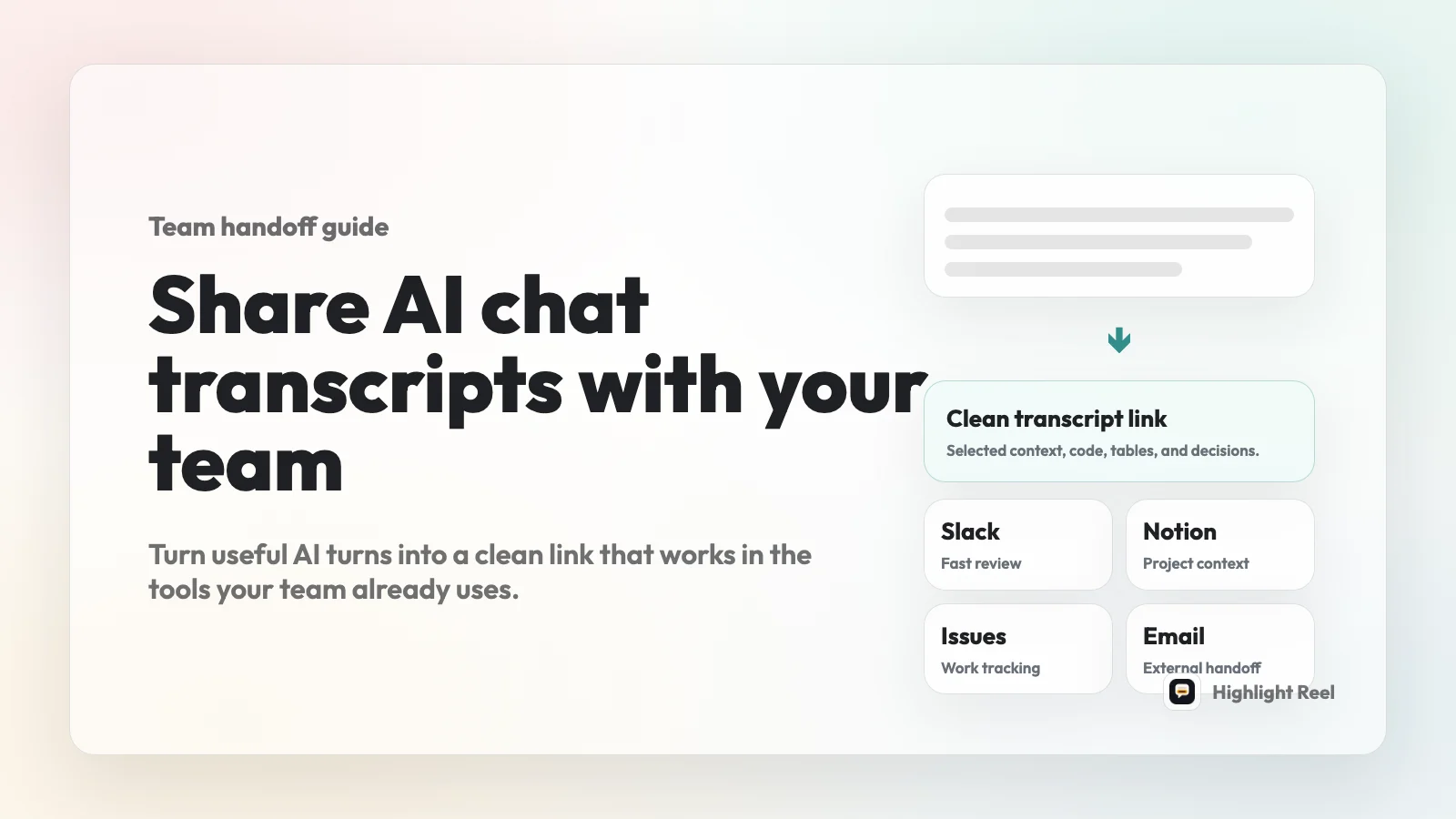
The best way to share an AI chat transcript with your team is to turn the useful turns into a short, redacted, readable transcript link, then paste that link into the tool where the work already happens.
Highlight Reel
Create a readable AI transcript your team can actually use
Trim the useful turns, preserve code and context, and share a clean link in Slack, Notion, email, or a ticket.
That might be a Slack message, a Notion page, an email thread, a GitHub issue, or a Linear/Jira-style ticket. The destination is not the product feature. It is simply where your team is already making the decision, reviewing the bug, or tracking the next step.
Quick Answer
Do not send a raw AI chat dump unless the whole transcript is the artifact.
For most team workflows, use this sequence:
- Decide what the teammate needs to do after reading.
- Keep the prompt, constraints, correction, and final useful answer.
- Remove false starts, side branches, private context, and sensitive details.
- Preserve code, links, tables, and decisions as real text.
- Add a short handoff note that says what to review.
- Paste the clean transcript link into Slack, Notion, email, a GitHub issue, or a Linear/Jira-style ticket.
The goal is not to prove that an AI said something. The goal is to give another person a usable work artifact.
Why Raw AI Chat Transcripts Fail Team Handoffs
AI chats are often useful because they preserve a path: the initial question, a constraint, a correction, a better answer, and sometimes code or a checklist. That path is exactly what a teammate may need to review.
Raw transcripts still fail for a few predictable reasons:
- The important answer is buried under exploration.
- The prompt contains customer names, private notes, internal URLs, or unreleased plans.
- Code blocks and links get lost when the chat is sent as screenshots.
- The teammate does not know which part needs review.
- The same transcript needs to live in a different context: a Slack thread, a Notion project page, an email, or an issue tracker.
A clean transcript link fixes the handoff problem by separating the useful evidence from the messy conversation.
Native AI Share Links vs Clean Transcript Links
Native shared links are useful when you want someone to inspect the original AI chat snapshot. OpenAI, Anthropic, and Google all document ways to share chat conversations from their products, with important caveats around what the link includes and who can access it.
For team work, the question is different:
Does the teammate need the original chat, or do they need the useful parts in a readable format?
| Option | Best for | Watch out for |
|---|---|---|
| Native AI shared link | Showing the original ChatGPT, Claude, or Gemini conversation snapshot | It may include more history than the teammate needs, and access behavior depends on the platform and plan |
| Screenshot | Showing one short visual moment | Hard to search, copy, redact, or read on mobile |
| Raw copy-paste | Moving text quickly into another tool | Noisy, hard to scan, and easy to include sensitive details |
| Clean transcript link | Sharing the useful turns as a team handoff | Requires a short trim and redaction pass |
| Full document | Long-term documentation with ownership, comments, and revision history | Heavier than necessary for quick reviews or issue references |
For most team handoffs, a clean transcript link is the practical middle ground. It is lighter than a document and more useful than a screenshot.
Where To Share The Transcript Link
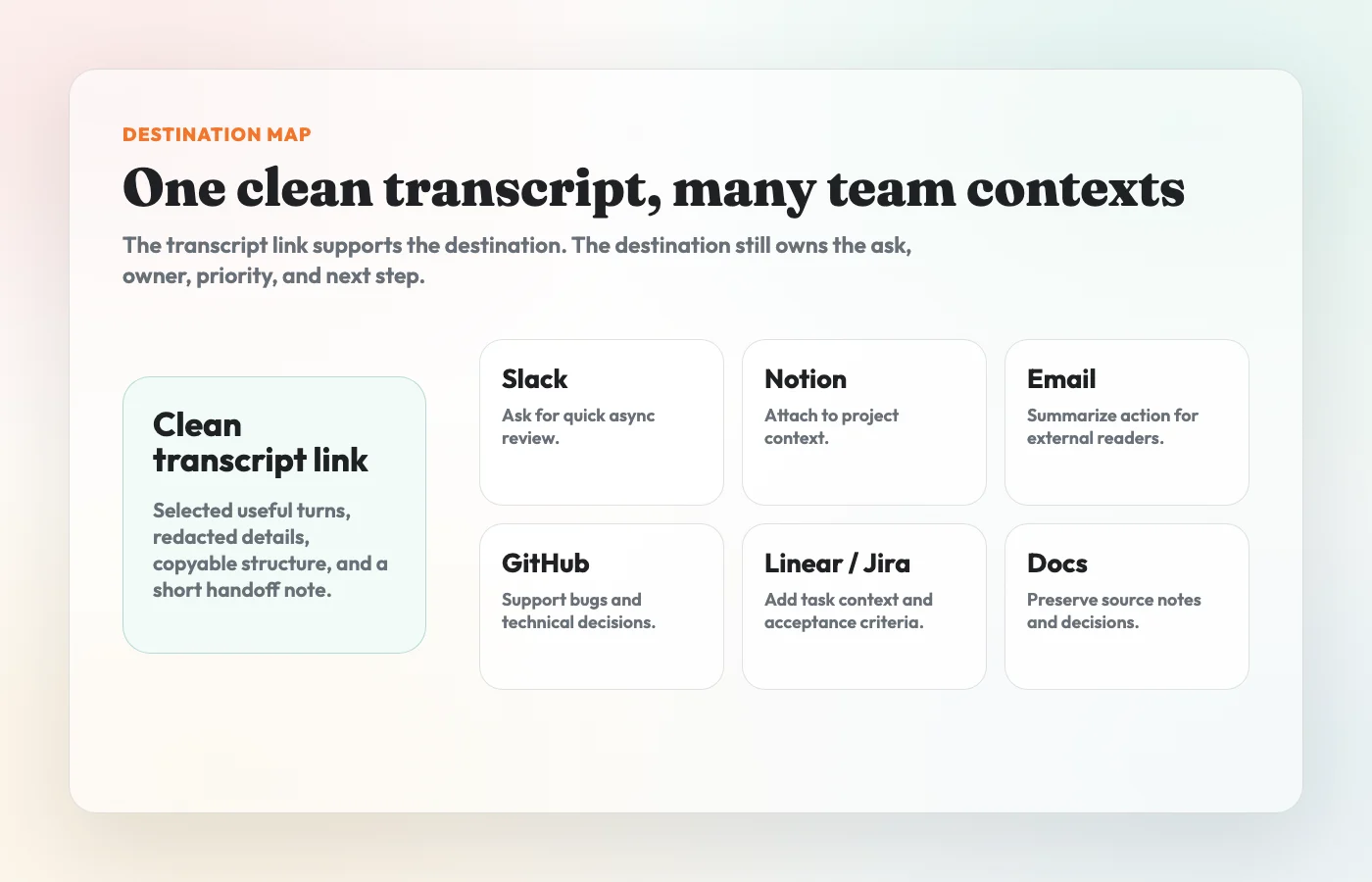
Think of Slack, Notion, email, GitHub, Linear, and Jira as destinations, not integrations. You are pasting a link into the place where your team already works.
| Destination | Use it when | What to add above the link | Extra check |
|---|---|---|---|
| Slack | You need fast async review or a quick decision | One sentence on what changed and who should respond | Do not rely on the link preview to carry the context |
| Notion | The transcript supports a project page, research note, spec, or decision log | A short summary plus where the link fits in the page | Confirm page permissions before pasting sensitive context |
| The recipient is external, senior, or not in your daily chat tools | Subject, short summary, requested action, deadline | Assume the link may be forwarded | |
| GitHub issue | The chat explains a bug, technical decision, reproduction path, or implementation plan | Expected behavior, actual behavior, transcript link, next action | Keep the issue body useful even if the link is not opened |
| Linear/Jira-style ticket | The transcript supports task context, acceptance criteria, investigation notes, or a handoff between teams | Problem, decision, link, owner, acceptance criteria | Put the actionable work in the ticket, not only in the transcript |
The transcript link should support the destination. It should not replace the destination's own summary, owner, priority, or next step.
Copy This Handoff Template
Use this when you paste an AI transcript link into a team tool.
Title:
Clean transcript link:

TL;DR:

Why I am sharing this:

What changed or was decided:

Relevant sections in the transcript:
- Setup:
- Key correction:
- Final answer:
- Code/table/checklist:

What I need from you:

Owner:
Due date or decision point:

Sensitivity check:
- Private/customer details removed: yes/no
- Internal URLs removed or approved: yes/no
- Secrets/tokens removed: yes/no
The template looks basic because the basic fields are what make the link usable. A transcript without an ask is just another tab someone will not read.
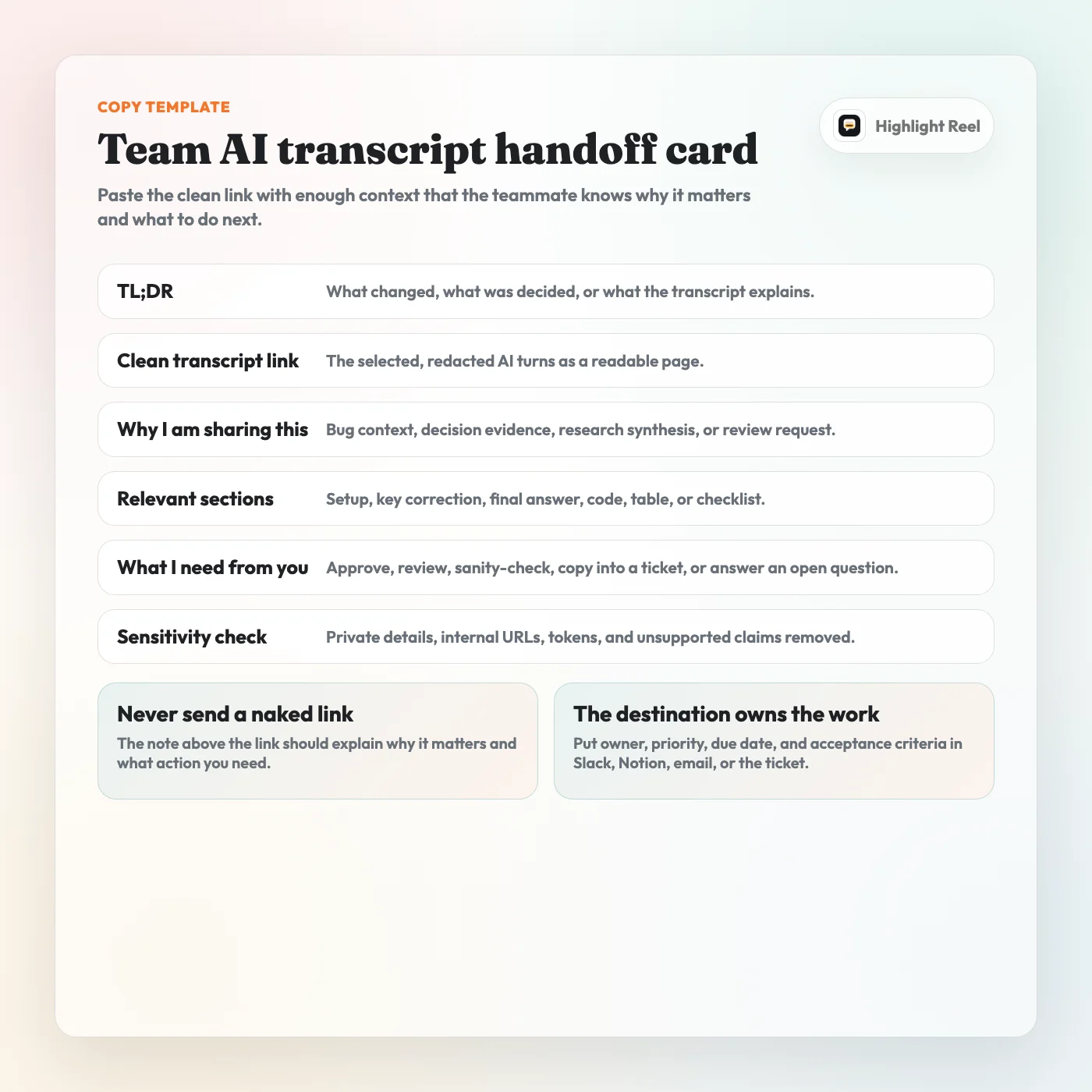
Download the team AI transcript handoff card
Paste Examples By Destination
The same transcript link needs a different wrapper depending on where it lands.
| Destination | Better than a naked link |
|---|---|
| Slack | Cleaned transcript from the pricing-page AI review. Please check the final risk list and tell me whether anything blocks the launch copy. |
| Notion | Add the link under the project note with a one-line summary, an owner, and the section it supports, such as Research synthesis or Decision record. |
Put the requested action in the email body: I cleaned the AI transcript behind this recommendation. Please review the assumptions and reply by Friday if anything is off. | |
| GitHub issue | Keep the issue body useful without the link: expected behavior, actual behavior, affected area, transcript link, proposed next step, and acceptance criteria. |
| Linear/Jira | Put the actionable work in the ticket fields first: problem, owner, priority, acceptance criteria, and transcript link as supporting context. |
The rule is simple: the destination owns the work, and the transcript supports it.
Role And Use-Case Workflows
Product And Strategy
Use a clean transcript when an AI chat helped compare options, pressure-test a roadmap idea, summarize user feedback, or turn a messy thought into a decision draft.
Best destination:
- Slack for quick review
- Notion for a decision log
- Linear/Jira for execution tasks
- Email for leadership review
What to keep:
- the original goal
- the constraints
- the comparison table or decision logic
- the final recommendation
- any open questions a human still needs to answer
What to remove:
- speculative branches that did not affect the decision
- private customer names
- internal pricing, roadmap, or hiring details unless the audience should see them
Engineering And Bug Reports
Use a clean transcript when the AI chat includes debugging notes, reproduction steps, code suggestions, architecture tradeoffs, or implementation risks.
Best destination:
- GitHub issue for repository-tracked work
- Linear or Jira ticket for team-tracked work
- Slack thread for quick triage
- Notion page for longer technical notes
What to keep:
- expected behavior
- actual behavior
- environment details that matter
- commands, stack traces, and code blocks as text
- the final proposed fix or investigation plan
What to remove:
- tokens, secrets, database URLs, private file paths, customer identifiers, and abandoned guesses that would confuse the issue.
The key rule: keep the ticket useful even if nobody opens the transcript link. The link should provide context and evidence, not hide the task.
Support, Sales, And Customer Context
Use a clean transcript when an AI chat helped summarize a customer question, draft a response, compare options, or translate a messy support case into a next step.
Best destination:
- email for external follow-up
- Slack for internal escalation
- Notion for account notes
- ticket system for customer-facing work
What to keep:
- customer problem in neutral wording
- proposed response
- assumptions that need verification
- approved next step
What to remove:
- personal data, account details, contract terms, private escalation notes, and any AI phrasing you would not want forwarded.
Research, Content, And Marketing
Use a clean transcript when an AI chat produced a useful research synthesis, outline, positioning comparison, content brief, or interview summary.
Best destination:
- Notion for source notes and editorial planning
- Slack for quick feedback
- email for agency or contractor handoff
- Linear/Jira for production tasks
What to keep:
- source assumptions
- structure or outline
- decision table
- quote list or claim checklist
- unanswered questions
What to remove:
- unsupported claims, private source material, and draft language that sounds final before it has been reviewed.
External Or Client Review
Use a clean transcript only when the client or external reviewer should see the AI-derived work process. In many cases, they only need the final document, not the chat behind it.
Best destination:
- email with a short note
- a shared Notion page with controlled permissions
- a client-visible ticket or project update, if that is already your workflow
What to keep:
- the final answer
- the decision context
- the part you want them to review
What to remove:
- internal deliberation, private team notes, unrelated alternatives, and any model output that has not been checked by a human.
Team Sharing Checklist
Before you paste the link, run this checklist:
For team workflows, it helps to separate two cleanup questions. First, does the transcript include personal or account information that can identify someone in context? NIST's PII guidance is a useful mental model for that. Second, does it include access material such as API keys, tokens, private URLs, or credentials? OWASP's secrets guidance is the stricter lens for that category.
| Check | Why it matters |
|---|---|
| Is the transcript title specific? | A teammate should know what they are opening before they click. |
| Is the original task included? | The final answer usually needs the prompt or setup to make sense. |
| Did you keep the key correction? | Many AI answers only became useful after a constraint changed. |
| Are code blocks, links, and tables still copyable? | Text-based structure makes the transcript reusable. |
| Did you remove private details? | AI chats often contain customer, employee, vendor, or internal information. |
| Did you explain the ask outside the link? | The destination should show the action even before the link opens. |
| Would this be okay if forwarded? | Team links often travel beyond the first recipient. |
| Does the destination have the right permissions? | A safe transcript can still land in the wrong Slack channel, Notion page, email thread, or ticket. |
If you cannot answer these quickly, the transcript is not ready to share yet.
What To Redact Before Sharing
Redaction is not just for legal or security teams. It is ordinary hygiene for AI work.
Remove or rewrite:
- API keys, passwords, tokens, and credentials
- customer names, emails, phone numbers, and account details
- internal URLs, private repository names, private file paths, and database names
- unreleased product plans, pricing, hiring, legal, financial, medical, or HR details
- copied material from private docs, private chats, or paid sources
- prompts that reveal a private strategy the recipient does not need
A clean transcript link is safer only if you actually clean it. The format does not do the judgment for you.
When To Use Highlight Reel
Highlight Reel fits when you have useful AI turns and need a link that works inside the tools above.
Use it to create the transcript artifact before you paste the link:
- paste or import the useful AI conversation turns
- trim the parts that do not help the reader
- preserve code, tables, lists, links, and conversation context
- share a clean link with a Slack note, Notion summary, email ask, GitHub issue body, or Linear/Jira ticket description
Highlight Reel does not replace your team's permission model, issue tracker, documentation system, or security review. It makes the transcript itself easier to read before you paste the link into those tools.
Common Mistakes
The first mistake is sharing the whole thread because it feels transparent. Transparency is not the same as usefulness. A teammate usually needs the decision path, not every detour.
The second mistake is sharing only the final answer. If the answer depends on the setup, constraints, or correction, keep those turns.
The third mistake is trusting the destination to solve privacy. A private Slack channel or restricted Notion page does not make sensitive transcript content safe by default.
The fourth mistake is sending a naked link. Add a sentence that says what the recipient should review, approve, copy, or decide.
FAQ
Can I just paste the AI chat transcript into Slack?
Yes, if it is short and the reader can understand it in one glance. For longer AI chats, paste a clean transcript link and add a one-sentence summary above it. Slack is good for attention; the transcript link is better for reading.
Should I use a Notion page instead of a transcript link?
Use Notion when the AI chat belongs inside durable project documentation. Use a clean transcript link when the conversation itself is the reference and you want a lighter artifact. If you paste the link into Notion, check the page's permissions.
Is a clean transcript link safer than a native AI shared link?
It can be, but only after you trim and redact it. Native shared links are useful when the original chat snapshot is what you want to show. A clean transcript link is better when the team only needs selected context, code, decisions, or next steps.
Do I need Slack, Notion, GitHub, Linear, or Jira integrations?
No. For this workflow, you only need a readable link. Paste it into the message, page, email, issue body, ticket description, or comment where your team already coordinates work.
Should I share the whole AI conversation?
Usually no. Share the smallest set of turns that preserves the setup, constraint, correction, and useful output. If the entire conversation is the evidence, say that explicitly in your handoff note.
What should I write above the link?
Write the reason for sharing, the important section, and the action you need. For example: "I cleaned up the AI debugging thread behind this ticket. The relevant parts are the reproduction steps and the final checklist. Please confirm whether the acceptance criteria match the current bug."
Can I share AI transcripts with external clients?
Only if the transcript has been reviewed like any other client-facing document. Remove internal deliberation, private context, unsupported claims, and anything copied from sources the client should not see.
A Simple Rule
Share AI chats where your team works, but do not make your team read the mess.
Trim the useful turns, preserve the context, add the ask, and paste a readable transcript link into the destination that already owns the work.