Export ChatGPT Conversation vs Shared Link vs Markdown vs Team Handoff
A practical comparison of ChatGPT data export, shared links, PDF or Markdown export, and clean handoff pages for team sharing.
May 13, 2026

If you search for export ChatGPT conversation, you are usually trying to do one of four different jobs: keep an archive, send one useful chat to someone, convert a conversation to PDF or Markdown, or turn a messy AI session into something a teammate can actually use.
Highlight Reel
Turn a long AI chat into a clean handoff
Paste the useful parts, remove private context, and share a readable link instead of sending the whole thread.
Those are not the same job. ChatGPT data export, ChatGPT shared links, PDF export tools, and clean handoff links all move AI chat content around, but they solve different problems.
Quick Answer
Use this comparison when you need to decide quickly:
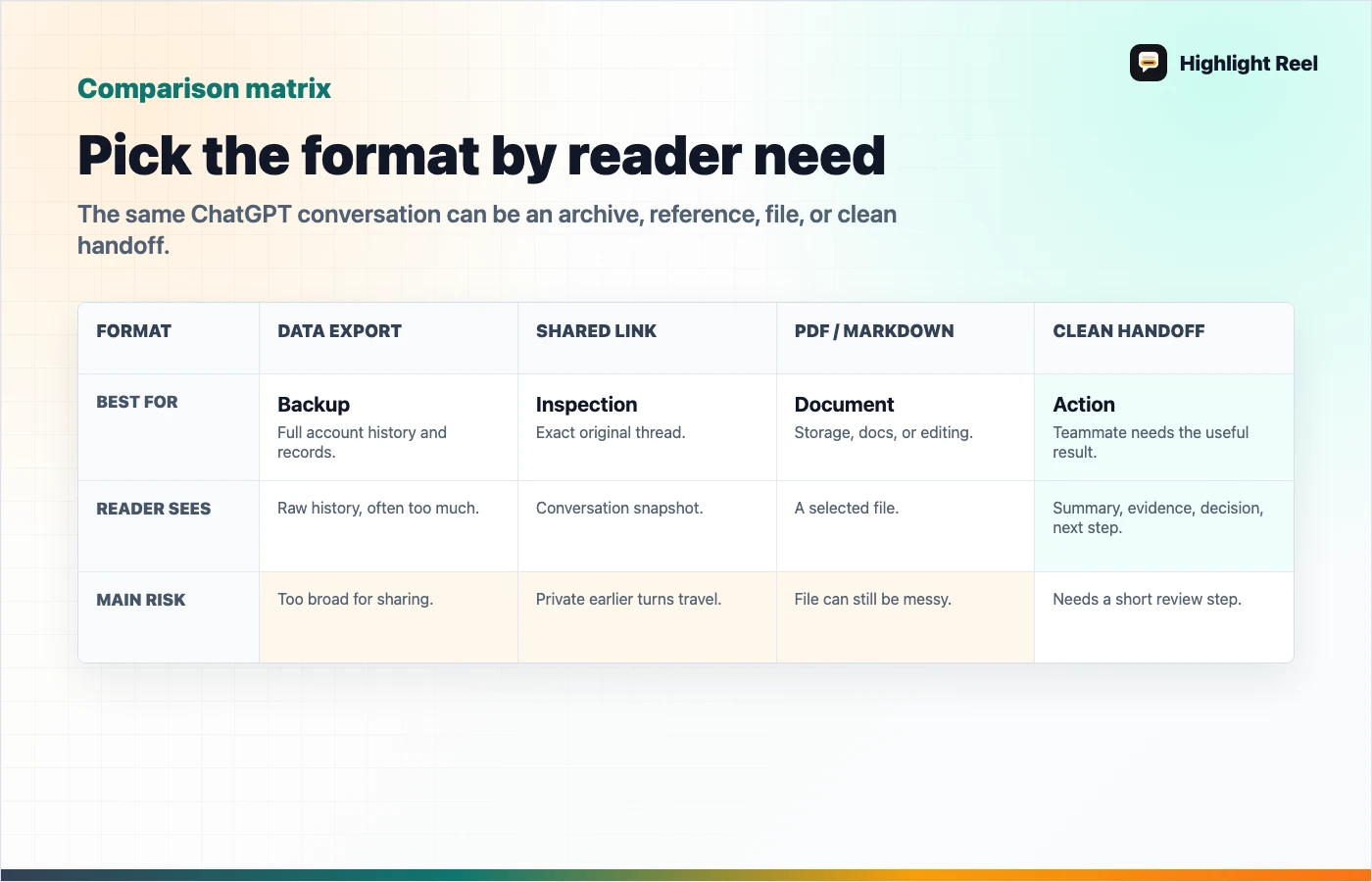
| Method | Best for | What it usually includes | Reader experience | Main risk |
|---|---|---|---|---|
| ChatGPT data export | Personal archive or account backup | A broad export of your ChatGPT account data and conversation history | Not ideal for a coworker; often raw, large, and hard to scan | Too much data for a single work handoff |
| ChatGPT shared link | Showing the original ChatGPT conversation | A snapshot of the conversation up to the point you shared it | Easy to open, but the reader sees the original thread structure | May expose extra context, prompts, or earlier turns |
| PDF / Markdown export | Saving or attaching a readable file | Usually one selected conversation in a fixed format | Good for records, docs, legal-ish archives, or offline storage | The file can become stale and may still include private context |
| Clean handoff link | Team sharing, decisions, tasks, or research handoff | Only the selected turns, summary, sources, decisions, and next actions you keep | Best for a teammate who needs the useful part, not the whole AI session | Requires a short review step before sharing |
The simple rule: export when you need an archive, share a native link when the original chat matters, and create a clean handoff when another person needs to act on the useful parts.
Download the ChatGPT export decision map
When To Use ChatGPT Data Export
ChatGPT data export is the right option when you want your own copy of account data or conversation history. It is not designed as a polished way to send one conversation to a teammate.
Use data export when:
- you are backing up your ChatGPT history
- you are moving material into a personal archive
- you need the raw data for your own records
- you are preparing to leave, close, or audit an account
Do not use it as the default for team sharing. A full export can bury one useful answer inside too much raw history. It also creates a cleanup problem: before another person can understand it, someone still has to choose the relevant turns, remove private material, and explain why the chat matters.
When To Use A ChatGPT Shared Link
A ChatGPT shared link is good when the conversation itself is the reference. If a teammate needs to inspect the exact prompt path, see how the answer evolved, or verify the original response sequence, a shared link can be the fastest path.
Use a shared link when:
- the whole thread is already safe to share
- the recipient needs to see the original context
- you are sharing a lightweight reference, not a polished handoff
- the conversation is short enough that the reader will not get lost
Before sending it, ask one question: would I be comfortable if every earlier turn in this shared conversation traveled with the link?
If the answer is no, do not send the native link as-is.
When To Export ChatGPT To PDF Or Markdown
People often search for ChatGPT to PDF, export ChatGPT to PDF, or ChatGPT export Markdown because they want a file they can store, attach, print, or put in a document system.
That is a valid job. PDF and Markdown work well when the output needs to live outside the chat app.
One caveat: many PDF, Markdown, HTML, TXT, JSON, or Word export flows come from browser features or third-party tools, not the native ChatGPT data export. That does not make them useless, but it does mean you should review what tool is reading the conversation, where the file is stored, and whether the output includes private turns you meant to remove.
Use PDF when:
- the conversation needs to be attached to a record
- layout matters more than future editing
- the reader expects a document, not a web page
Use Markdown when:
- you want to paste the output into docs, GitHub, Notion, Linear, Jira, or a knowledge base
- the text needs editing later
- you care about headings, bullets, code blocks, and searchable structure
The trap is assuming file export equals clarity. A PDF can still be a messy transcript. A Markdown file can still include private prompts, dead ends, and irrelevant turns.
When To Create A Clean Handoff
A clean handoff is the best format when the reader needs to understand or act, not audit the entire AI session.
Use a clean handoff when the conversation produced:
- a decision
- a draft
- a bug diagnosis
- a research summary
- a plan
- a prompt pattern
- a comparison
- a set of next actions
A clean handoff should answer:
- What was the original question?
- What useful answer came out of the chat?
- What assumptions or sources matter?
- What should the reader do next?
- What private context was removed?
This is where Highlight Reel fits. It is not trying to replace every ChatGPT export path. It helps when a long AI chat needs to become a readable page, transcript, or handoff link that another person can actually use.
Decision Guide
Choose the format by reader need:
| Reader need | Best format |
|---|---|
| "I need my full ChatGPT history." | ChatGPT data export |
| "I need to show exactly what the AI said." | ChatGPT shared link |
| "I need a file for records." | PDF export |
| "I need editable text for docs." | Markdown export |
| "I need my coworker to understand the useful part." | Clean handoff link |
| "I need to reuse the result in another model or project." | Markdown or clean handoff |
| "I need to remove sensitive information first." | Clean handoff |
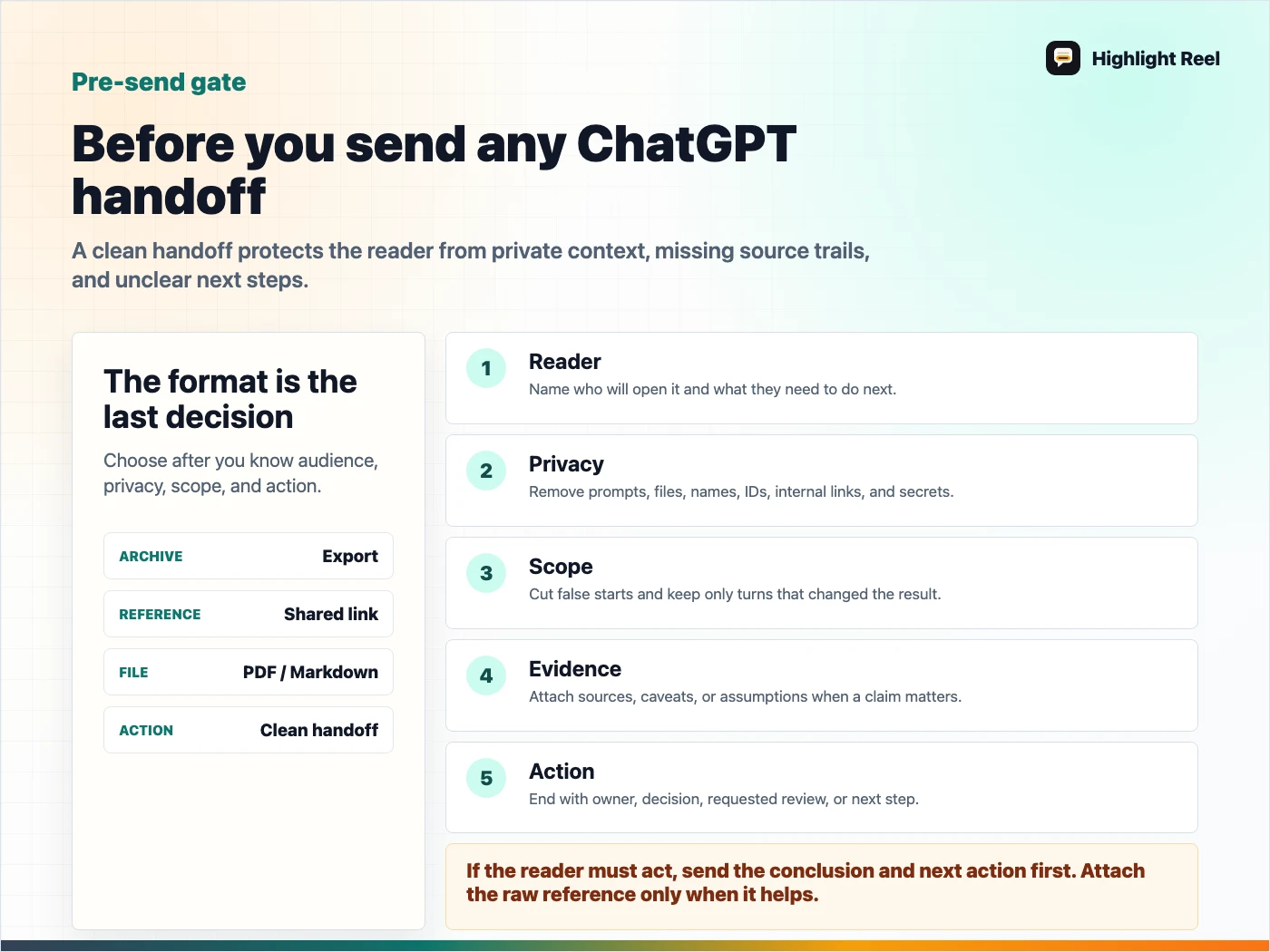
The sharpest rule is this: if the reader must act, do not send a raw export or shared link alone. Send the conclusion, decision, and next action first, then attach the raw reference only if it helps.
What To Send In The Next Five Minutes
If you chose a clean handoff, send something like this in Slack, Linear, Notion, GitHub, or email:
Here is the cleaned handoff:

- Original question:
- Useful result:
- Decision:
- What I removed:
- Source or transcript reference:
- Next action:

Link:
If you chose PDF or Markdown instead, add the same header before the file. The format preserves the chat; the header tells the reader why the chat matters.
Pre-Send Checklist
Before sending any exported AI chat, check:
- Does the recipient need the whole conversation or only the result?
- Are there API keys, customer names, internal URLs, files, or private prompts?
- Are failed attempts or irrelevant turns distracting from the answer?
- Does the export explain what changed, what was decided, and what comes next?
- Will this format still make sense in one month?
If the answer is mostly no, do not send the raw export. Turn it into a handoff.
Download the ChatGPT handoff pre-send checklist
FAQ
Is a ChatGPT shared link the same as exporting a conversation?
No. A shared link lets someone view a conversation snapshot. Exporting usually means downloading data or saving a conversation into a file format such as PDF, Markdown, TXT, HTML, or JSON.
What is the best way to export a ChatGPT conversation for a coworker?
If the coworker needs the original chat, use a shared link. If they need the useful result, use a clean handoff with the selected turns, summary, decision, and next action.
Should I export ChatGPT to PDF or Markdown?
Use PDF for fixed records and Markdown for editable docs. If you need to remove private context or make the content easier to act on, clean it before exporting.
Where does Highlight Reel fit?
Highlight Reel is for the moment after the AI chat becomes useful but before it is safe or clear enough to send. It helps turn long AI conversations into readable shared pages and handoff links.