What Not To Include In A ChatGPT Shared Link
A practical checklist for ChatGPT shared link privacy: what to remove, rewrite, or turn into a clean handoff before sending the link.
May 13, 2026

A ChatGPT shared link can be the fastest way to show someone a useful answer. It can also include more than you meant to send.
Highlight Reel
Share the useful version, not the whole thread
Highlight Reel helps you keep the useful turns, remove private context, and create a readable handoff link from a messy AI chat.
OpenAI's shared links FAQ explains that a shared link is a snapshot of the conversation up to the point you create the link, and that anyone with access to the link can view the linked conversation. That is the practical privacy issue: the link may show the whole path to the answer, not only the answer.
Use this checklist before you send a ChatGPT shared link to a coworker, client, community, or public post. This is practical privacy hygiene, not legal advice.
Quick Answer
Do not include anything in a ChatGPT shared link that you would not be comfortable pasting into the destination chat, email, issue, or public page.
Before sharing, remove or avoid:
- Secrets, tokens, passwords, cookies, and private URLs.
- Personal details that are not needed for the reader's task.
- Customer, patient, applicant, employee, or financial details.
- Private files, file paths, repo names, logs, screenshots, and support cases.
- Internal strategy, roadmap, pricing, launch timing, and negotiations.
- Earlier prompts that explain too much private context.
- Unverified output that the recipient might treat as finished work.
If the final answer is useful but the thread contains private or irrelevant context, make a clean transcript or handoff instead of sending the raw ChatGPT shared link.
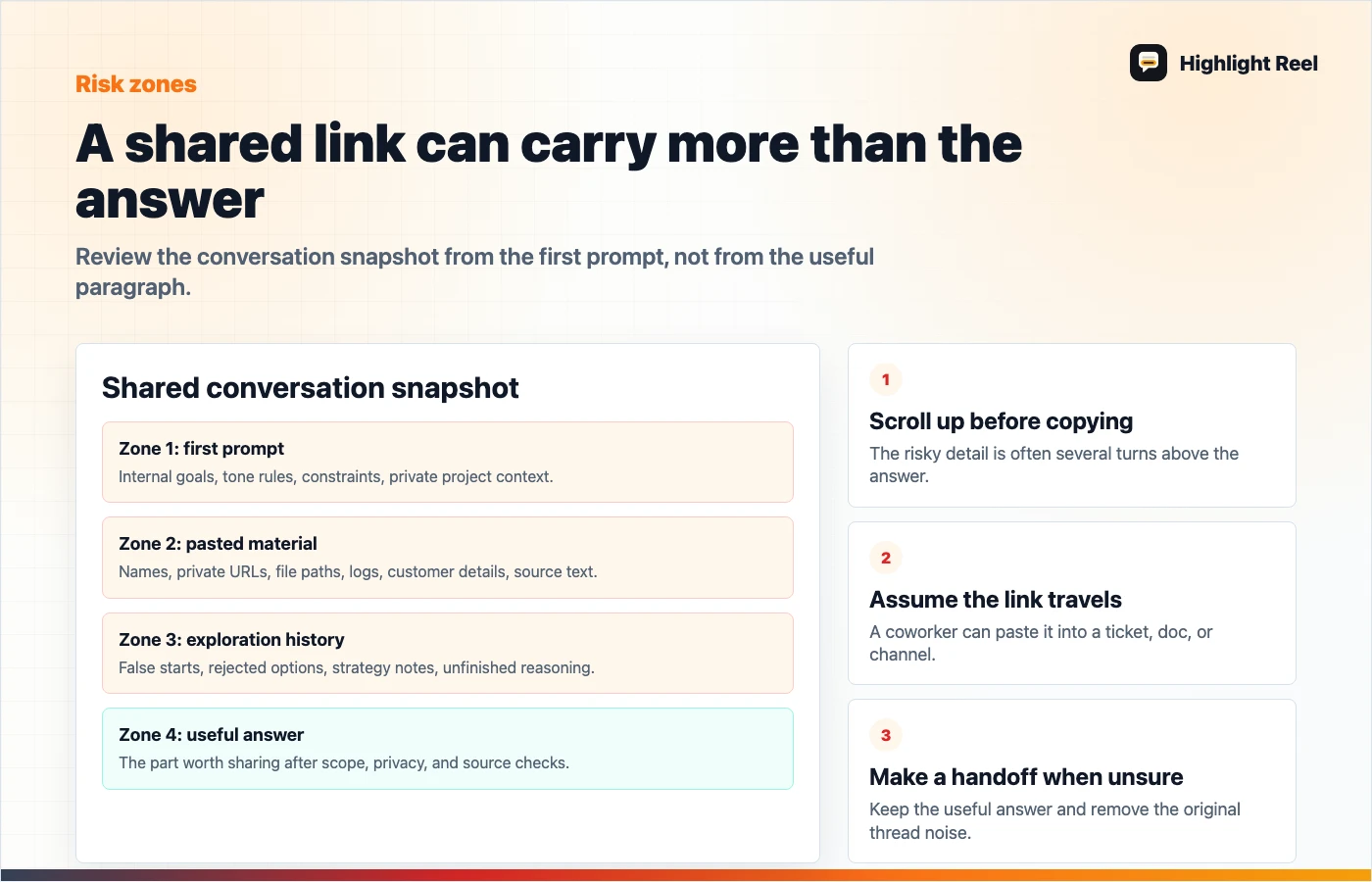
Download the ChatGPT shared link risk map
What A Shared Link Can Include
The easiest mistake is to check only the final answer. A ChatGPT shared link can include earlier prompts and responses in the shared snapshot. That means the private part may be several screens above the paragraph you actually want to send.
OpenAI also says shared links do not include your name or other personal information by default. That does not remove information you typed into the conversation yourself. If a prompt contains a customer name, private source, internal URL, or access token, the shared conversation can still reveal it.
Use this rule:
Review from the first prompt, not from the useful answer.Do Not Include: Pre-Send Checklist
| Category | What to look for | Safer replacement |
|---|---|---|
| Secrets | API keys, tokens, auth headers, cookies, passwords, private download URLs | [secret removed] plus the relevant non-secret behavior |
| Personal details | Names, emails, phone numbers, addresses, resumes, health details, HR notes | Role or placeholder, such as [customer] or [candidate] |
| Customer context | Account IDs, invoices, support tickets, churn notes, renewal details | A generalized issue summary |
| Internal work | Private repo names, file paths, launch plans, roadmap notes, pricing strategy | Public-safe labels and a short task summary |
| Logs and code | Stack traces with hostnames, environment variables, file paths, secrets | Minimal error message and cleaned code block |
| Source material | Full pasted documents, contracts, meeting notes, unpublished research | Short excerpt, approved quote, or your own summary |
| AI false starts | Bad suggestions, rejected directions, internal constraints | Keep only the final accepted answer and useful caveats |
| Permissions context | Why you asked, who approved it, or internal escalation notes | A neutral reason for the task |
You do not need to remove every detail. You need to remove details that do not help the recipient understand or act on the useful part.
Decision Table: Shared Link Or Clean Handoff?
| Situation | Use a ChatGPT shared link? | Better default |
|---|---|---|
| Short conversation, no private context, reader needs the exact exchange | Yes | Shared link |
| Long conversation with several useful turns and many dead ends | Maybe | Clean transcript |
| Final answer is useful but prompts contain private context | No | Redacted handoff |
| External collaborator needs a polished summary | Usually no | Highlight Reel share page or doc |
| Public post, newsletter, or community answer | Usually no | Selected excerpt with private context removed |
| Internal team wants to inspect how the answer was produced | Maybe | Shared link only after full-thread review |
| You need an account archive | No | ChatGPT data export |
The decision is not "shared links are safe" or "shared links are unsafe." The decision is whether the exact snapshot is the right artifact for this audience.
Review Workflow Before You Copy The Link
1. Preview the shared conversation
Open the share flow and read the preview from the top. Look for private text in earlier prompts, not just the visible final answer.
2. Name the audience
Ask who might see the link after it leaves your hands. A link sent to one coworker may be forwarded into Slack, copied into a ticket, or added to a project doc.
3. Remove what the reader does not need
Most recipients need the answer, source trail, decision, or next step. They usually do not need the entire prompt history.
4. Replace specifics with useful placeholders
Good redaction keeps meaning:
| Original | Cleaner version |
|---|---|
sk-live-... | [API key removed] |
/Users/lee/client-a/private-roadmap.md | [private roadmap file] |
| "Acme renewal is blocked by the VP" | "[customer renewal issue]" |
| "Use our unreleased May pricing" | "[internal pricing detail removed]" |
5. Recheck the result as the recipient
After cleanup, the reader should understand:
- what question was asked
- what answer matters
- what assumptions or limitations remain
- what action should happen next
If the cleaned version answers those without exposing unnecessary detail, it is ready to share.
Special Case: Deleting The Link Later
OpenAI documents ways to delete or manage ChatGPT shared links. That can stop access through the shared URL. The same FAQ also warns that if someone imported the conversation into their own chat history, deleting your shared link will not remove that imported copy.
So deletion is useful, but it should not be your first privacy control. The better habit is to avoid sharing the sensitive version in the first place.
Where Highlight Reel Fits
Highlight Reel is the bridge when the useful answer and the raw thread are not the same thing.
Use it when you want to:
- keep only the useful AI turns
- remove private or irrelevant context
- add a short summary and next action
- share a readable page instead of a long chat snapshot
- preserve the result for later reuse
It does not change ChatGPT's shared-link permissions or erase copies someone already made. It gives you a cleaner artifact before the conversation leaves the chat tool.
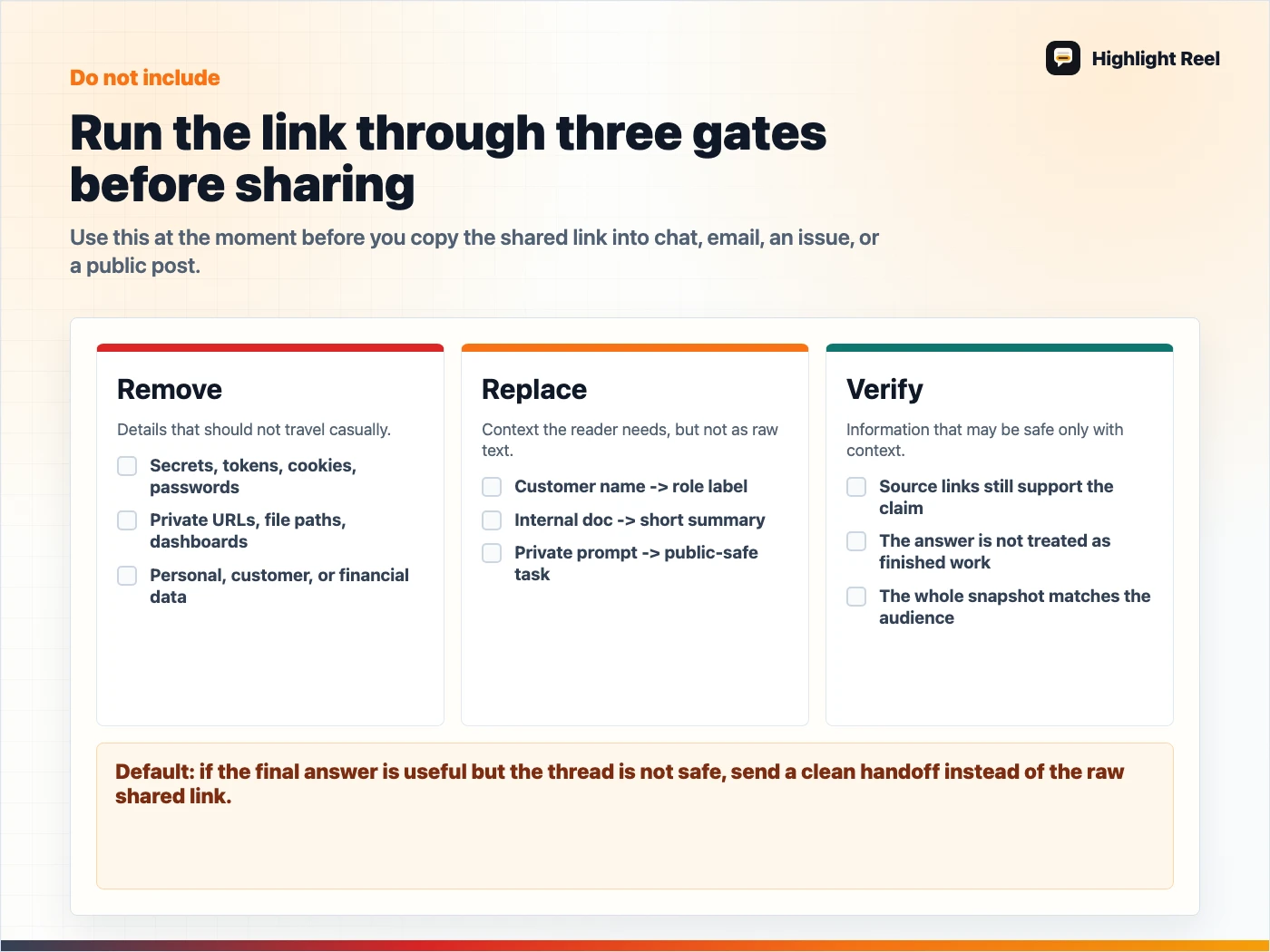
Download the ChatGPT shared link do-not-include checklist
FAQ
Is a ChatGPT shared link private?
For regular shared links, treat the URL as viewable by anyone who has access to it. Workspace plans may have different boundaries, so check your plan and admin settings before relying on a specific sharing rule.
Does a ChatGPT shared link include the whole conversation?
OpenAI describes shared links as snapshots of the conversation up to the point the link is created. Review the included history before sending.
Can I share only one answer from a long ChatGPT conversation?
If the native shared-link preview includes more context than you want, use a clean transcript, doc, or Highlight Reel handoff instead.
Is this a legal or compliance checklist?
No. It is a practical pre-send checklist. For regulated data, customer contracts, workplace policy, or legal obligations, use your organization's review process.