ChatGPT Connectors vs Claude MCP: What Actually Changes for Your Work
A workflow-first comparison of ChatGPT connectors, ChatGPT MCP apps, and Claude MCP connectors for setup, permissions, read/write tools, and reusable AI context.
May 2, 2026
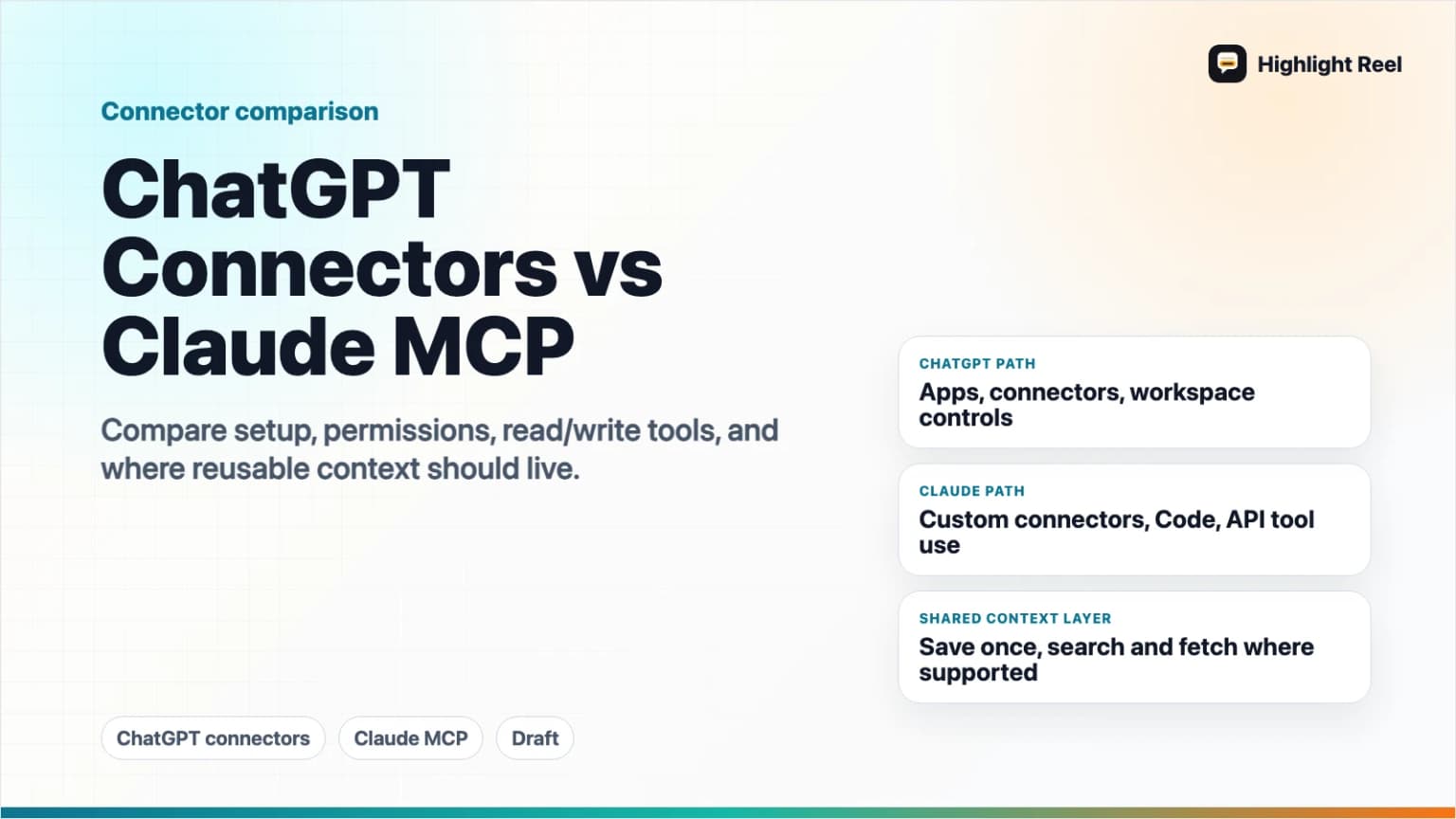
ChatGPT connectors and Claude MCP solve the same broad problem: they let an AI client use approved external context or tools instead of relying only on what you paste into the chat. The difference is not just branding. The practical differences show up in setup, client surface, read/write behavior, admin controls, and how much review happens before the AI acts.
Highlight Reel
Save once, reuse across supported AI clients
Turn useful AI conversations into Highlight Reel context that supported MCP clients can search, fetch, and reuse with your permission.
If your goal is to reuse saved AI conversations, the best workflow is not to rebuild your memory in every client. Save the important conversations once, then expose them through a supported MCP connection, such as Highlight Reel MCP, so ChatGPT, Claude, or other supported clients can search and fetch the same context with your permission.
Quick Answer
Use ChatGPT connectors or apps when your work already lives in ChatGPT, your workspace supports the relevant app or developer mode flow, and you want ChatGPT to retrieve or act on approved tools inside a chat.
Use Claude MCP when you work in Claude, Claude Desktop, Claude Code, or the Claude API and want Claude to connect to a remote or local MCP server that exposes tools or context.
Use a shared MCP-backed source, such as Highlight Reel, when the context should outlive one AI client. That way your saved conversations become reusable work artifacts instead of being trapped in one chat history.
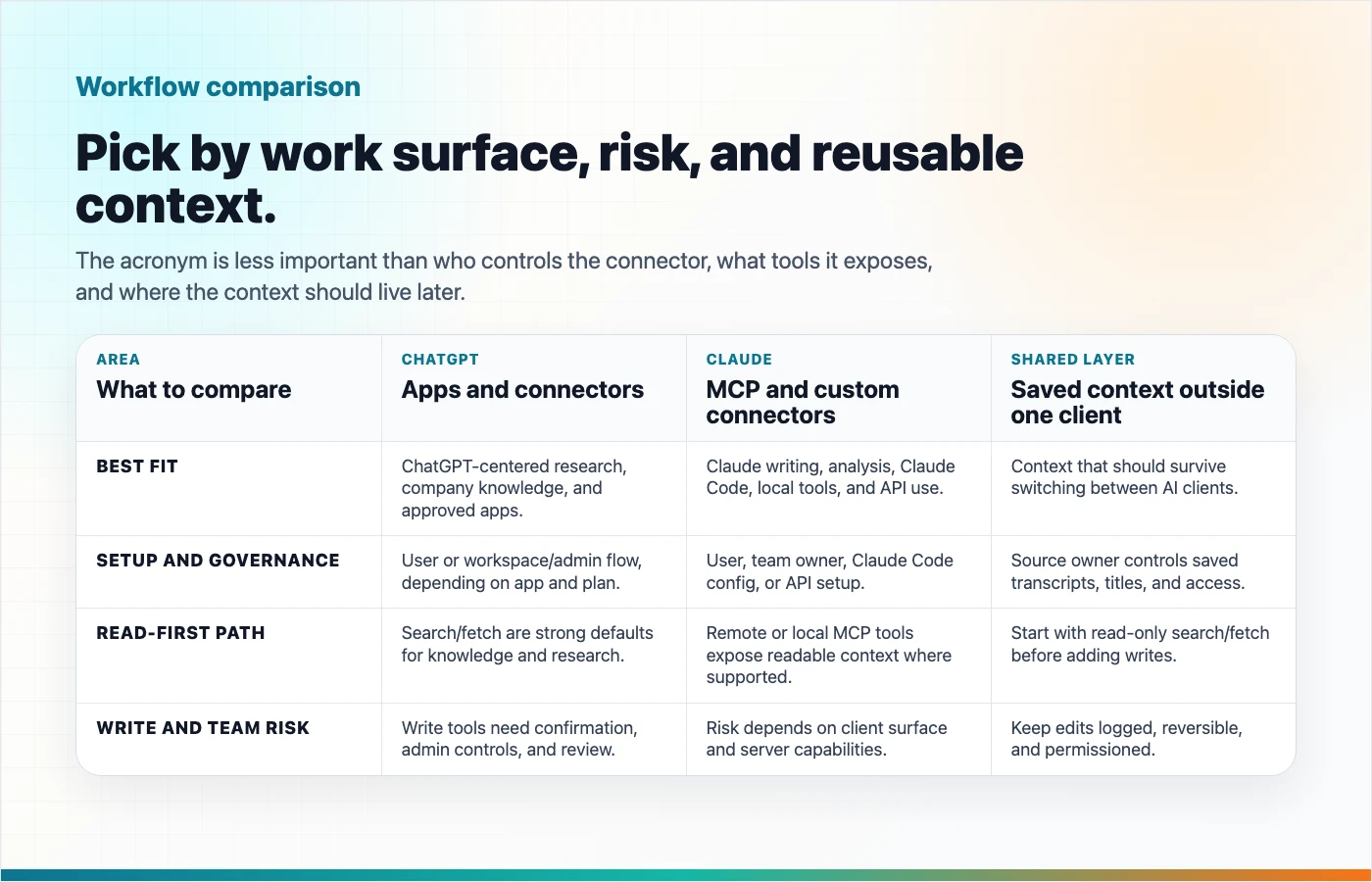
The Naming Is Confusing, So Start Here
"Connector" used to be the most common user-facing word. OpenAI's current docs increasingly call these experiences "apps," including custom MCP-powered apps. Many people still search for "ChatGPT connectors" or "ChatGPT MCP connector," so both terms matter.
Claude uses "custom connectors" for remote MCP in the user product, "MCP servers" in Claude Code, and "MCP connector" in the Claude API docs.
Underneath the naming, MCP is the common protocol. The product experience still differs by client.
| Search Term | What It Usually Means In Practice |
|---|---|
| ChatGPT connectors | Built-in or custom apps that connect ChatGPT to external data/tools |
| ChatGPT MCP connector | A custom MCP-backed app or connection used in ChatGPT |
| Claude MCP | Claude using MCP servers or custom connectors |
| Claude MCP connector | A remote MCP connector in Claude or Claude API |
| MCP server | The service exposing tools/data to an AI client |
Side-By-Side Comparison
| Area | ChatGPT Connectors / MCP Apps | Claude MCP / Custom Connectors | What Changes For Your Work |
|---|---|---|---|
| Main product surface | ChatGPT web, apps, developer mode, company knowledge, deep research | Claude, Claude Desktop, Claude Code, Claude API | Choose based on where you already work. |
| Naming | OpenAI docs now emphasize "apps," including MCP-powered custom apps | Anthropic uses custom connectors, MCP servers, and MCP connector depending on surface | Search terms differ, but MCP is the common layer. |
| Setup | Add or create an app/connector in ChatGPT settings, often with workspace/admin controls | Add a custom connector in Claude settings, configure MCP in Claude Code, or pass MCP servers in API requests | Setup can be user-level or admin-controlled. |
| Read tools | Search/fetch are important for company knowledge and deep research | Remote MCP tools can expose readable context; API docs currently focus on tool calling | Read access is the safer starting point. |
| Write tools | Developer mode and custom MCP apps can expose write actions where supported; ChatGPT shows confirmation prompts | Claude MCP tools may be able to act depending on the server and client surface | Treat writes as real actions, not just chat suggestions. |
| OAuth and consent | OAuth, no auth, and mixed auth patterns are documented; refresh-token support may matter | Custom connectors commonly use OAuth; API users may need to pass bearer tokens | Authentication controls what the AI can access on your behalf. |
| Admin controls | Workspace admins can approve, publish, restrict, and refresh actions in supported plans | Team/Enterprise owners may add organization connectors; users connect individually | Team use requires governance, not just a URL. |
| Local servers | ChatGPT docs say remote servers are supported, not local MCP servers | Claude Code supports local stdio servers and remote HTTP servers | Claude Code is more natural for local developer tooling. |
| Best for | ChatGPT-centered workflows, company knowledge, deep research, approved business apps | Claude-centered writing, analysis, coding, local tools, and API tool use | Pick the client by workflow, not by acronym. |
Setup: What A User Actually Does
In ChatGPT, a user or admin typically connects an app from settings, creates a custom app in developer mode, or uses a workspace-approved app. OpenAI's docs describe supported MCP protocols such as SSE and streaming HTTP, OAuth-related authentication, tool toggles, refresh behavior, and write-action confirmation.
In Claude, setup depends on the surface:
- In Claude or Claude Desktop, users add or enable a custom connector through connector settings.
- In Team or Enterprise plans, an owner may need to add the connector before members connect individually.
- In Claude Code, users can add local or remote MCP servers from the command line.
- In the Claude API, developers include remote MCP servers in the Messages API request.
This means the first question is not "Which one is better?" It is "Where will the work happen?"
Read Tools vs Write Tools
Read tools retrieve information. Write tools change something.
That distinction matters more than the brand name.
| Tool Type | Examples | Risk Level | Good First Use |
|---|---|---|---|
| Search | Find matching docs, transcripts, tickets, or records | Lower | "Find the saved conversation about onboarding." |
| Fetch | Open a selected item in full | Lower to medium, depending on sensitivity | "Fetch this transcript so we can summarize it." |
| Create | Make a page, draft, ticket, or record | Medium | "Create a new Highlight Reel page from this approved summary." |
| Update | Modify an existing item | Medium to high | "Update this saved transcript title." |
| Delete or destructive actions | Remove records or content | High | Avoid unless the client gives very clear review and confirmation. |
OpenAI's Help Center says ChatGPT shows explicit confirmation before write or modify actions. Anthropic's guidance emphasizes reviewing permissions and trusting the remote server you connect to. The safe default is still the same: test read tools first, then enable write tools only when they match a real workflow and the client gives you a clear review step.
OAuth, Consent, And Why They Matter
OAuth is the login-and-permission flow that lets a connector act on your behalf without handing your password to the AI client.
For users, OAuth answers three practical questions:
- Who am I connecting as?
- What data or actions am I allowing?
- Can I revoke access later?
OpenAI's MCP app guidance mentions OAuth configuration and refresh-token considerations. Anthropic's Claude connector guidance says users commonly go through OAuth to sign in and grant specific permissions. The MCP authorization spec defines how HTTP-based MCP authorization can work with OAuth-based flows.
If a connector asks for broad permissions and you only need search, stop and reconsider. Least privilege is still the right instinct.
Best Use Cases By Workflow
| Workflow | Better Fit | Why |
|---|---|---|
| Search company knowledge in ChatGPT | ChatGPT app with search/fetch support | It matches ChatGPT's company knowledge and deep research pattern. |
| Run coding tasks with local project tools | Claude Code MCP | Claude Code supports local and remote MCP server configuration. |
| Use Claude API with remote tools | Claude MCP connector in Messages API | Anthropic documents remote MCP servers directly in API requests. |
| Give an AI assistant reusable past chat context | Shared MCP-backed source | The context should not be locked to one client. |
| Create a cleaned share page from a useful AI answer | Highlight Reel MCP where write tools are supported | Save the outcome as an artifact after review. |
| High-risk updates to real systems | Either, but only with strong controls | Review permissions, payloads, confirmation, logs, and rollback path. |
A Practical Decision Guide
Ask these questions before choosing:
| Question | If Yes | If No |
|---|---|---|
| Is your team already working in ChatGPT? | Start with ChatGPT apps/connectors. | Consider Claude or a client-neutral MCP source. |
| Is your workflow centered on Claude or Claude Code? | Use Claude MCP setup for that surface. | Do not force it if the work lives elsewhere. |
| Do you need the same context in multiple AI clients? | Store it in an MCP-backed source like Highlight Reel. | A native connector may be enough. |
| Do you only need read access? | Start with search/fetch tools. | Review write permissions carefully. |
| Are admins involved? | Check workspace controls before planning the rollout. | Individual setup may be faster, but still review permissions. |
| Is the data sensitive? | Use least privilege and test with safe examples first. | You still need consent and revocation hygiene. |
Where Highlight Reel Changes The Workflow
The normal AI workflow is fragmented:
ChatGPT decision here
Claude analysis there
Debugging context somewhere else
Final summary lost in a long thread
Highlight Reel changes the center of gravity. Instead of treating each AI client as the permanent home for your work, you save the valuable conversation as a readable, reusable artifact.
Then, with Highlight Reel MCP, supported AI clients can use that saved context:
- Search saved highlights and transcripts
- Fetch the relevant conversation artifact
- Reuse prior decisions, research, and drafts
- Create new share pages where the client supports write tools and you approve the action
This is most useful when your context needs to survive tool switching. If you use ChatGPT for research, Claude for drafting, and Codex or Cursor for implementation, your saved conversations should not live in only one product's chat history.
Safety Checklist Before You Connect
| Check | Why It Matters |
|---|---|
| Confirm the connector URL and publisher | Remote MCP servers can receive requests tied to your permissions. |
| Read the requested scopes | A search-only connector and a write-capable connector are different risk levels. |
| Test read tools first | Search/fetch failures are easier to diagnose and safer than write mistakes. |
| Review write confirmations | Check the exact action, target, and data before approving. |
| Understand admin controls | Workspace approvals, tool snapshots, and refresh behavior can affect availability. |
| Know how to revoke access | Disconnect stale connectors and revoke tokens when no longer needed. |
| Avoid sensitive data unless necessary | MCP does not remove the need for privacy judgment. |
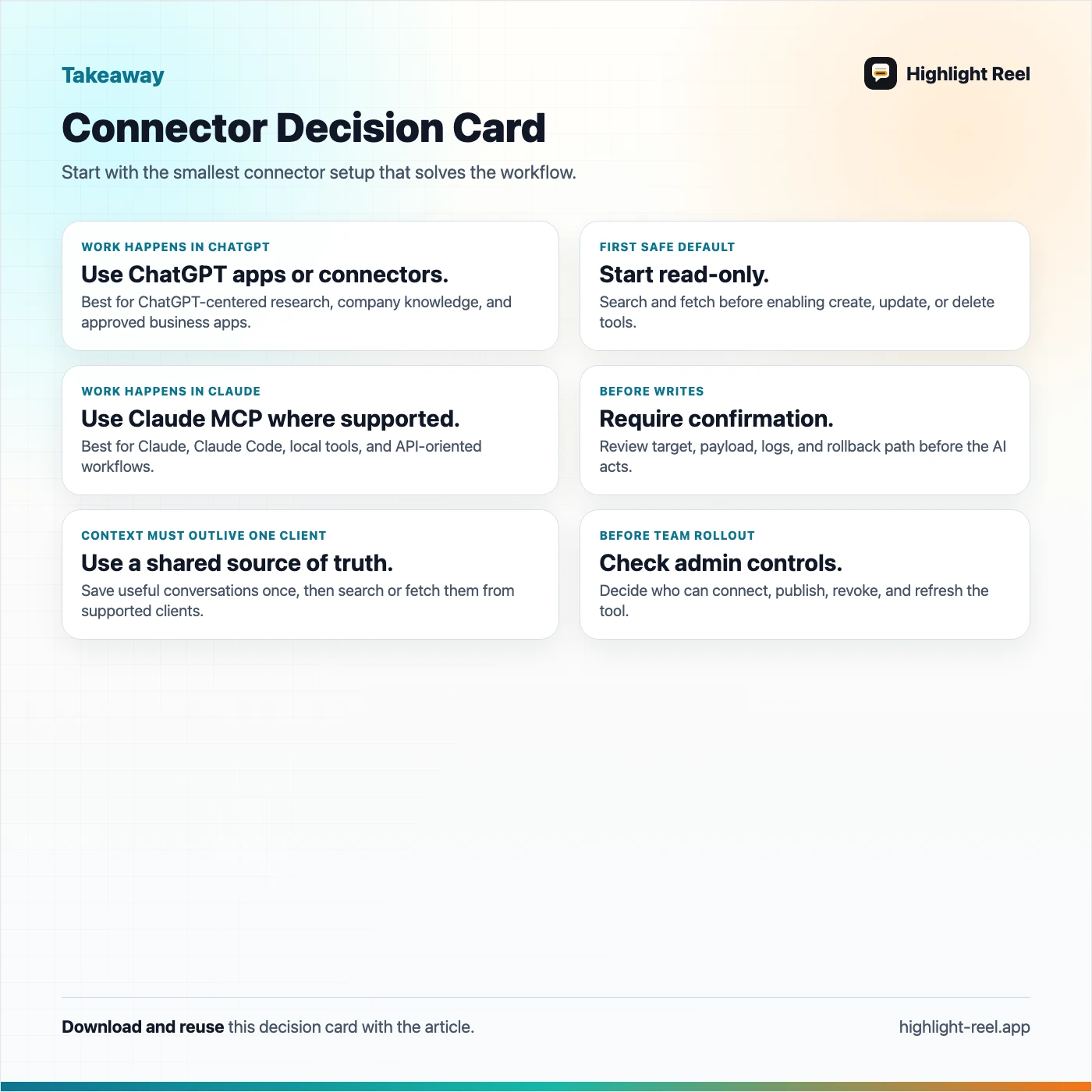
Download the ChatGPT vs Claude MCP decision card
FAQ
Are ChatGPT connectors the same as Claude MCP?
No. They can use the same underlying MCP standard, but the setup, product surface, permissions, and admin controls differ.
Why do OpenAI docs say "apps" instead of "connectors"?
OpenAI's current documentation says ChatGPT has renamed connectors to apps in many places. Users still search for "connectors," so both terms appear in practical guides.
Which one is safer?
Neither is automatically safer. Safety depends on the connector, scopes, client controls, confirmation prompts, admin review, and how carefully you approve actions.
Should I enable write tools?
Only when the workflow really needs them. Start with read tools, then add create/update tools after you understand the permission model and the client gives a clear confirmation step.
Can I use the same Highlight Reel context in both ChatGPT and Claude?
That is the point of using an MCP-backed context layer. Actual behavior still depends on each client's current MCP support, authentication, permissions, and tool availability.
What is the simplest useful setup?
Save the important conversation in Highlight Reel. Connect a supported AI client through MCP. Ask it to search or fetch the saved artifact. Use write tools only after you trust the read workflow.
Bottom Line
ChatGPT connectors and Claude MCP are not just feature checkboxes. They change where your work context lives and how an AI assistant can use it.
If all your work stays inside one AI client, that client's connector system may be enough. If your useful conversations need to travel across tools, save them once in Highlight Reel and reuse them through supported MCP clients with the permissions you choose.