NotebookLM Public Notebook vs Research Handoff: How To Share AI Research With Your Team
Compare NotebookLM public notebooks, Gemini notebooks, docs, and research handoff links for sharing AI-assisted research with a team.
May 13, 2026

NotebookLM and Gemini notebooks are becoming useful places to organize research. You can collect sources, ask questions, generate summaries, and keep a project space alive longer than a single AI chat.
Highlight Reel
Share the research, not the whole workspace
Package useful AI research into a clean link with sources, assumptions, decisions, and next steps.
But sharing a notebook is not always the same as handing off research. If a teammate only needs the answer, evidence, assumptions, and next action, sending the whole notebook can create more work for them.
Quick Answer
| Format | Best for | What the reader gets | Good when | Watch out for |
|---|---|---|---|---|
| NotebookLM public notebook | Letting someone explore the source-backed notebook | A shareable notebook experience, depending on account and access rules | The recipient should inspect or explore the notebook itself | Viewers may still access sources or artifacts in ways the sender did not expect |
| Gemini notebook | Continuing a project with organized chats, files, and instructions | A personal project space connected to Gemini and NotebookLM workflows | You are still doing the work yourself | Not every teammate needs your full working space |
| Google Doc / Notion doc | Stable written research summary | A conventional document | The research is already edited and final enough | Easy to lose the original source trail |
| Research handoff link | Reviewed answer, sources, assumptions, decisions, and next steps | A clean page built for a teammate | The reader needs to act, decide, or review quickly | Requires selecting and cleaning the important pieces |
The simple rule: share the notebook when exploration matters; share a handoff when action matters.
Also check the official NotebookLM caveats before you treat a public notebook like a normal public webpage:
- Public sharing is only enabled for consumer accounts, according to Google's NotebookLM Help.
- A public notebook link can be shared with anyone with a Google account.
- A Chat View link may hide sources and artifacts from the default view, but Google says viewers may still be able to access underlying notebook contents.
That means a NotebookLM public notebook is powerful for exploration, but it is not the same as a tightly scoped research memo.
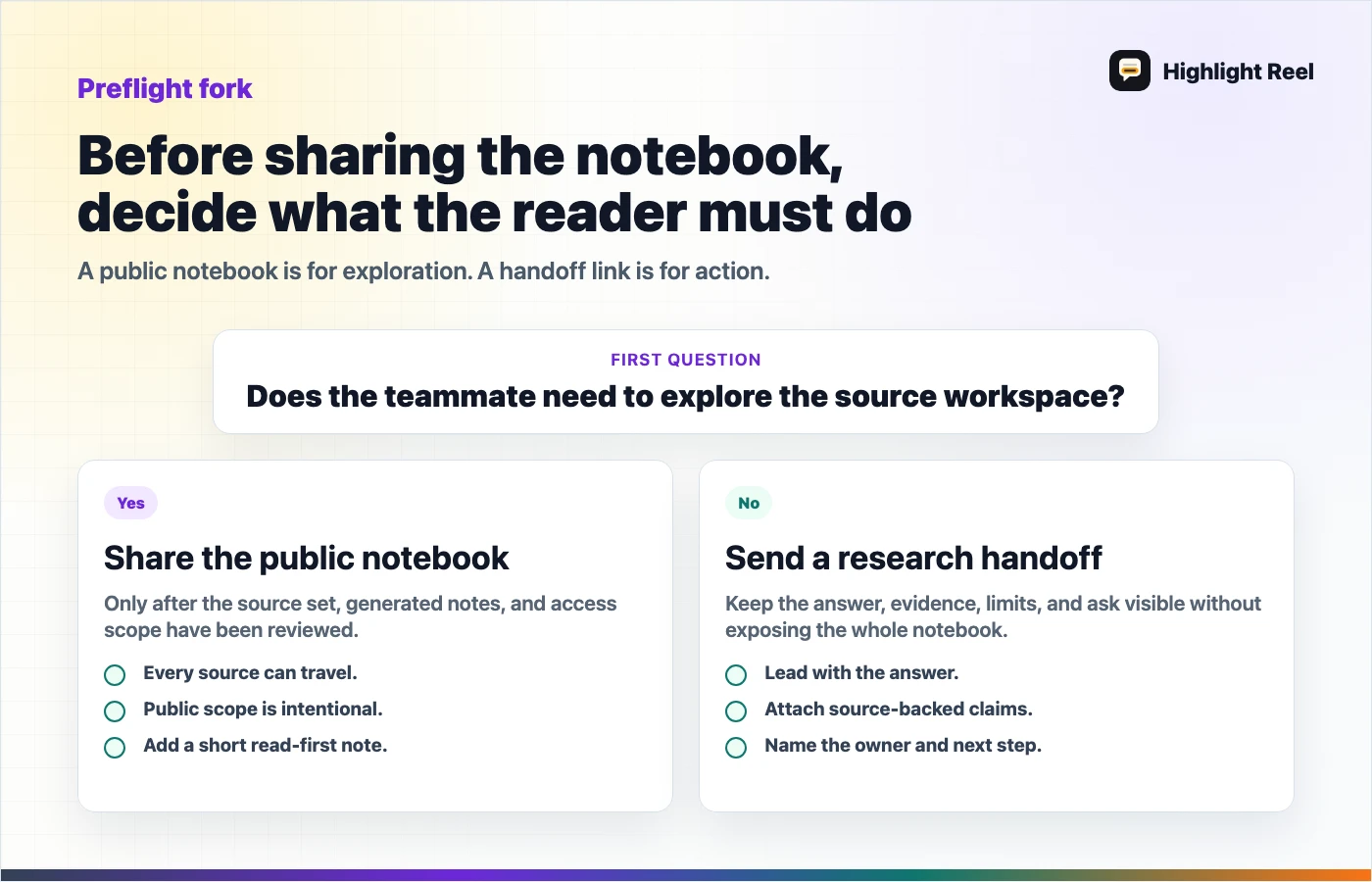
Download the NotebookLM sharing preflight checklist
Fast Decision Tree
- If the reader should explore sources themselves, share the NotebookLM public notebook.
- If the reader should make a decision, send a research handoff first.
- If the reader only needs the final answer, send a short memo or clean handoff.
- If any source, artifact, or note should not travel, do not rely on a public notebook link.
What A Public Notebook Is Good For
A NotebookLM public notebook is useful when the notebook itself is the artifact. The reader can inspect the source-backed workspace and explore the material in a more interactive way than a normal document.
Use a public notebook when:
- the recipient should browse the source collection
- the sources are safe to expose
- exploration matters more than a single answer
- the notebook is intentionally prepared for outsiders
- the reader has time to inspect the material
This works well for teaching, research collections, public explainers, and exploratory knowledge bases.
It is less ideal when the teammate is busy and only needs the answer.
It is also less ideal when you want to hide supporting materials while still giving someone the conclusion. If the sources, generated artifacts, or notebook context should not travel, make a separate handoff instead of relying on Chat View to narrow the experience.
Sender Preflight Checklist
Before sharing a NotebookLM public notebook, check:
- Are all sources safe for the recipient to see?
- Would it be okay if the recipient navigates outside the default Chat View?
- Does the recipient have a Google account and enough context to understand the notebook?
- Do they need exploration, or just a decision?
- Should you include a separate handoff note so they know what to read first?
Read This First Note
If you share the notebook plus a handoff, paste this above the link:
Read this first:

- Main answer:
- Sources worth checking:
- What not to treat as final:
- Decision needed:
- Suggested next action:
- Notebook link:
What A Gemini Notebook Is Good For
Google describes notebooks in Gemini as a project space for chats, files, custom instructions, and source-backed work that can sync with NotebookLM. That makes notebooks useful for long-running personal or team research.
Use a Gemini notebook when:
- the project is still active
- you need to keep related chats and files together
- you want to move between Gemini and NotebookLM
- you are building a richer research space over time
But a working notebook is not automatically a share-ready deliverable. Like a long ChatGPT thread, it may contain drafts, dead ends, private assumptions, or incomplete reasoning.
What A Research Handoff Link Is Good For
A research handoff link is for the person who asks, "What should I know, and what should I do next?"
It should include:
- the research question
- the short answer
- key sources
- assumptions and limits
- decision or recommendation
- open questions
- next action
That is different from dumping a notebook or raw AI chat. A handoff makes the work legible.
Highlight Reel fits this stage: after AI helped you research, but before you send the result to someone who should not have to reverse-engineer your whole process.
Decision Guide
| If the recipient needs... | Send... |
|---|---|
| To explore the sources interactively | NotebookLM public notebook |
| To continue your project workspace | Gemini notebook or shared workspace |
| To archive a final answer | Google Doc, Notion page, or PDF |
| To make a decision quickly | Research handoff link |
| To review sources and assumptions | Research source pack |
| To act in Slack, Linear, Jira, GitHub, or email | Clean handoff summary |
A Better Research Handoff Structure
Use this shape:
## Question
What were we trying to learn?

## Short Answer
What is the current answer in 3-5 sentences?

## Evidence
- Source 1: what it supports
- Source 2: what it supports
- Source 3: what it supports

## Assumptions
What might be wrong, incomplete, or time-sensitive?

## Decision
What should the team do with this?

## Next Step
Who needs to act, and what is the smallest next action?
This makes AI-assisted research easier to review. It also makes it easier to spot weak evidence before the work spreads.
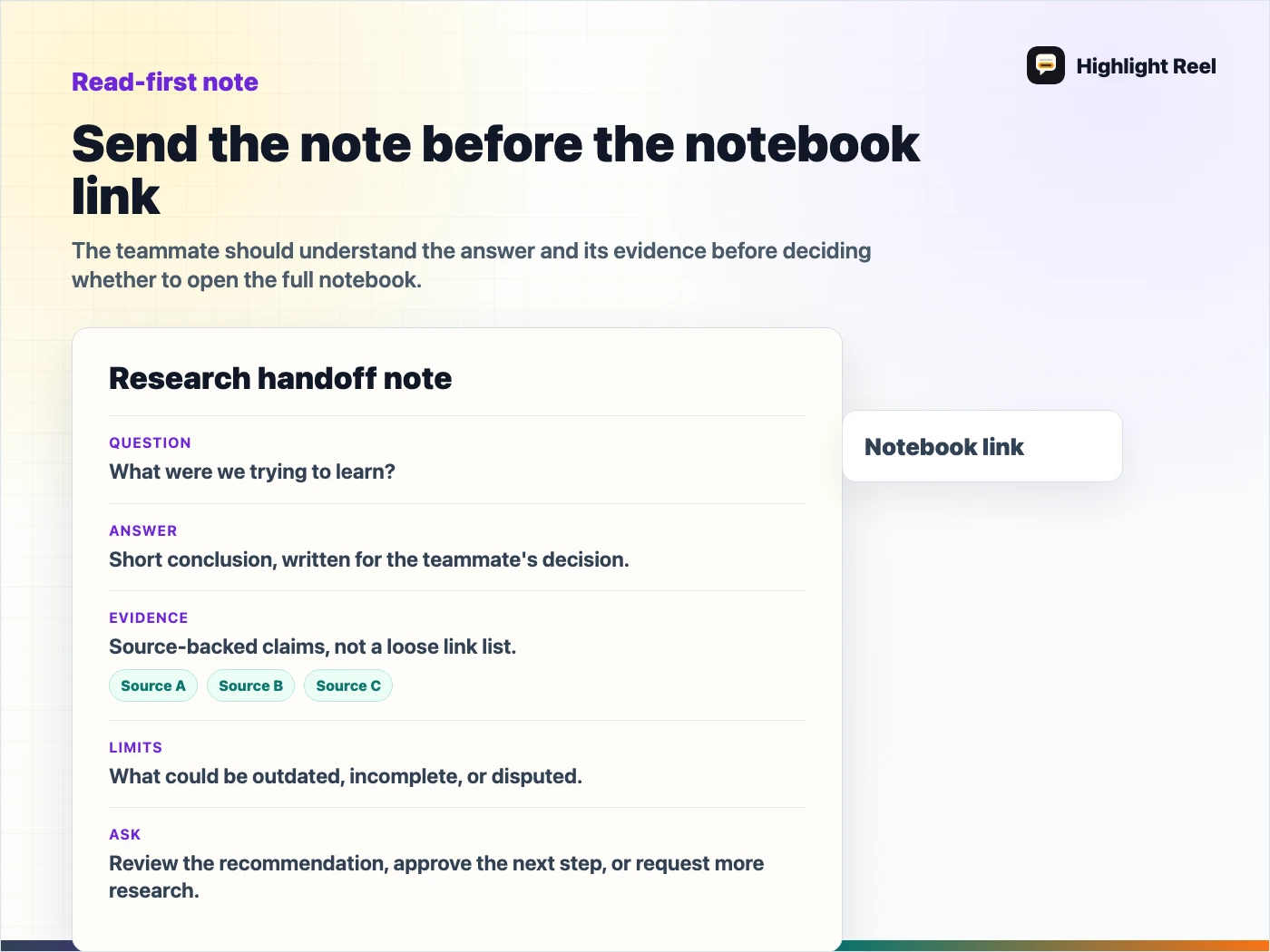
Download the research handoff note template
FAQ
Is a NotebookLM public notebook enough for team sharing?
Sometimes. It is enough when the teammate should explore the notebook. It is not enough when they need a concise decision, source summary, or next action.
Should I paste NotebookLM output directly into Slack?
Only if it is short and low-risk. For real work, preserve the question, sources, assumptions, and decision so the answer does not lose its evidence trail.
Where does Highlight Reel fit?
Highlight Reel helps turn AI-assisted research into a readable handoff link. It is useful when the notebook or chat is too large, too messy, or too private to send directly.