Turn a Long ChatGPT Session Into a Project Handoff Your Team Can Act On
A practical workflow for turning a long ChatGPT conversation into a project handoff your teammate can read, review, and act on.
May 13, 2026

A long ChatGPT session can contain real project value: a decision, a bug diagnosis, a research path, a draft spec, or a plan. But if you send the whole conversation to a teammate, you are asking them to do your cleanup work.
Highlight Reel
Create a clean project handoff from your AI chat
Paste useful turns from ChatGPT and turn them into a readable link for coworkers, docs, or tickets.
The better move is to turn the ChatGPT session into a project handoff.
Quick Answer
A useful ChatGPT project handoff has:
- a short summary
- the original task
- the selected useful turns
- decisions made
- assumptions and caveats
- source links or evidence
- next actions
- removed private context
It should be readable by someone who was not in the original chat.
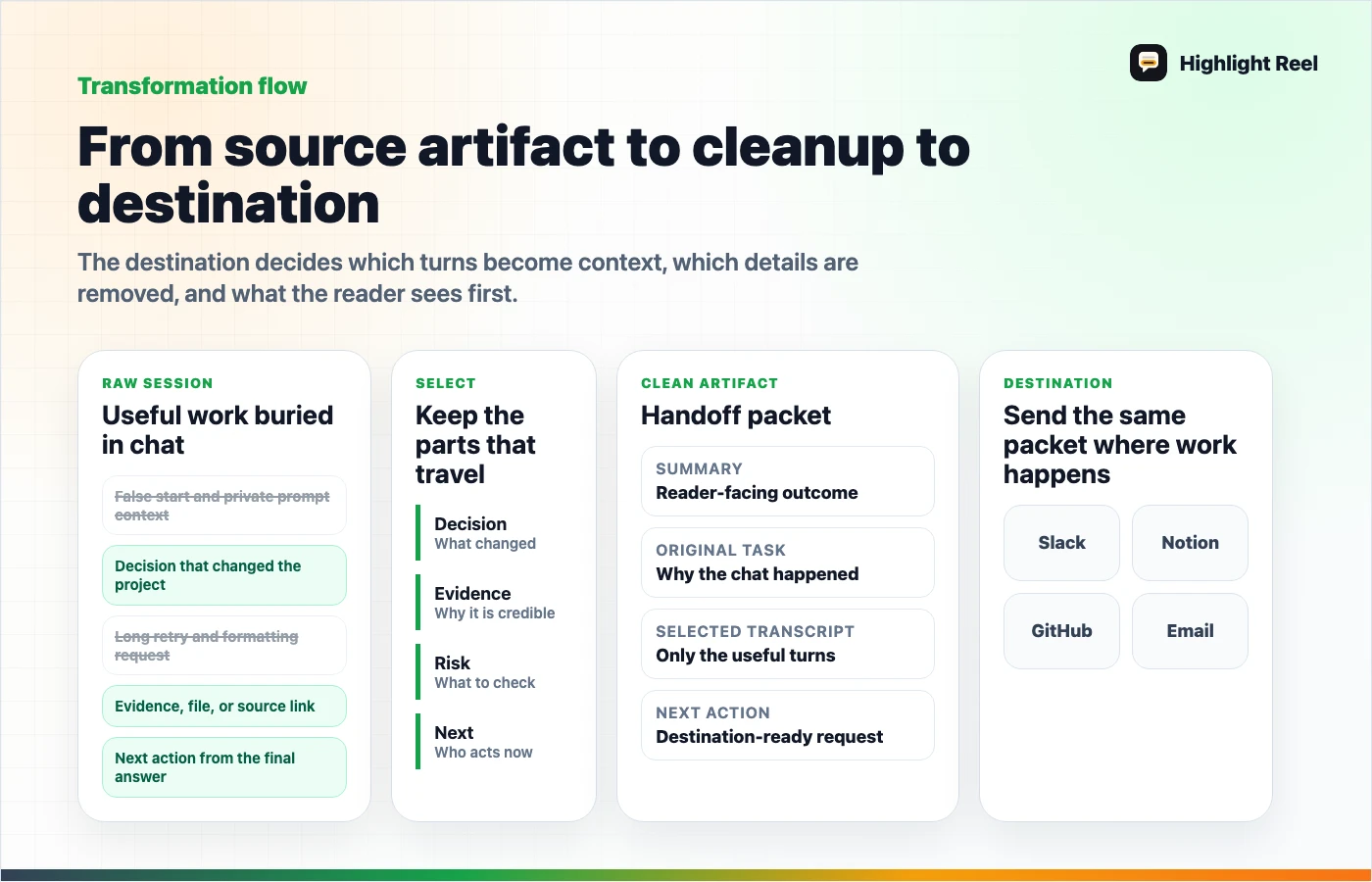
Download the ChatGPT project handoff flow
Step 1: Decide What The Handoff Is For
Do not start by exporting the whole conversation. Start with the reader.
Ask:
- Is this for a developer, designer, manager, support teammate, client, or future you?
- Do they need the original AI reasoning or just the outcome?
- Should they approve, continue, implement, review, or archive the work?
That answer decides what to keep.
Step 2: Select The Useful Turns
In a long ChatGPT session, not every prompt matters. Keep turns that changed the work:
- the prompt that defined the problem
- constraints that shaped the answer
- a comparison that led to a choice
- source-backed findings
- code, copy, table, or plan that survived review
- correction turns where the answer improved
- the final decision or next action
Remove:
- warm-up prompts
- dead ends
- repeated answers
- private context
- mistakes that no longer affect the result
- internal frustration that does not help the reader
Step 3: Add A Handoff Header
Use this:
# Project Handoff

## Summary

## Original task

## Useful AI output

## Decisions made

## Assumptions and risks

## Sources or evidence

## Next action

## Selected transcript
This header is the difference between "here is a chat" and "here is work you can use."
Step 4: Choose The Format
| Destination | Best format |
|---|---|
| Slack or Teams | Short summary plus handoff link |
| Notion or Google Docs | Markdown or clean page |
| GitHub / Linear / Jira | Decision and next action with selected transcript |
| Summary plus link | |
| Archive | PDF or Markdown export |
| Another AI model | Markdown with context summary |
If the teammate needs to act, a clean handoff link is usually better than a raw ChatGPT shared link.
Source Artifact To Cleanup To Destination
Use this table when the session is long and you are not sure what to do with it:
| Source artifact | Cleanup action | Destination |
|---|---|---|
| ChatGPT shared link | Add summary, decision, and what the reader should ignore | Slack, Teams, or email |
| ChatGPT export or Markdown transcript | Remove false starts, private context, and repeated turns | Notion, Google Docs, GitHub, Linear, or Jira |
| AI-generated research answer | Preserve sources, assumptions, and open questions | Research handoff or source pack |
| Coding or product-planning session | Keep constraints, chosen approach, files touched, and next action | Ticket, PR note, or project brief |
| Customer-support analysis | Redact names, account IDs, billing details, and private URLs | Product feedback handoff |
This is what makes the page a project handoff instead of a nicer transcript. The destination decides the cleanup.
For customer-support analysis, make the pattern concrete:
Pattern:
Evidence:
Affected flow:
What was removed:
Proposed product follow-up:
Owner:
Step 5: Preserve What Future Work Needs
A good handoff is also a future context packet. Save:
- product rules
- architecture decisions
- terminology
- open questions
- important constraints
- reusable prompts
- final reviewed answer
The next time you ask ChatGPT, Claude, Cursor, Codex, or an agent to continue the project, this context will be much easier to reuse than a raw conversation export.
Example
Weak handoff:
Here is the ChatGPT thread:
https://chatgpt.com/share/...
Better handoff:
Summary: We compared three ways to structure the onboarding flow and chose the two-step version.

Decision: Use "paste first, organize second" because it reduces first-screen friction.

Evidence: The longer flow asks users to classify content before they see value.

Next action: Update the prototype and test mobile spacing.

Selected transcript: [clean link]
The second version lets the teammate understand the work without becoming the transcript editor.
GitHub Or Linear Copy/Paste Block
Use this when the ChatGPT session produced implementation context:
Context:
Decision:
Why:
Files or area affected:
Risks:
Selected transcript:
Next action:
Owner:
This is usually enough for a teammate to continue the work without reading the entire AI session.
How Highlight Reel Fits
Highlight Reel helps when the project handoff starts inside an AI chat. You can paste the useful turns, remove private context, and create a readable page instead of sending screenshots, raw exports, or a long shared link.
That makes the AI session easier to reuse as a work artifact.
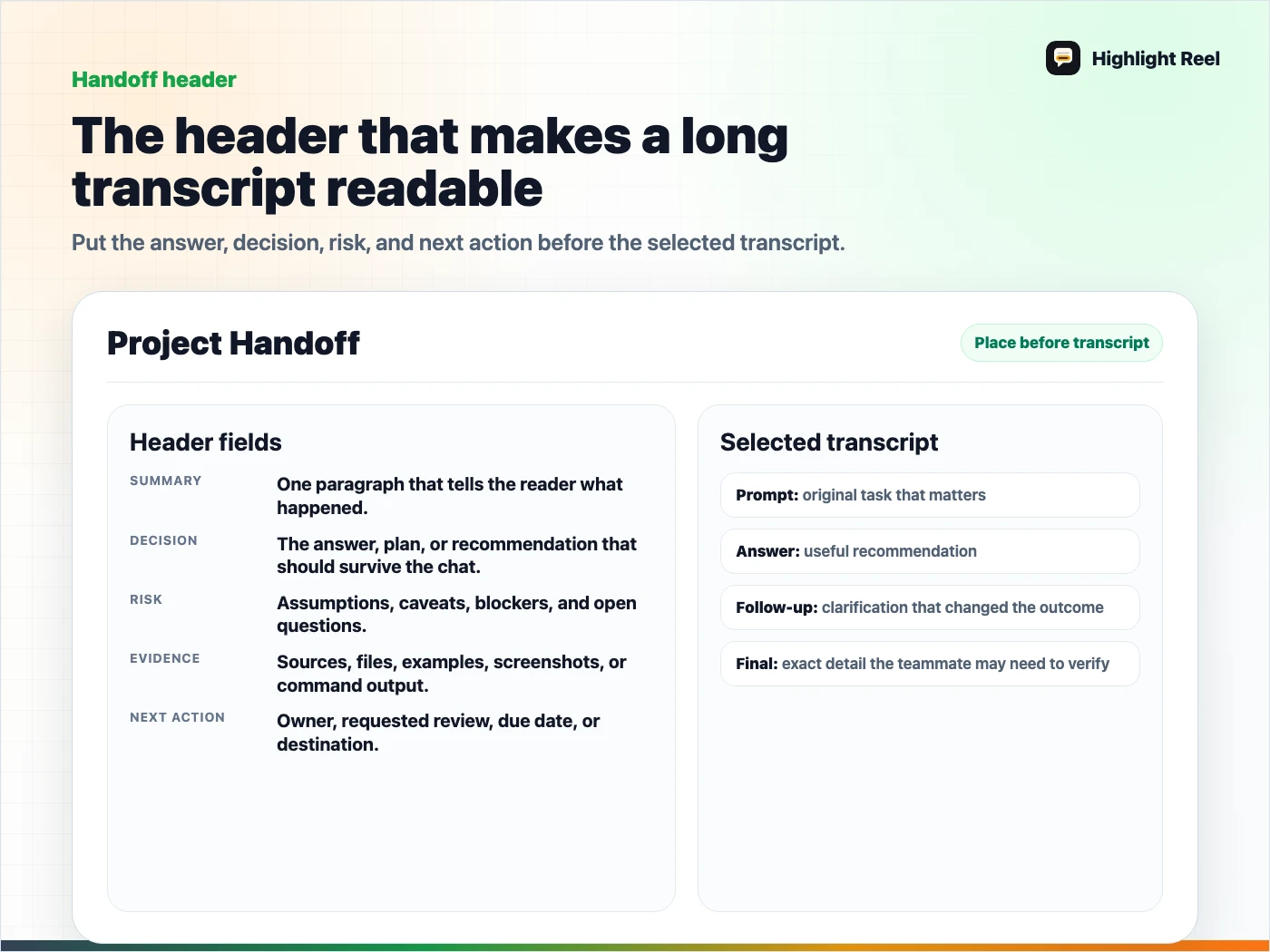
Download the project handoff header template
FAQ
Should I send the original ChatGPT shared link too?
Sometimes. If the teammate needs to inspect the original sequence, include it as a reference. But the handoff should still summarize what matters.
Is this only for teams?
No. It also works for future you. A clean handoff makes it easier to restart a project later.
What if the conversation is huge?
Do not export everything first. Pick the useful turns, then build the handoff around the decision or next action.