MCP Connector Permission Checklist: What To Review Before Connecting AI Tools
A practical MCP connector permissions checklist for reviewing data access, tool actions, approvals, prompts, logs, and handoffs before connecting AI tools.
May 13, 2026

An MCP connector permission review should answer one practical question: what can the AI see, what can it do, and who checks the result before it affects real work?
Highlight Reel
Prepare clean context before connecting tools
Highlight Reel helps teams save reviewed AI-chat context before exposing it to connectors, agents, or MCP-backed workflows.
MCP is a standard for connecting AI applications to external tools, data, and workflows. OpenAI's documentation describes connectors and remote MCP servers as ways to give models new capabilities, including access to external services and tool calls. That makes permission review more concrete than a normal prompt review.
This checklist is practical implementation hygiene, not legal or security advice. Use it before approving a ChatGPT app, remote MCP server, custom connector, internal tool server, or agent workflow.
Quick Answer
Before approving an MCP connector, check:
- Server trust: who runs the server, and is it official or third-party?
- Data scope: what files, records, messages, or databases can it read?
- Tool scope: what actions can it call?
- Write risk: can it create, update, delete, publish, send, or spend?
- Approvals: which actions require human confirmation?
- Prompt injection exposure: can untrusted content influence tool use?
- Logging and review: where can you inspect data sent to or returned from tools?
- Handoff output: what clean result should be saved after the connector runs?
Start read-only, start narrow, and require approval for sensitive actions.
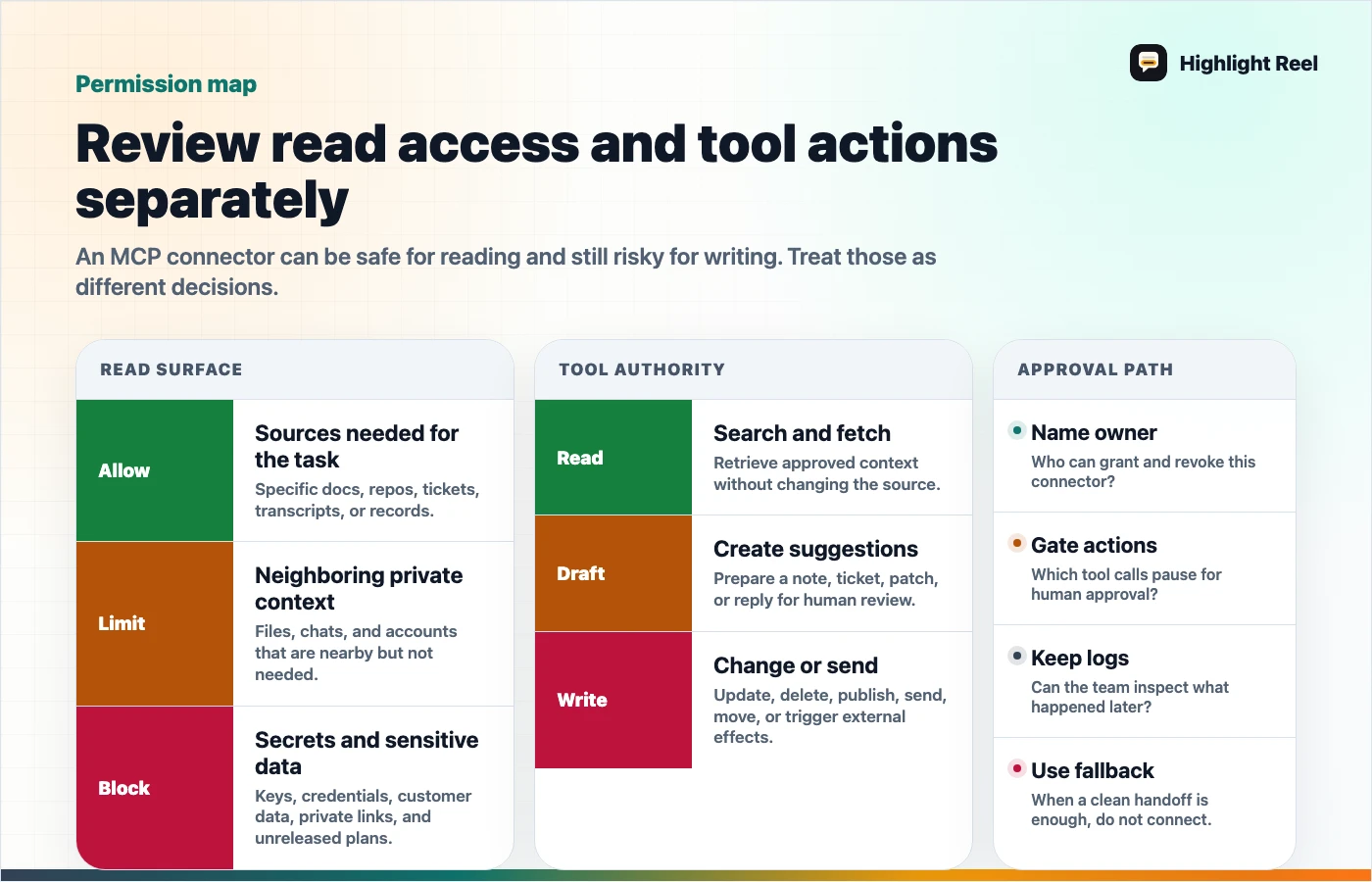
Download the MCP permission review map
MCP Permission Review Table
| Area | Ask | Safer default |
|---|---|---|
| Server owner | Who operates the MCP server? | Prefer official servers from the service provider. |
| Authentication | Is it OAuth, no auth, mixed auth, or static credentials? | Use revocable auth tied to a work identity. |
| Read scope | What can tools search or fetch? | Limit to one workspace, folder, project, or dataset first. |
| Write scope | Can tools create, edit, delete, send, publish, or spend? | Disable write tools until the workflow is proven. |
| Tool list | Are tool names and descriptions understandable? | Hide or disable tools that are vague or too broad. |
| Approval flow | Which tool calls require confirmation? | Require approval for sensitive reads and all write actions. |
| Prompt injection | Can retrieved content contain instructions? | Treat external content as untrusted and review tool outputs. |
| Logs | Can you review tool inputs and outputs? | Keep enough logs to review what was shared. |
| Data policy | Which third-party terms and retention rules apply? | Confirm before sending sensitive data to a server. |
| Handoff | Where does the useful result go? | Save a clean, reviewed artifact outside the raw tool trace. |
Checklist Before You Enable A Connector
# MCP Connector Permission Checklist

## 1. Purpose
- [ ] What user task does this connector support?
- [ ] Is MCP needed, or would a clean shared context page be enough?
- [ ] Who owns the connector after launch?

## 2. Trust and hosting
- [ ] Is the server official, internal, or third-party?
- [ ] Who can update the server behavior?
- [ ] Are terms, retention, and data residency acceptable for this use?

## 3. Authentication
- [ ] What auth mode is used?
- [ ] Can access be revoked quickly?
- [ ] Is the connector using a personal account, service account, or workspace app?

## 4. Data access
- [ ] What sources can the connector search?
- [ ] What exact records can it fetch?
- [ ] Are sensitive folders, customer records, or private repos excluded?

## 5. Tool actions
- [ ] Which tools are read-only?
- [ ] Which tools can write, update, delete, send, publish, or spend?
- [ ] Are broad tools disabled until needed?

## 6. Approval and review
- [ ] Are sensitive actions set to require approval?
- [ ] Does the reviewer see the payload before the action?
- [ ] Is there a rollback or correction path?

## 7. Prompt injection and outputs
- [ ] Could fetched content contain instructions to the model?
- [ ] Are URLs from tool outputs trusted before being embedded or opened?
- [ ] Does a human review high-impact output before use?

## 8. Logging and handoff
- [ ] Are tool inputs and outputs reviewable?
- [ ] Is the final result saved as a clean handoff?
- [ ] Are assumptions, sources, and next actions preserved?
Read Tools And Write Tools Are Different Decisions
Do not approve a connector as one object if its tools have different risk levels.
| Tool type | Example | Review habit |
|---|---|---|
| Search | Find matching docs or records | Check source scope and result visibility. |
| Fetch | Retrieve one document, transcript, or row | Check whether the fetched item contains private context. |
| Summarize | Transform retrieved content into an answer | Check whether private source content appears in the output. |
| Create | Make a page, ticket, draft, or record | Require destination and body review. |
| Update | Modify a doc, CRM field, issue, or campaign | Require a diff or explicit change summary. |
| Delete | Remove a record or file | Keep disabled unless there is a strong operational reason. |
| Send or publish | Email, post, launch, notify, deploy, or spend | Require human approval and a reviewable activity log. |
OpenAI's remote MCP guidance discusses approval settings such as require_approval and allowed_tools, and warns about prompt injection, trusted servers, URLs from tool outputs, and reviewing data shared with MCP servers. Those are practical design levers, not paperwork.
Questions For The Connector Owner
Ask these before rollout:
- What are the three most common tasks this connector should support?
- Which tools are necessary for those tasks?
- Which tools are available but should stay disabled?
- What sensitive data could appear in prompts, retrieved records, or outputs?
- Which actions need human confirmation?
- How will a user know which connector was used?
- Where can an admin or owner review recent tool calls?
- What clean artifact should remain after the work is done?
If the owner cannot answer, keep the connector narrow or delay rollout.
Where Highlight Reel Fits
MCP connectors are useful when an AI client needs repeatable access to tools or data. Highlight Reel is useful before and after that access.
Before connecting, use Highlight Reel to turn messy AI-chat context into a clean page the team can inspect. After a connector runs, use it to preserve the reviewed result, source trail, caveats, and next action.
That keeps the connector from becoming the only place where context lives.
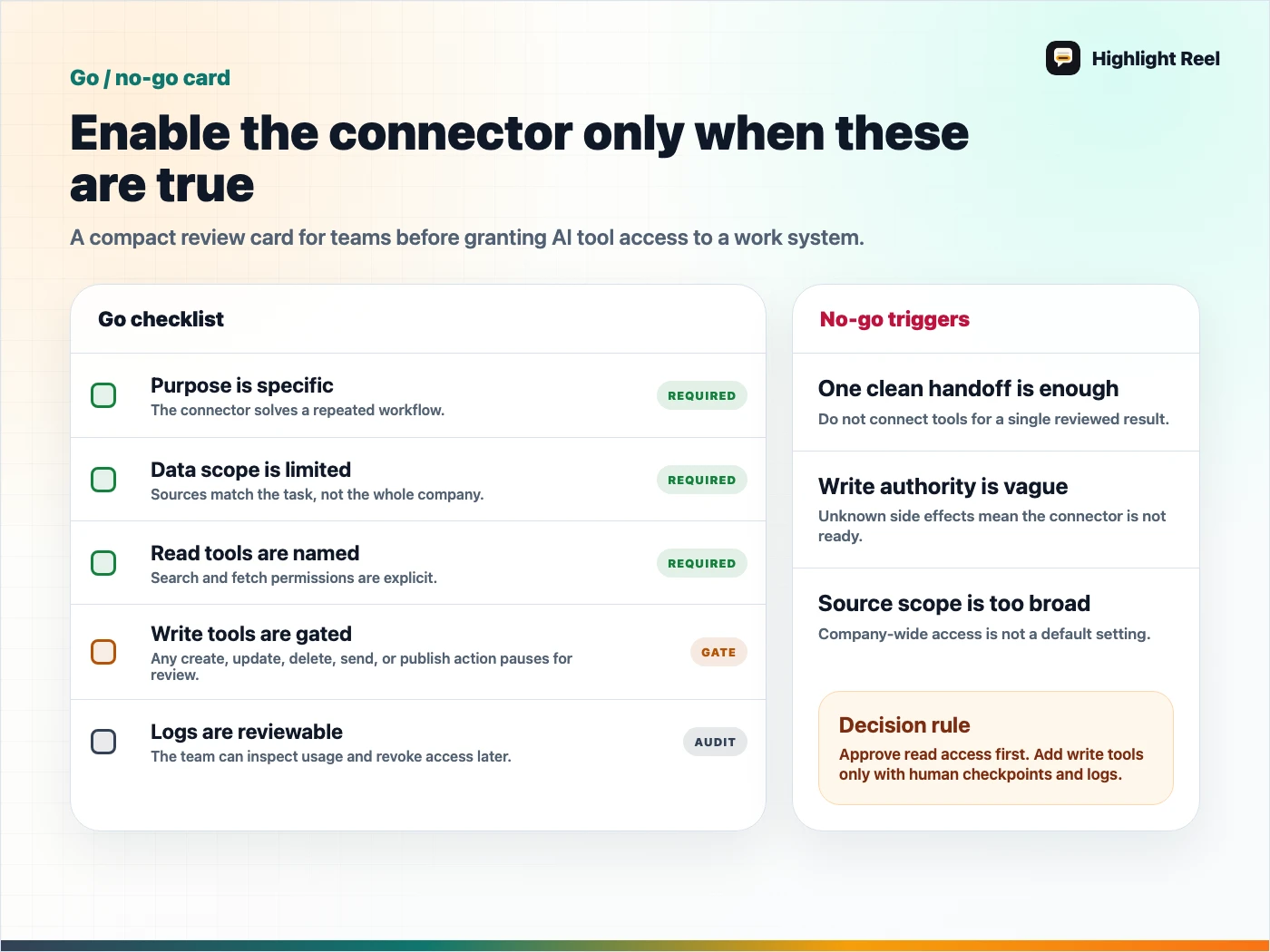
Download the MCP connector go/no-go card
FAQ
Is MCP automatically risky?
No. MCP is a protocol. Risk depends on the server, tools, data scope, auth, approvals, and what users ask the AI to do.
Should every MCP tool require approval?
For early rollouts, requiring approval is a safer default. You can reduce approval friction later for trusted read-only or low-impact actions.
Are official MCP servers always safe?
Official servers reduce some trust questions, but you still need to review scopes, write tools, data handling, and your own workflow.
Is a connector better than sharing a clean context link?
Use a connector when the AI needs repeated access to a system. Use a clean context link when a human or AI only needs one reviewed packet of context.