Remove Sensitive Data From AI Chat Before Sharing
A practical redaction workflow for removing sensitive data from ChatGPT, Claude, and other AI chats before sharing them with another person.
May 13, 2026

Before you share an AI chat, remove sensitive data that does not need to travel with it.
Highlight Reel
Redact first, then share a clean AI-chat handoff
Highlight Reel helps you select the useful turns, remove private context, and create a readable share link from an AI conversation.
This applies to ChatGPT shared links, Claude shared chats, copied transcripts, PDFs, Markdown exports, screenshots, and internal handoff docs. The sharing format changes the access path. It does not decide what content belongs in the artifact.
This guide is practical privacy hygiene, not legal advice. If your team handles regulated, contractual, customer, employee, medical, financial, or security-sensitive data, follow your organization's process.
Quick Answer
To remove sensitive data from AI chat before sharing:
- Decide who the reader is and what they need.
- Review the whole conversation, not only the final answer.
- Remove secrets, private URLs, tokens, and credentials.
- Remove or generalize personal, customer, employee, and financial details.
- Replace private source material with safe summaries or approved excerpts.
- Keep the useful result, source trail, caveats, and next action.
- Share a clean transcript or Highlight Reel handoff instead of the raw chat when the full thread is not needed.
The goal is not to make the chat vague. The goal is to make it useful without carrying unnecessary private context.
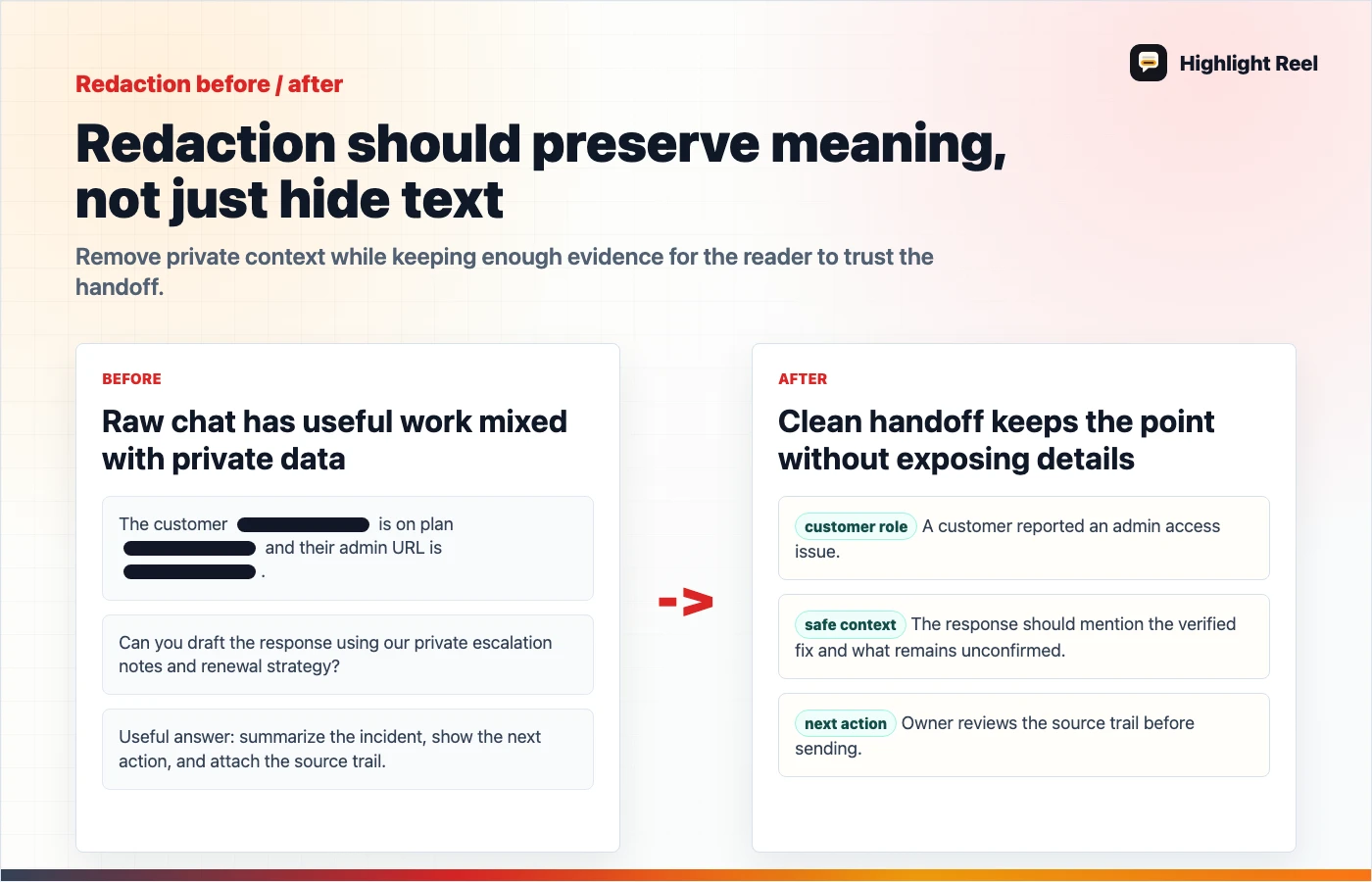
Download the AI chat redaction workflow
Sensitive Data Checklist
| Remove or rewrite | Examples | Safer version |
|---|---|---|
| Secrets and credentials | API keys, passwords, tokens, cookies, auth headers | [secret removed] |
| Private URLs | signed download links, staging URLs, internal dashboards | [private link removed] |
| Personal data | emails, addresses, phone numbers, resumes, personal notes | role-based placeholder |
| Customer data | account IDs, support cases, invoices, renewal details | generalized customer issue |
| Employee or HR context | performance notes, salaries, interview feedback | approved summary or omit |
| Security details | vulnerable endpoints, exploit steps, incident timelines | limited risk summary |
| Internal strategy | roadmap, launch timing, pricing, negotiations | public-safe context |
| Full source documents | contracts, meeting notes, unpublished research | short summary with approved references |
| Unverified AI output | claims, numbers, recommendations, code | caveat or remove until checked |
The Redaction Workflow
1. Start with the destination
A coworker debugging code needs different context than a customer reading a support answer. A public post needs much less private context than an internal project note.
Write one sentence:
This chat is being shared with [reader] so they can [task].If a detail does not support that sentence, it is a removal candidate.
2. Review the top of the thread
Sensitive context often appears in the first prompt. People paste the messy background first, then polish the final answer later.
Check:
- the first prompt
- uploaded file summaries
- pasted logs
- copied emails
- system or project instructions
- the model's restatement of private context
3. Replace specifics without breaking meaning
Good redaction preserves the point:
| Before | After |
|---|---|
| "Customer A's $48,000 renewal is blocked" | "A customer renewal is blocked" |
"Authorization: Bearer eyJ..." | "Authorization: [token removed]" |
"/private/client-x/q3-layoff-plan.md" | "[private HR planning file]" |
| "Use the unreleased pricing page" | "Use the internal pricing assumption" |
Bad redaction removes so much context that the answer becomes impossible to evaluate. Keep the task, decision, and caveat.
4. Separate private source from visible output
Claude's sharing guidance notes that attached files themselves are not included in a shared snapshot, and raw MCP tool-call data remains hidden, while the conversation and final output are visible. That distinction is useful, but the visible answer can still summarize private source material.
Check what the AI wrote, not only what the platform says about attachments or tool data.
5. Add a clean top summary
A redacted chat should start with the point:
## Summary
This AI chat was used to compare three onboarding email options. Private customer
names and internal pricing details were removed. The accepted recommendation is
Option B because it is clearer and does not mention unreleased features.
That summary helps readers trust the artifact without reading every prompt.
Decision Table: How Much To Remove?
| If the detail is... | Keep it? | How |
|---|---|---|
| Required to understand the answer | Yes | Keep, but generalize if private |
| Useful only to the model during drafting | No | Remove |
| Sensitive and not needed by the reader | No | Remove or replace |
| Sensitive but required for internal review | Maybe | Use an approved internal channel |
| A source link the reader should verify | Yes | Keep if it is safe and accessible |
| A claim the AI made without evidence | Maybe | Add caveat or remove |
What To Share Instead Of The Raw Chat
Use a clean handoff when the raw thread contains too much.
# Clean AI Chat Handoff

## Reader
Who this is for:

## Purpose
What they should understand or do:

## Useful Output
The selected answer, draft, decision, or code:

## Redactions
What was removed or generalized:

## Sources
Links or files used, only if safe to share:

## Caveats
What was not verified:

## Next Action
Owner and next step:
This gives people the value of the AI work without requiring them to inspect every turn.
Where Highlight Reel Fits
Highlight Reel helps you turn a raw AI chat into a clean share page. You can select the useful turns, remove private context, add a summary, and preserve the result as a readable link.
It is not a substitute for your team's data policy. It is a practical workflow step between "copy the whole chat" and "write a formal document from scratch."
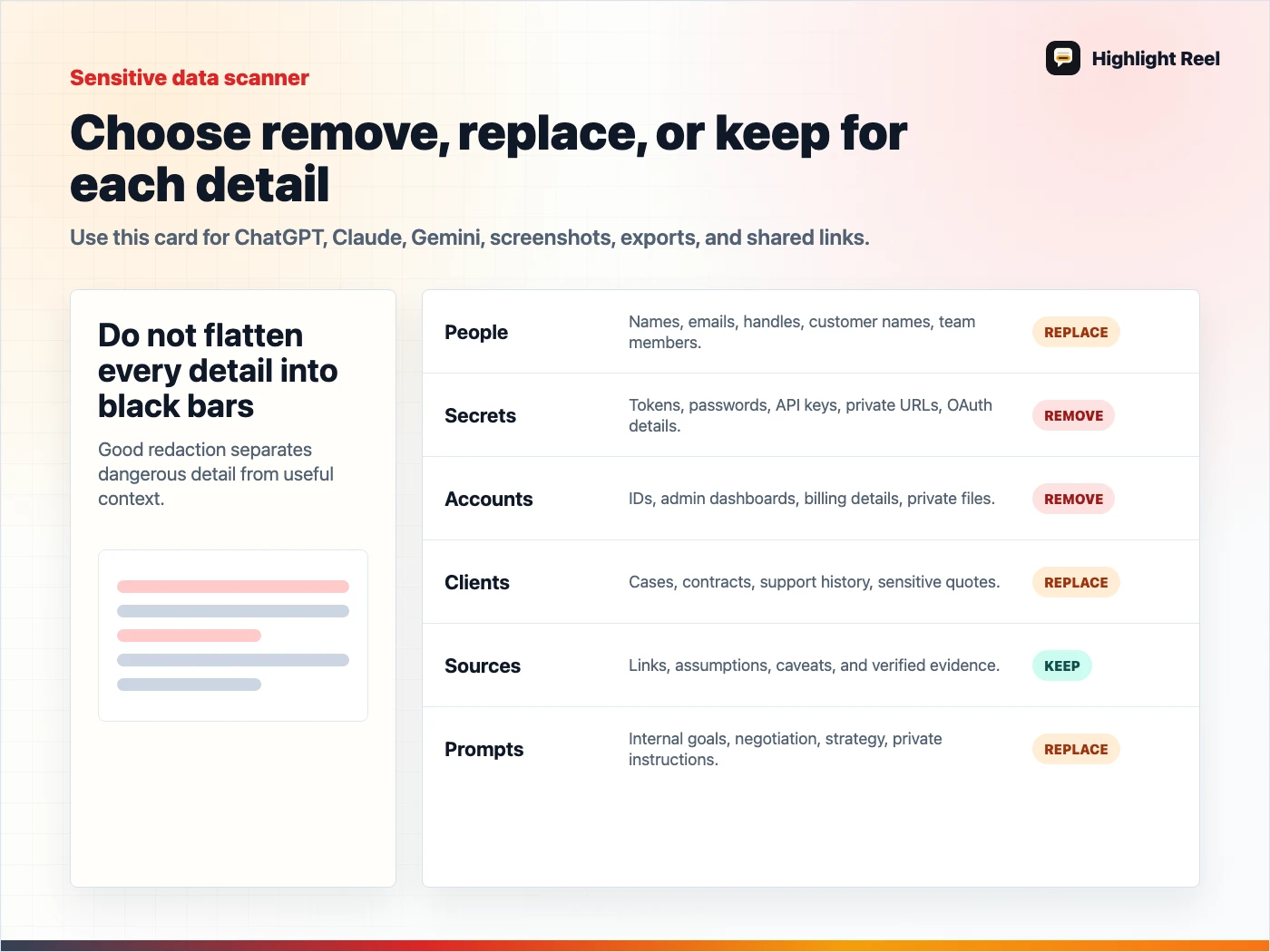
Download the AI chat sensitive data checklist
FAQ
Is deleting a shared AI chat enough?
Deletion can help with access through a specific link, depending on the platform. It should not be your only privacy step because recipients may have copied, imported, downloaded, or summarized the content.
Should I remove all names?
Not always. Remove or generalize names that are not needed by the reader. Keep names only when they are necessary and appropriate for the sharing context.
Is a screenshot safer than a shared link?
Not automatically. Screenshots can still reveal names, private URLs, tabs, file paths, and surrounding context. Review the visible content either way.
Can I use this checklist for Claude shared chats?
Yes. The same content review applies. Claude-specific behavior around files, artifacts, MCP output, and org sharing should be checked against Claude's current sharing guidance.