How to Save AI Chat History So You Can Actually Use It Later
A practical workflow for saving ChatGPT, Claude, Gemini, and other AI conversations so the useful turns become reusable work instead of buried chat history.
May 2, 2026
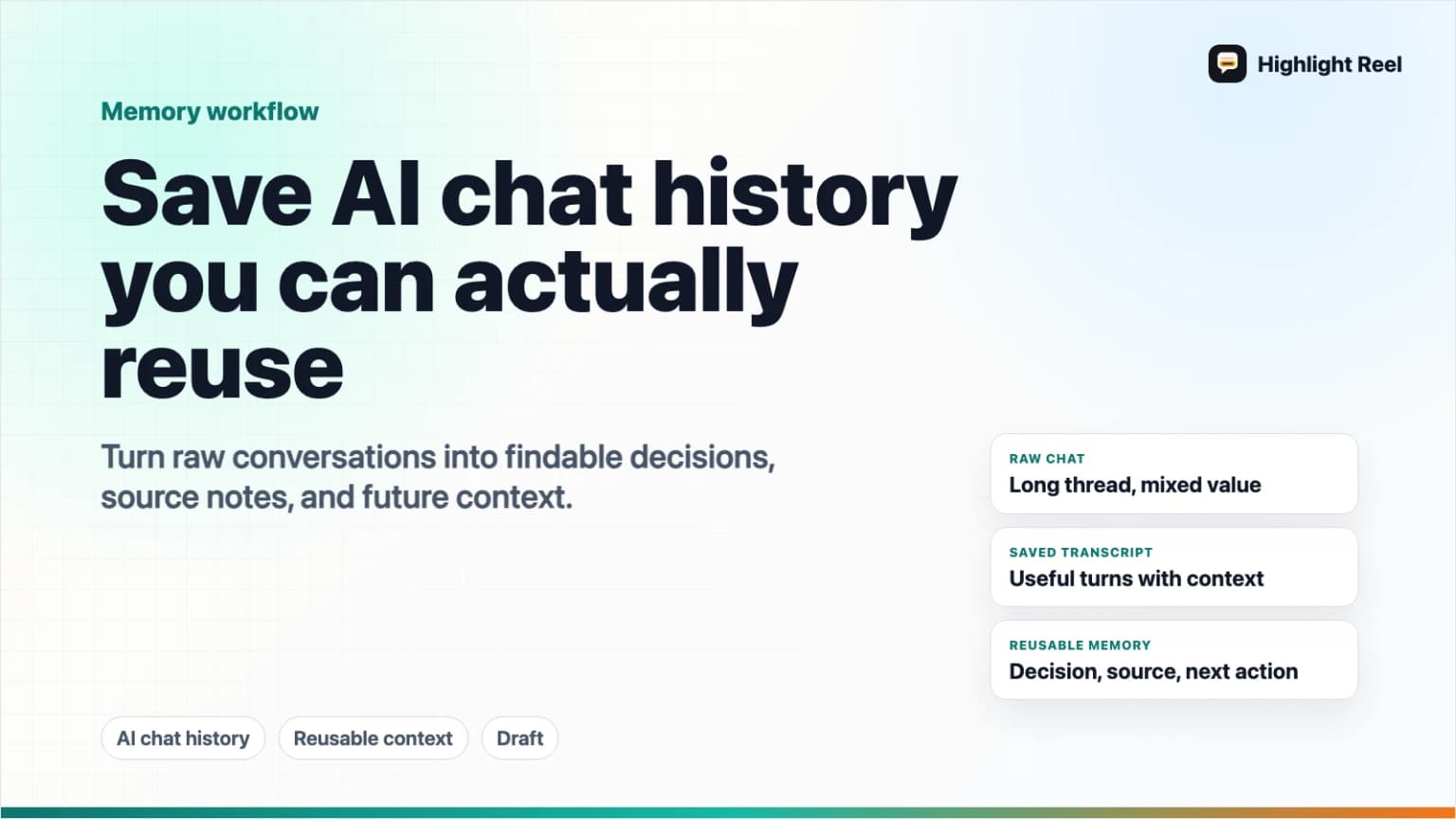
The best way to save AI chat history is to keep three different things: the native chat for short-term recall, an export for backup, and a curated version of the useful turns for reuse.
Highlight Reel
Save the AI turns worth keeping
Turn useful ChatGPT, Claude, Gemini, or Codex conversations into clean Highlight Reel share pages and transcripts you can revisit later.
Native history helps you return to a conversation inside ChatGPT, Claude, Gemini, or another AI tool. Exports help you keep a copy of account data. But neither one automatically turns a long thread into something you can find, share, quote, or feed back into future work. For that, you need to select the parts that matter, label them, and save them as a reusable transcript or share page.
Quick Answer
To save AI chat history so you can actually use it later:
- Save the original conversation in the AI tool if the platform supports history, pinning, renaming, or search.
- Export account data periodically when the platform offers an official export.
- For important conversations, select the useful turns instead of keeping the whole thread by default.
- Label the saved conversation by project, decision, source, date, and next use.
- Store the selected turns in a durable format such as Markdown, a clean transcript, a share page, or a project note.
- Reuse the saved version in the next prompt, document, ticket, meeting, or AI tool.
Think of it this way:
AI chat history = where the conversation happened
AI chat export = backup copy of the raw account data
Saved transcript = the reusable work artifact
If the conversation contains a decision, research trail, prompt recipe, bug diagnosis, strategy note, or writing direction, do not leave it buried in the sidebar. Save the useful turns as a separate artifact.

Why Raw AI Chat History Is Not Enough
AI chat history is convenient while the thread is fresh. It is weak as a long-term work system.
Most useful AI conversations are messy. They include false starts, clarifying questions, copied context, discarded drafts, personal notes, internal links, and several answers you no longer need. The final useful insight may depend on an earlier constraint, but the original thread may be too long for another person to read.
That creates four problems:
| Problem | What happens later |
|---|---|
| Search is unreliable | You remember the idea, but not the exact chat title or platform. |
| Context is noisy | The useful answer is surrounded by setup, corrections, and discarded branches. |
| Sharing is risky | A native link may include more of the conversation than the recipient needs. |
| Reuse is awkward | You still have to copy, trim, and explain the same context in the next tool. |
Saving AI chat history is not just about preservation. It is about making the conversation useful again.
What The Major Platforms Let You Save
The official options are different by platform and account type, so treat this as a map rather than a single universal button.
| Platform or method | What it is good for | Watch out for |
|---|---|---|
| ChatGPT history | Returning to recent or named conversations inside ChatGPT | A long thread can still be hard to reuse outside ChatGPT. |
| ChatGPT data export | Downloading a copy of ChatGPT account data and chat history through OpenAI's official export flow | OpenAI sends the export by email and the download link is time-limited. It is a backup, not a cleaned knowledge base. |
| ChatGPT shared links | Sharing a snapshot of a conversation up to the point you create the link | OpenAI's FAQ says anyone with the link can view it and granular link permissions are not currently offered in the general shared-link flow. |
| Claude history and export | Keeping Claude conversations in the app and exporting conversation data from Settings > Privacy on web or Claude Desktop | Claude's export is account data. It still needs cleanup before it becomes a reusable artifact. |
| Gemini recent chats | Finding, searching, pinning, renaming, and deleting recent chats when the relevant account and activity settings allow it | Google documents that recent-chat management depends on sign-in, activity settings, and account type. |
| Gemini response export | Sending individual Gemini responses to Google Docs, Gmail, or developer tools where available | This is response-level export, not automatically a full cleaned conversation archive. |
| Google Takeout | Creating an archive of Google product data you choose to include | The archive is for records or transfer. It may include more than you need and should be handled carefully. |
| Clean transcript or share page | Preserving selected turns in a readable, reusable format | Requires a small review step, but that review is what makes it useful. |
The key distinction: platform history preserves where the conversation happened. A saved transcript preserves what you want to reuse.
The Save Workflow: Select, Label, Export, Reuse
Use this workflow after any AI conversation that produced something you might need again.
1. Decide Whether The Chat Is Worth Saving
Not every chat deserves a permanent place. Save conversations that changed what you will do next.
Use this checklist:
- Did the conversation produce a decision, plan, diagnosis, or reusable explanation?
- Did it include a prompt pattern you would want to run again?
- Did it collect sources, links, constraints, or tradeoffs?
- Would another person need the reasoning, not just the final answer?
- Would future you be annoyed if you had to reconstruct this from memory?
If the answer is yes, save it outside the raw chat history.
2. Select The Useful Turns
Do not save the whole conversation just because it is there.
Keep:
- the original question or task
- key constraints and corrections
- source links or evidence
- the final useful answer
- caveats, assumptions, and next steps
- code blocks, tables, prompts, or examples that will be reused
Remove:
- exploratory dead ends
- repeated prompts
- private details that do not need to travel
- outdated drafts
- accidental secrets, tokens, internal URLs, or customer details
This is the moment where a chat becomes an artifact. You are not hiding the process. You are making the useful part legible.
3. Label It For Search
Bad label:
ChatGPT ideaBetter label:
2026-05-02 - onboarding email decision - pricing objection angleA useful label usually includes:
- project or client
- decision or task
- artifact type
- date
- source platform if relevant
- one memorable phrase
For example:
| Saved conversation | Better label |
|---|---|
| Product strategy chat | highlight-reel-positioning-conversation-publishing-layer |
| Debugging session | mcp-oauth-refresh-token-debugging-notes |
| Writing chat | blog-outline-save-ai-chat-history-source-pack |
| Research comparison | chatgpt-claude-gemini-sharing-official-docs-summary |
Future search depends on boring, descriptive labels. Be kind to the version of yourself who will not remember the exact wording.
4. Export For Backup, Save For Use
Use official exports for backup and compliance with your own recordkeeping needs. OpenAI documents ChatGPT data export through the Privacy Portal or ChatGPT Data Controls. Claude documents data export from Settings > Privacy on the web app or Claude Desktop. Google documents account-level data archives through Google Takeout, and Gemini documents response export to tools like Google Docs and Gmail where available.
But backups are not the same as working notes.
After exporting, make a working version:
## What this saved chat is for
Preserve the reasoning behind the onboarding email decision.

## Useful context
- Audience: trial users who created one share page but did not return.
- Constraint: do not over-promise analytics or automatic memory.

## Selected turns
- User asked for the positioning problem.
- AI compared three CTA angles.
- User corrected the product boundary.
- AI produced the final decision and email outline.

## Reuse next time
Paste this into future launch/email/page-copy chats when explaining the product CTA direction.
The export keeps the record. The working version keeps the value.
5. Choose The Right Destination
Use the lightest destination that matches the job.
| Destination | Use it when | Example |
|---|---|---|
| Native chat history | You only need to return to the same tool soon | Continue a draft tomorrow in ChatGPT. |
| Data export | You need a backup copy of platform data | Download ChatGPT or Claude data before a workspace change. |
| Notes or docs | You need edited conclusions, not the full conversation | Turn a research chat into a project note. |
| Clean transcript | You need selected turns with context preserved | Save a debugging conversation for a future agent. |
| Share page | You need to send the useful conversation to another person | Share a decision trail with a teammate. |
| Knowledge base | The content should become durable team knowledge | Promote a repeated support answer into internal docs. |
One conversation can move through several destinations. A raw chat can become a transcript. A transcript can become a project note. A project note can later become knowledge-base material.
How To Reuse Saved AI Conversations
Saving is only useful if the next use is easy.
Here are five reuse patterns that work well:
| Reuse pattern | What to save | How to use it later |
|---|---|---|
| Prompt recipe | The prompt, input format, output shape, and failure corrections | Paste it into a new chat to repeat the workflow. |
| Decision record | The question, options, constraints, recommendation, and caveats | Link it in a doc, ticket, or team discussion. |
| Research pack | Sources, summaries, contradictions, and open questions | Feed it into a follow-up research or writing session. |
| Implementation handoff | Requirements, code context, edge cases, tests, and final plan | Give it to a developer or coding agent. |
| Writing reference | Voice notes, structure decisions, rejected directions, and final draft | Use it to keep future drafts consistent. |
The reusable part is rarely the whole chat. It is the combination of selected turns, clear labels, and a short note explaining why the conversation matters.
A Practical Weekly Routine
If you use AI tools every day, do not try to organize everything perfectly. Use a small review habit.
Once a week:
- Open your recent AI chats.
- Pick the three to five conversations that still matter.
- Rename or pin the native chat if the platform supports it.
- Save selected turns as a transcript, note, or share page.
- Add one reuse sentence: "Use this next time for..."
- Export account data only when you need a backup or transfer copy.
This is enough to stop the best conversations from disappearing without turning chat management into a second job.
Use Highlight Reel For The Turns Worth Keeping
Highlight Reel is useful when the valuable part of an AI conversation is smaller than the whole thread.
Instead of sending a raw ChatGPT, Claude, Gemini, Cursor, or Codex chat, save the turns that actually matter as a Highlight Reel share page or transcript. Keep the original structure where it helps, trim the noise, add a readable title, and reuse the saved version later as Markdown, a clean link, or AI-usable context when connected through supported MCP workflows.
Native chat history is where the conversation started. Highlight Reel is where the useful part can become a durable work artifact.
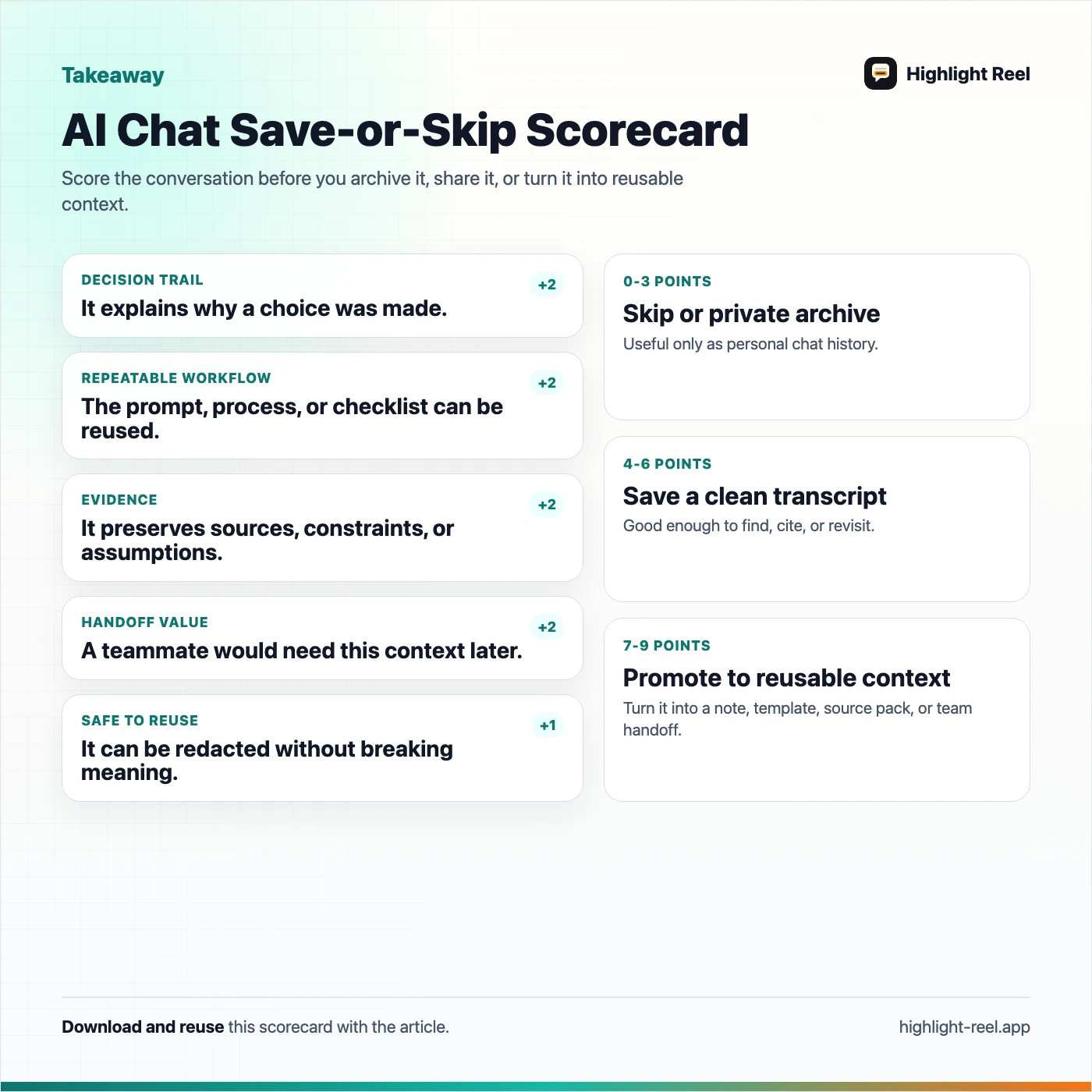
Download the AI chat history save scorecard
FAQ
What is the best way to save ChatGPT conversations?
Use ChatGPT history for short-term access, OpenAI's official data export for backup, and a cleaned transcript or share page for conversations you need to reuse. A raw export gives you data; a selected transcript gives you a working artifact.
Are ChatGPT shared links the same as exporting chat history?
No. A shared link is a conversation snapshot you can send to other people. A data export is a copy of your account data and chat history. OpenAI's shared-links FAQ also notes that shared conversations are included in ChatGPT data export.
Can I export Claude conversations?
Claude documents data export for active individual users from Settings > Privacy on the web app or Claude Desktop. The export includes conversation data and user data for the account.
Can I export Gemini chats?
Google documents several related controls: recent chat management in Gemini Apps, exporting individual responses to Google Docs or Gmail where available, sharing conversations through public links, and account-level archives through Google Takeout. Check the current Gemini and Google Account help pages for the exact option available to your account.
Should I save every AI conversation?
No. Save conversations that changed a decision, produced reusable work, collected sources, solved a problem, or captured a prompt pattern. Let disposable chats stay disposable.
What format is best for reusable AI conversations?
Markdown, clean transcripts, and share pages are usually better than screenshots because the text stays searchable, copyable, and easier to use as context in future AI workflows.