How to Turn an AI Chat Into a Reusable Work Artifact
A practical framework for turning useful AI conversations into selected turns, clean links, and durable work artifacts your team can actually reuse.
April 27, 2026
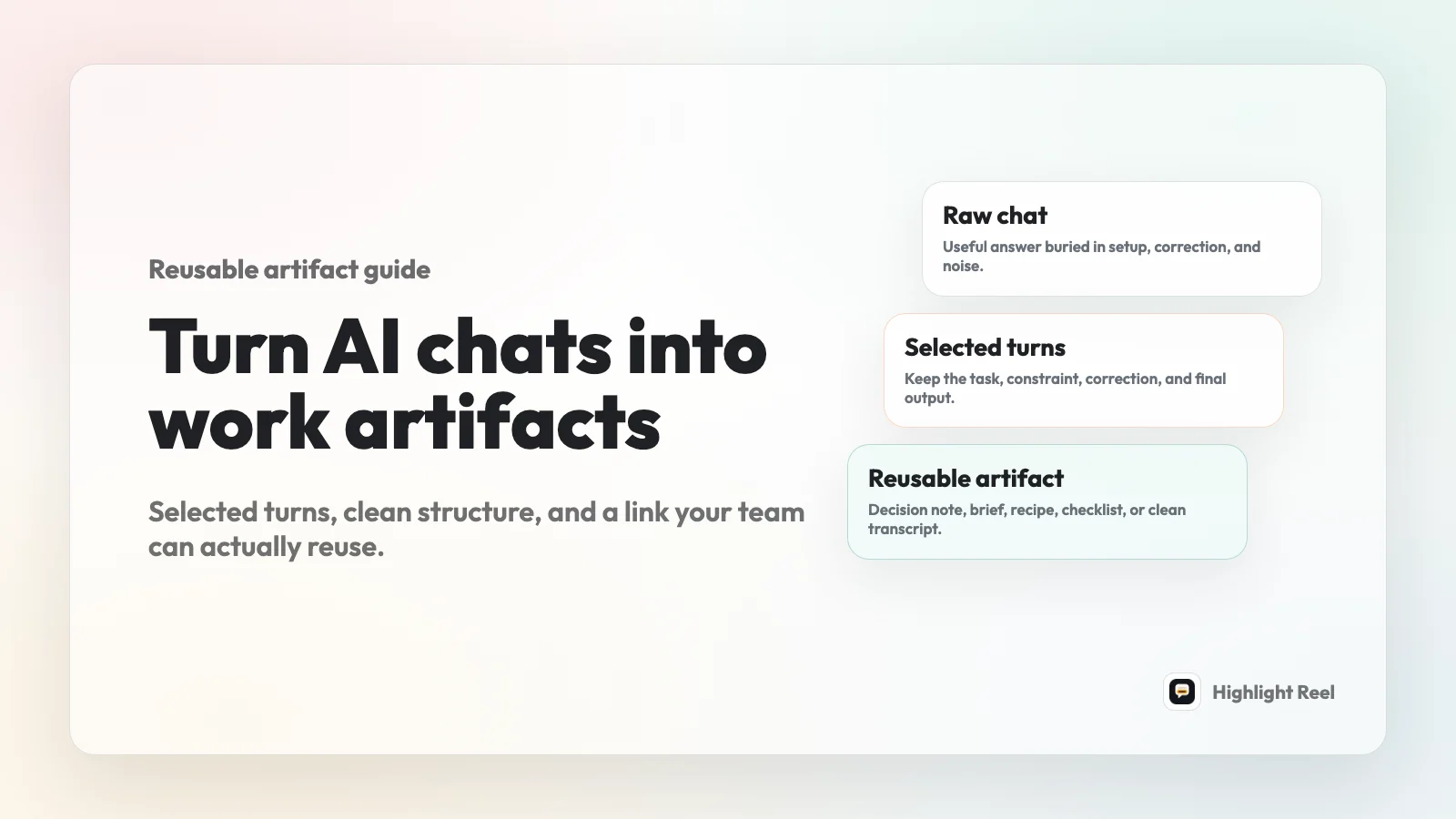
The best way to turn an AI chat into reusable work is to stop treating the chat as the deliverable. Treat it as source material.
Highlight Reel
Turn useful AI turns into a clean work artifact
Paste the chat, keep the turns that matter, preserve the structure, and share a cleaner link with your team.
A reusable work artifact is a curated, self-contained output from an AI conversation that someone else can understand, cite, copy, review, or act on without reading the entire thread. It keeps the important context, removes the noise, and gives the result a stable format such as a clean link, transcript page, checklist, brief, table, or decision note.
Quick Answer
To turn an AI chat into a reusable work artifact:
- Decide what the artifact needs to help someone do.
- Select the turns that explain the task, constraints, correction path, and final output.
- Remove private details, false starts, and branches that do not help the reader.
- Convert the selected turns into a clear format: decision note, implementation brief, checklist, research summary, prompt recipe, or clean transcript.
- Preserve useful structure as text: headings, links, code blocks, tables, and next steps.
- Share the cleaned artifact as a link with a short handoff note.
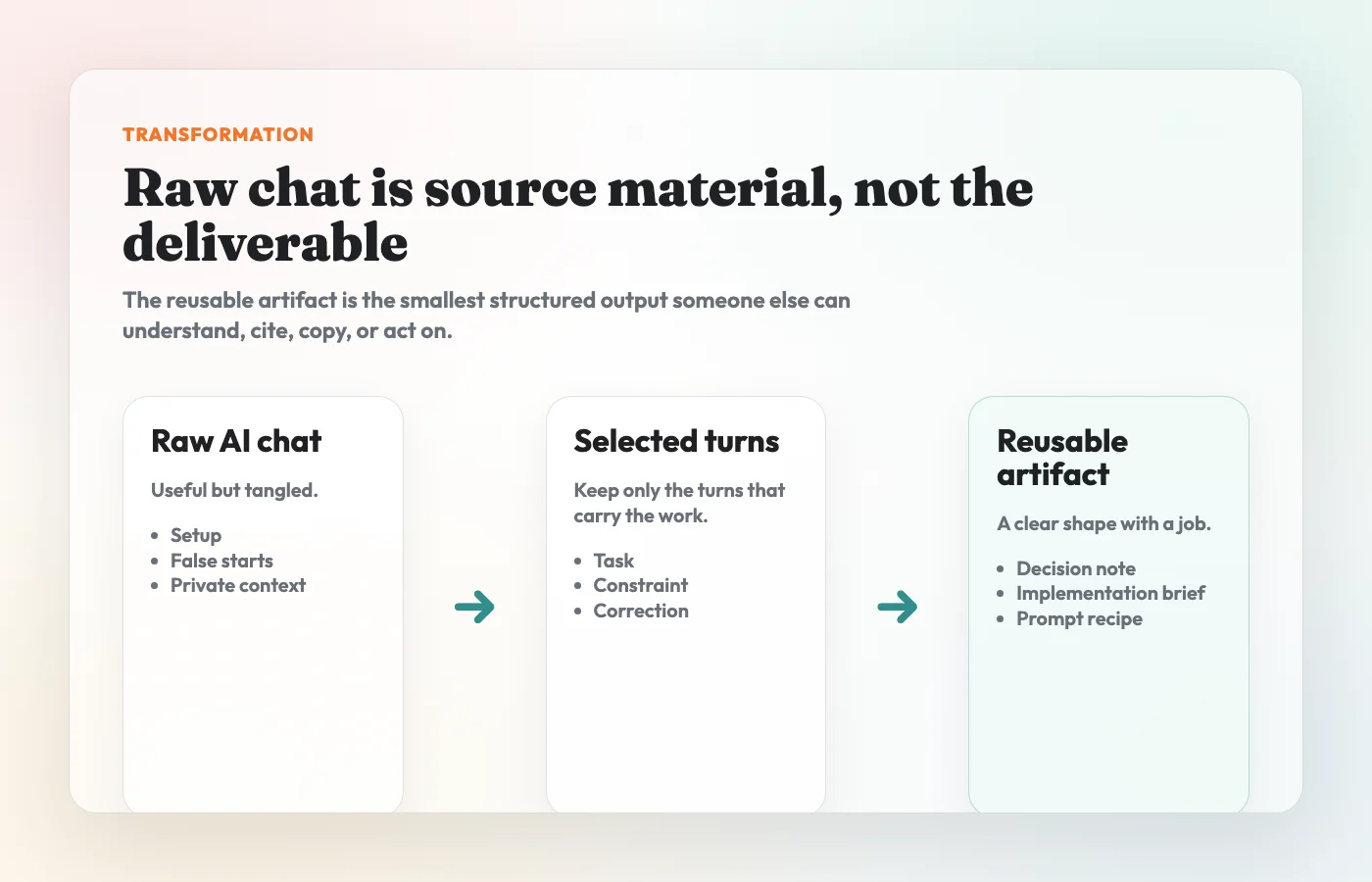
The shape is simple:
raw AI chat -> selected turns -> reusable artifact -> clean linkThat last step matters. A good artifact is not just cleaner for the person sending it. It is easier for the next person to reuse without reconstructing the conversation from scratch.
What Is A Reusable Work Artifact?
A reusable work artifact is a small piece of work that survives outside the original AI chat.
It has five qualities:
| Quality | What it means |
|---|---|
| Purpose | The artifact has a job: explain a decision, hand off code context, summarize research, preserve a prompt, or document a workflow. |
| Context | It includes enough of the original question, constraints, and assumptions to make the output understandable. |
| Selective scope | It keeps the useful turns instead of forwarding the whole conversation by default. |
| Reusable structure | The important parts stay copyable, searchable, and linkable as text. |
| Safe handoff | Private details and irrelevant branches are removed before the artifact travels. |
This is different from a raw transcript. A transcript records what happened. A reusable artifact helps someone do something with what happened.
It is also different from a screenshot. A screenshot captures a moment. A work artifact preserves the parts that need to be reviewed, reused, or cited later.
Why Raw AI Chats Rarely Make Good Work Artifacts
AI conversations are useful while you are inside them. They are often awkward once you need to hand them to someone else.
Most real work chats contain setup, clarification, correction, exploration, and output. The useful answer may depend on a prompt from ten turns earlier. The final recommendation may be good, but surrounded by discarded drafts. The thread may include internal names, customer details, private URLs, roadmap assumptions, or copied source material that should not travel with the link.
Native sharing can be useful when the original conversation snapshot is the thing you need to show. OpenAI's ChatGPT shared links documentation says a shared link creates a unique URL for a conversation and can include the conversation up to the point it is shared. Claude's sharing documentation describes shared chat snapshots that include messages sent before sharing, including artifacts. Google Gemini's sharing documentation describes public links where anyone with the link can read and reshare the chat.
Those tools are valuable, but they are not always the right work artifact. For many team handoffs, the recipient does not need the full platform snapshot. They need the useful parts in a form they can skim, search, copy, and trust.
Examples Of Reusable AI Chat Artifacts
The right artifact depends on what the next person needs to do.
| Artifact type | Use it when | Keep from the AI chat | Best format |
|---|---|---|---|
| Decision note | A team needs to understand why a choice was made | Original question, constraints, alternatives, recommendation, tradeoffs | Short linked page or doc section |
| Implementation brief | A developer needs context for a change | Task, constraints, code suggestions, edge cases, test ideas | Clean transcript with code blocks |
| Prompt recipe | Someone needs to repeat a workflow | Prompt, inputs, expected output, failure modes, improved version | Template or checklist |
| Research summary | A stakeholder needs the answer, not the whole exploration | Research question, sources, caveats, conclusion | Brief with links and source notes |
| Bug triage record | A teammate needs debugging context | Symptoms, hypotheses, commands, logs, conclusion | Issue comment or clean transcript link |
| Client-safe recap | An external reader needs a polished explanation | Final answer, caveats, approved details | Edited summary with private details removed |
| Meeting prep note | A group needs shared context before discussion | Key questions, options, agenda, unresolved points | Linked note or checklist |
| Training example | A team wants to reuse a good AI workflow | Prompt progression, correction, final output, lesson | Annotated transcript |
The common thread is selection. The artifact does not need to hide that AI was involved. It needs to make the useful part of the AI work easier to carry forward.
A Concrete Before And After
Here is the difference between a raw AI chat and a reusable artifact.
Raw chat:
User: Help me decide whether our onboarding checklist should live in the app or in a help doc.
Assistant: Here are several options...
User: The team is small, support owns updates, and engineering time is tight.
Assistant: In that case, a help doc is probably better for v1...
User: Turn this into something I can send to the team.
Reusable artifact:
## Decision
Use a help-doc onboarding checklist for v1.

## Context
The team needs a checklist that support can update without waiting on engineering.

## Options Considered
- In-app checklist: better guidance, higher engineering cost.
- Help doc checklist: easier to update, lower product polish.

## Why This Choice
The current bottleneck is maintenance, not discoverability. A help doc lets support update the checklist quickly while the workflow is still changing.

## Next Step
Support drafts the checklist. Product reviews it after one week of real support questions.
The artifact is not a prettier transcript. It is a selected output with a job. The raw chat helped create it, but the reader does not need every branch of the conversation to reuse the decision.
The Workflow: Raw Chat To Selected Turns To Clean Link
Use this workflow when an AI conversation produced something worth keeping, sharing, or building on.
1. Name The Job Of The Artifact
Start with the reader's job, not the chat history.
Ask:
- Do they need to approve a recommendation?
- Do they need to implement something?
- Do they need to reuse the prompt?
- Do they need to review the reasoning?
- Do they need a client-safe summary?
- Do they need the original conversation for audit or fidelity?
This decides how much of the chat to keep. If the reader only needs the final checklist, do not make them read twenty turns of exploration. If the reader needs to understand why the checklist changed, keep the correction path.
2. Select The Turns That Carry The Work
A useful AI thread usually has a few important turns:
- the original task
- the constraints that shaped the answer
- a correction or follow-up that improved the result
- the final output
- any source, code, table, or caveat the reader needs
Those are the turns worth preserving. Everything else is optional.
The selection rule is:
Keep the smallest set of turns that lets a careful reader understand the output and reuse it correctly.
Small does not mean vague. It means the artifact should contain enough context without making the reader do conversation archaeology.
3. Remove Noise And Sensitive Details
Before the artifact becomes a link, scan it like you would scan any other work document.
Remove:
- API keys, tokens, credentials, and private file paths
- customer, employee, vendor, or patient details that are not needed
- internal URLs, unreleased roadmap notes, pricing assumptions, or private strategy
- copied material from private docs that should not be forwarded
- failed branches that no longer affect the conclusion
- conversational filler that makes the result harder to read
This step is not about making the conversation look more polished than it was. It is about making sure the artifact contains the information the reader needs, and not the information they do not.
4. Turn The Selection Into A Recognizable Artifact
Once you have the useful turns, choose a structure.
For a decision note, use:
## Decision
What we decided.

## Context
The original question and constraints.

## Options Considered
The realistic alternatives.

## Why This Choice
The reasoning and tradeoffs.

## Next Step
Who should do what next.
If the AI chat led to a technical or product decision, this can be even more specific. The ADR/MADR tradition is useful because it keeps the decision, context, considered options, and consequences together instead of scattering the reasoning across chat history, tickets, and memory.
For an implementation brief, use:
## Task
What needs to change.

## Relevant AI Turns
The selected prompt, correction, and useful answer.

## Edge Cases
What could break.

## Test Ideas
How to verify it.

## Open Questions
What still needs human judgment.
For a prompt recipe, use:
## Goal
What the prompt is meant to accomplish.

## Inputs
What the user needs to provide.

## Prompt
The reusable prompt.

## Expected Output
What good output looks like.

## Adjustments
What to change for a different situation.
The exact template matters less than the principle: selected chat turns should become something with a shape.
5. Preserve Structure As Text
Screenshots can show that a conversation happened. They do not preserve the work very well.
For reusable artifacts, keep these elements as real text:
- code blocks
- commands
- tables
- links
- prompts
- numbered steps
- decisions
- source notes
- caveats
This makes the artifact easier to search, copy, quote, update, and reference later.
6. Publish A Clean Link
Once the artifact is selected, redacted, and structured, share it as a clean link.
The link should open to something a reader can understand quickly:
- a clear title
- a short summary or answer
- the selected turns or extracted artifact
- readable formatting on mobile
- preserved code, links, and tables
- a visible next step or handoff note
Do not send the link naked. Add a sentence that tells the reader what to do with it:
I cleaned up the AI chat behind the onboarding decision.
The useful parts are the constraints section, the comparison table, and the final checklist.
Please sanity-check whether the tradeoffs match our current support process.
That note turns the link from "here is a chat" into "here is the artifact I need you to review."
What To Preserve And What To Cut
Use this table when deciding whether a turn belongs in the final artifact.
| Chat content | Preserve? | Why |
|---|---|---|
| Original task or question | Usually yes | The reader needs to know what the model was answering. |
| Important constraint | Yes | Constraints explain why the output took its final shape. |
| Correction that changed the answer | Yes | It prevents the conclusion from looking unsupported. |
| Final answer, code, table, or checklist | Yes | This is usually the reusable work. |
| Source link or caveat | Yes | It helps the reader judge reliability. |
| Repeated failed attempts | Usually no | Keep only if the failure teaches something important. |
| Private names, URLs, secrets, or copied internal docs | No | These should not travel unless explicitly required and approved. |
| Banter or model filler | No | It adds reading cost without adding context. |
The goal is not maximum transparency through maximum volume. The goal is useful transparency: enough context for the reader to understand, verify, and reuse the work.
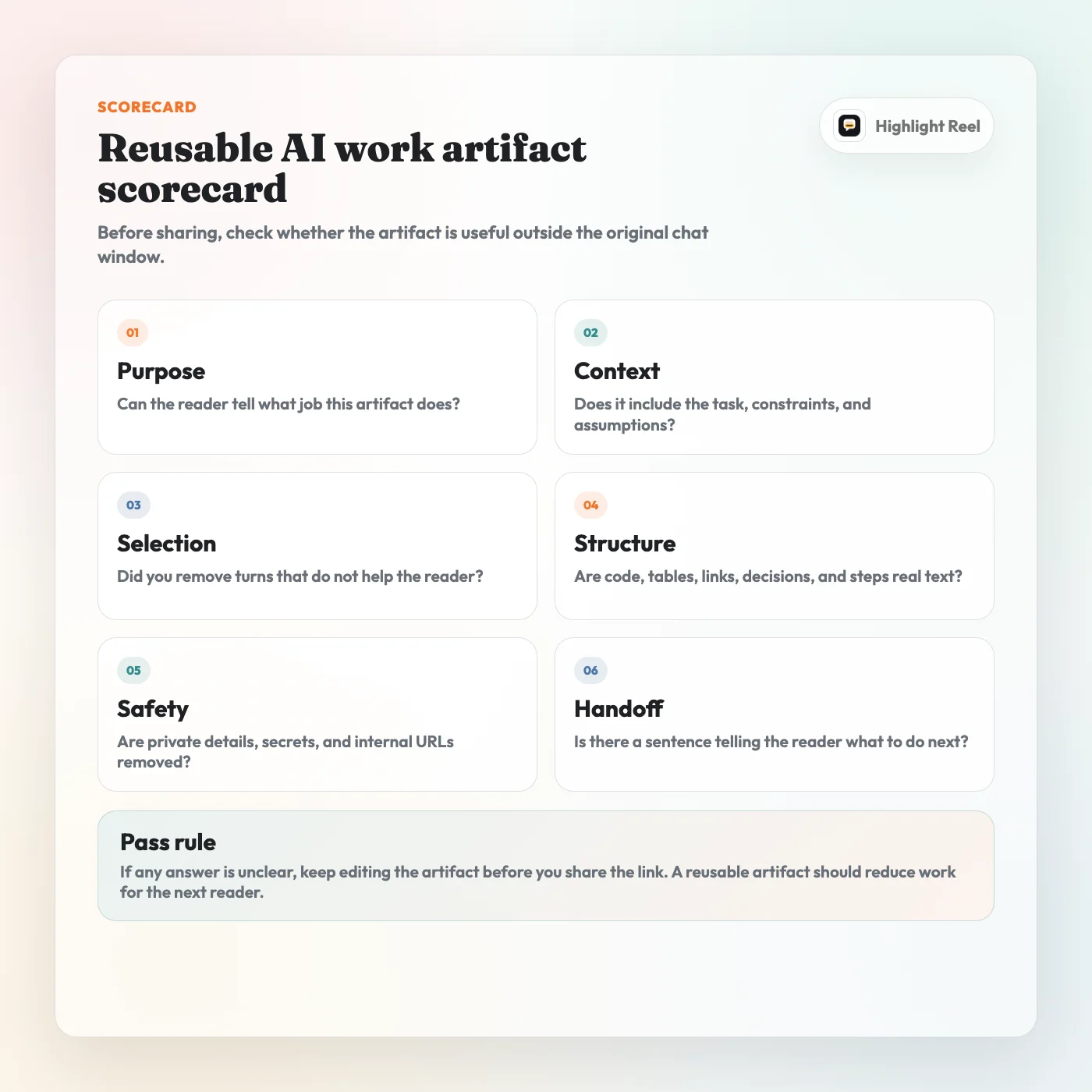
Download the reusable AI work artifact scorecard
Native Shared Link Or Clean Artifact Link?
Native AI chat links are best when fidelity matters. Clean artifact links are best when reuse matters.
| Sharing method | Best for | Limitation |
|---|---|---|
| Native ChatGPT, Claude, or Gemini share link | Showing the original platform conversation snapshot | May include more context than the reader needs, depending on platform behavior and what was shared. |
| Screenshot | Showing one small visual moment | Hard to search, copy, redact, quote, or reuse. |
| Clean transcript link | Preserving selected turns as readable text | Requires a short selection and redaction pass. |
| Edited work artifact | Turning the conversation into a durable memo, brief, checklist, or template | Requires judgment about what the artifact is for. |
If the reader asks, "What exactly happened in the AI tool?", a native shared link may be right.
If the reader asks, "What should I do with this?", a cleaned artifact is usually better.
Where Highlight Reel Fits
Highlight Reel is built for the middle step: the part where a useful AI conversation needs to become a work product before it becomes a formal document.
Use it when you want to:
- paste or import a ChatGPT, Claude, or Gemini conversation
- keep only the turns that matter
- preserve the text structure instead of flattening it into screenshots
- create a readable decision note, implementation brief, prompt recipe, or transcript link
- send a teammate the useful part without dragging the whole thread along
It is not a replacement for security review, legal approval, or your company's access-control policy. It is a practical way to turn AI chat output into a cleaner handoff artifact.
FAQ
What counts as a reusable work artifact from an AI chat?
A reusable work artifact is any selected, structured output from an AI conversation that can be used outside the original chat. Examples include a decision note, prompt recipe, implementation brief, clean transcript, research summary, checklist, or client-safe recap.
Should I share the whole AI conversation?
Usually no. Share the smallest set of turns that preserves the task, constraints, correction path, final output, and important caveats. Share the whole conversation only when the original sequence is itself the thing the reader needs to inspect.
Are native AI shared links enough?
Sometimes. Native shared links are useful when you want to show the original platform snapshot. A cleaned artifact is better when the reader needs a focused handoff, copyable code, searchable text, redacted context, or a reusable decision trail.
What should I redact before sharing an AI chat?
Remove secrets, API keys, tokens, internal URLs, private file paths, customer details, personal data, unreleased plans, private pricing assumptions, and copied material from sources that should not be forwarded.
Is a screenshot a work artifact?
It can be, but only for short visual moments. Screenshots are weak artifacts when the value is in code, links, tables, prompts, decisions, or context that someone needs to reuse.
Does this apply to AI agents too?
Yes. Agentic workflows can create even more valuable conversation trails because they often include tool output, intermediate decisions, and corrections. That makes selection and cleanup more important, not less. Preserve the turns that explain the work; remove raw noise and sensitive details before sharing.
The Simple Rule
An AI chat becomes reusable when it has a purpose, an audience, selected turns, preserved structure, and a clean place to live.
Do not forward the whole thread just because it was useful to you. Turn the useful part into an artifact someone else can understand.
That is the shift: from chat history to work product.