ChatGPT Export Cleanup Checklist
A practical checklist for cleaning ChatGPT exports, shared links, PDFs, Markdown files, and AI chat transcripts before sending them to another person or tool.
May 13, 2026

Before you send a ChatGPT export, shared link, PDF, Markdown transcript, or copied AI chat to another person, clean it. The raw conversation may be useful to you, but it can be noisy, private, and hard for someone else to read.
Highlight Reel
Clean the useful parts before you share
Highlight Reel helps you turn a long AI chat into a readable link with private context removed.
Use this checklist when you search for export ChatGPT conversation, ChatGPT to PDF, ChatGPT export Markdown, or AI chat export and realize the file is not ready to share yet.
Quick Answer
Clean a ChatGPT export in five passes:
- Remove private information.
- Keep only the useful turns.
- Add the missing context.
- Preserve decisions, sources, and next steps.
- Choose the right output format: shared link, PDF, Markdown, doc, ticket, or clean handoff page.
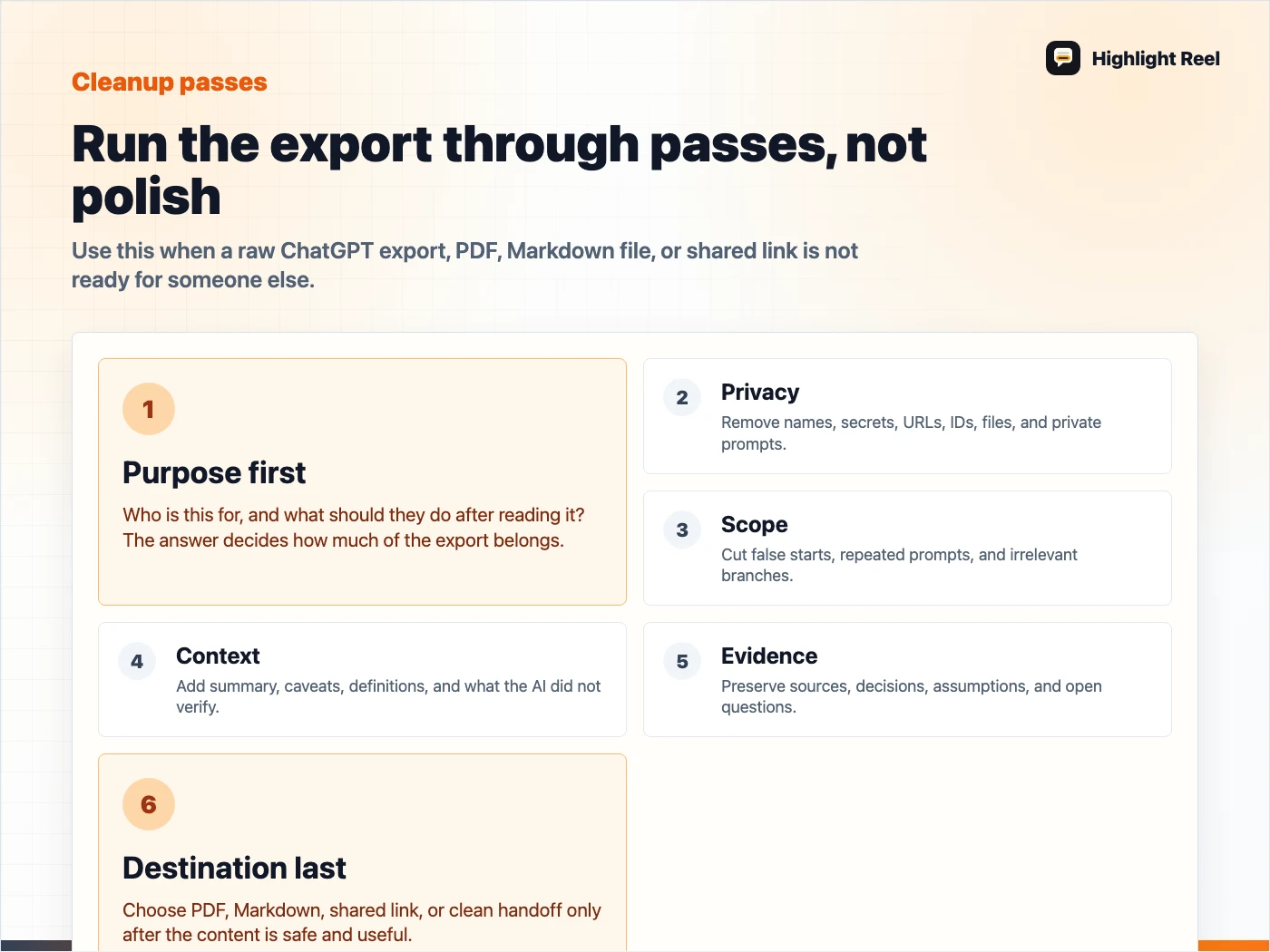
Download the ChatGPT export cleanup checklist
ChatGPT Export Cleanup Steps Before You Share Conversation History
The cleanup job is the same whether your material started as a ChatGPT data export, a shared link, a ChatGPT to PDF file, a Markdown transcript, a JSON/HTML/TXT archive from another tool, or copied conversation history.
Before another person sees it, turn the raw export into a reviewed artifact:
- Name the reader and purpose.
- Remove secrets, private names, and irrelevant turns.
- Keep the decision, answer, source trail, or reusable context.
- Add the missing summary the export does not provide.
- Send it in the format the reader can actually use.
Copyable Checklist
# ChatGPT Export Cleanup Checklist

## 1. Purpose
- [ ] Who is this for?
- [ ] What should the reader do after reading it?
- [ ] Is this an archive, a handoff, a source pack, or a reference?

## 2. Sensitive information
- [ ] Remove personal names that are not needed.
- [ ] Remove customer details.
- [ ] Remove API keys, tokens, passwords, secrets, and private URLs.
- [ ] Remove internal account IDs, billing details, and private file names.
- [ ] Remove prompts that reveal private strategy or instructions.

## 3. Scope
- [ ] Delete false starts and dead ends.
- [ ] Keep the prompt that explains the actual task.
- [ ] Keep the answer, comparison, code, table, or decision that matters.
- [ ] Keep follow-up turns only when they changed the result.

## 4. Context
- [ ] Add a one-paragraph summary at the top.
- [ ] Explain what problem the chat solved.
- [ ] Add definitions for internal terms.
- [ ] Note what the AI did not verify.

## 5. Evidence and decisions
- [ ] Preserve sources and links.
- [ ] Label assumptions.
- [ ] Mark open questions.
- [ ] Add the final decision or recommendation.
- [ ] Add the next action and owner.

## 6. Format
- [ ] Use PDF for fixed records.
- [ ] Use Markdown for docs, GitHub, Notion, Linear, Jira, or editing.
- [ ] Use a shared link only when the whole original thread is safe.
- [ ] Use a clean handoff link when the reader needs the useful parts.
What To Remove First
Start with material that should never travel casually:
- API keys, tokens, passwords, OAuth details, or private env vars
- customer names, emails, handles, account IDs, and support tickets
- internal URLs, unreleased roadmap items, and pricing experiments
- private prompts, system instructions, or strategy notes
- irrelevant personal context
- failed attempts that do not change the final answer
If you are unsure, remove it or replace it with a generic label like [customer], [internal URL], or [private file].
What To Keep
Do not over-clean the conversation until it loses its value. Keep the material that helps the reader trust or reuse the work:
- the original question
- important constraints
- key AI answer or comparison
- final edited result
- source links
- assumptions
- caveats
- decisions
- next actions
The goal is not to make the export look polished. The goal is to make it useful and safe.
Output Format Guide
| Need | Best output |
|---|---|
| Personal backup | ChatGPT data export |
| Fixed record | |
| Editable doc | Markdown |
| Original conversation reference | ChatGPT shared link |
| Coworker handoff | Clean handoff link |
| Another model should continue the work | Markdown with context summary |
| Team ticket or implementation task | Summary plus selected transcript |
Handoff Header Template
Add this before the transcript:
# Handoff Summary

## What this chat was about

## Useful result

## What was removed

## Sources or evidence

## Decision

## Next action
That header turns an AI chat export from a raw file into a working document.
Before And After Example
Messy:
Here is the full export. The answer is somewhere near the bottom.Clean:
# Handoff Summary

## What this chat was about
We compared three ways to package an AI conversation for a teammate.

## Useful result
Use Markdown when the team needs to edit the result. Use PDF for fixed records. Use a clean handoff link when the reader needs the answer and next action.

## What was removed
[customer name], [private URL], failed prompt attempts, repeated summaries.

## Decision
Default to Markdown plus a clean handoff link for internal project work.

## Next action
Add the cleaned handoff to the Linear ticket before the design review.
Destination Variants
Use a shorter shape depending on where the export is going:
| Destination | Send this shape |
|---|---|
| Slack or Teams | 5-line summary plus clean link |
| Linear or GitHub | Problem, decision, affected area, risks, next action |
| Notion or Google Docs | Summary, source table, decisions, open questions |
| Support or product feedback | Redacted customer pattern, evidence, affected flow, proposed follow-up |
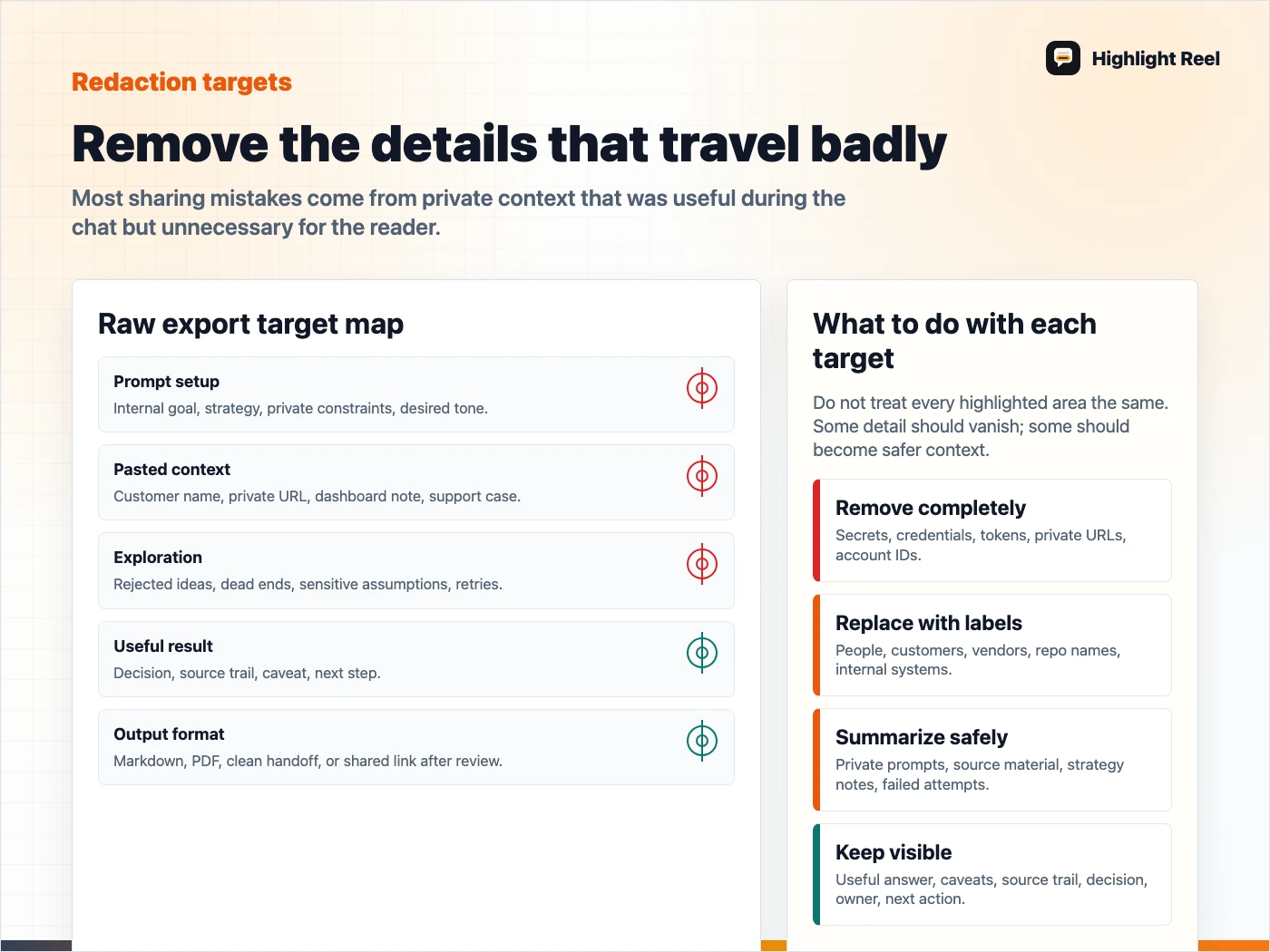
Download the ChatGPT export redaction target checklist
FAQ
Do I need to clean a ChatGPT export if it is only for myself?
Not always. If it is only a private archive, raw export may be fine. If you might reuse it in another model, send it to a teammate, or paste it into a tool, clean it first.
Is PDF safer than a shared link?
PDF is not automatically safer. It is just a different format. A PDF can still contain private context. Review the content before choosing the format.
Can Highlight Reel replace this checklist?
No checklist disappears completely. Highlight Reel helps with the practical cleanup and sharing step, but you still need judgment about what should be removed or kept.