ChatGPT Export to Markdown for Notion and GitHub
Learn how to turn a ChatGPT conversation or export into clean Markdown for Notion, GitHub, READMEs, issues, and project handoffs without dumping a raw archive on your team.
May 13, 2026

ChatGPT does not need to produce a perfect export file before you can move useful work into Notion or GitHub. The better workflow is to turn the conversation into clean Markdown: a short, reviewed document with the decision, sources, assumptions, and next action.
Highlight Reel
Make ChatGPT work readable before you move it
Highlight Reel helps you convert long AI conversations into clean share links and Markdown-friendly handoffs for Notion, GitHub, and teammates.
The official ChatGPT data export is useful for account records. A shared link is useful for showing a conversation snapshot. But if your goal is "export ChatGPT to Markdown for Notion and GitHub," you usually want a readable handoff, not a raw archive.
Quick Answer
| Goal | Best path | Why |
|---|---|---|
| Keep a personal archive of ChatGPT data | Use OpenAI's data export | It gives you a ZIP with account data and chat history |
| Let someone inspect the original conversation | Use a ChatGPT shared link | It shows a conversation snapshot to anyone with the link |
| Move useful AI work into Notion | Create a clean Markdown handoff | Notion can import .md or .markdown files |
| Move useful AI work into GitHub | Create a clean Markdown handoff | GitHub renders Markdown in .md files, issues, PRs, and discussions |
| Send a teammate the result | Use Highlight Reel or a Markdown handoff | The recipient gets selected context instead of a messy transcript |
The practical rule: archive with export, verify with shared links, collaborate with clean Markdown.
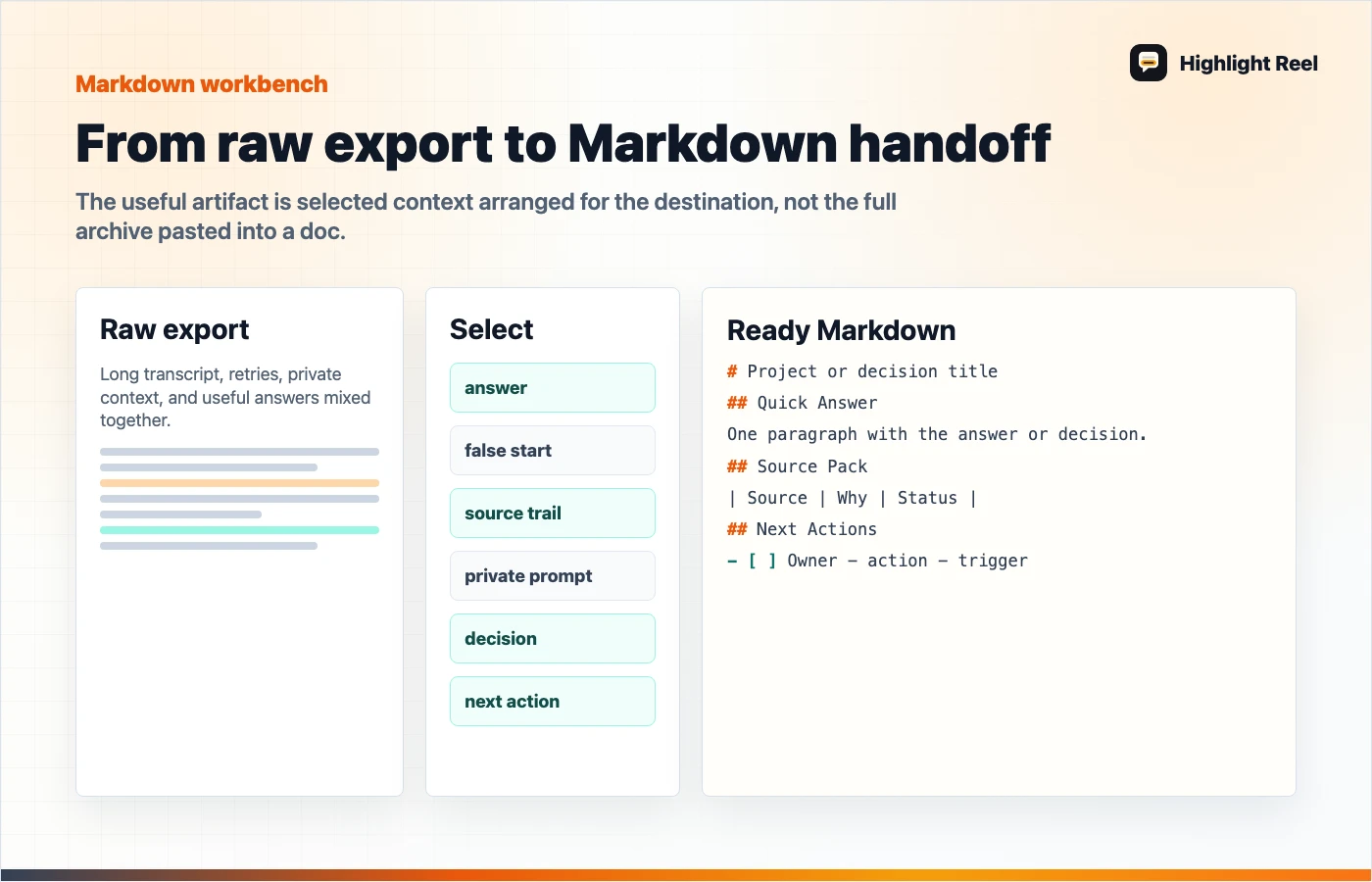
Download the ChatGPT export to Markdown cleanup flow
What The Official ChatGPT Export Does
OpenAI's Help Center explains that users can export ChatGPT history and data through the Privacy Portal or ChatGPT account settings. The export arrives through email, and OpenAI notes that the downloaded ZIP includes chat history and other account data.
That is useful, but it is not the same as a polished Markdown document.
Use the official export when:
- you need a personal record of your account data
- you are backing up conversation history
- you need the original archive for compliance or review
- you are not trying to send a clean artifact to a teammate
Do not send the raw export ZIP as a project handoff unless the recipient explicitly needs the archive. It usually contains too much context and not enough explanation.
What A ChatGPT Shared Link Does
ChatGPT shared links let you generate a URL for a conversation. OpenAI's FAQ says anyone with access to the shared link can view the linked conversation, so you should avoid sharing sensitive content.
Use a shared link when:
- the recipient needs to inspect the original chat
- the chat is short enough to read
- the conversation itself is the artifact
- you do not need a file in Notion or GitHub
Shared links are less useful when the conversation is long, includes false starts, or needs to become a README, issue, research note, or implementation brief.
Why Markdown Is The Better Handoff Format
Markdown is plain text with enough structure to travel well. Notion can import Markdown files, and GitHub has first-class Markdown rendering for docs, issues, pull requests, comments, and .md files.
Markdown works well for ChatGPT handoffs because it can hold:
- headings
- bullets
- tables
- code blocks
- links
- task lists
- decisions
- source packs
It also survives tool changes. A clean .md file can become a Notion page, GitHub issue, README section, pull request note, Slack paste, or prompt for another AI model.
The Cleanup Workflow
Use this workflow to export ChatGPT to Markdown without dragging the whole conversation along:
| Step | Action | Output |
|---|---|---|
| 1. Select the job | Name what the conversation produced | One clear title |
| 2. Pull the useful turns | Copy only the turns that shaped the result | Short evidence set |
| 3. Remove private context | Delete personal data, irrelevant prompts, and internal side notes | Safer context |
| 4. Write the answer | Add the recommendation or conclusion at the top | Fast reader comprehension |
| 5. Add source pack | List links, files, assumptions, and uncertain facts | Trust trail |
| 6. Add next action | Name the owner, destination, and requested decision | Usable handoff |
| 7. Format for destination | Adjust headings and task lists for Notion or GitHub | Ready Markdown |
Highlight Reel can help with the middle steps by turning a long AI chat into a clean page and Markdown-friendly handoff before you import or paste it elsewhere.
Copyable Markdown Template
Use this template when moving ChatGPT work into Notion or GitHub:
# <Project or Decision Title>

## Quick Answer
<One paragraph with the answer, recommendation, or decision.>

## Context
- Original question:
- Who needs this:
- Destination: Notion / GitHub / Slack / email / another AI tool

## Selected ChatGPT Output
<Paste only the useful answer, plan, table, or code summary. Do not include every prompt.>

## Source Pack
| Source | Why it matters | Status |
| --- | --- | --- |
| <link or file> | <what it supports> | Confirmed / needs review |

## Assumptions
- <Assumption 1>
- <Assumption 2>

## Decisions
- <Decision made>
- <Decision still needed>

## Next Actions
- [ ] <Owner> - <action> - <date or trigger>
- [ ] <Owner> - <action> - <date or trigger>

## Omitted From Original Chat
- <Private context removed>
- <Dead ends removed>
- <Unverified claims removed>
This is often more useful than a verbatim transcript because it gives the next reader a job-ready artifact.
Notion Version
For Notion, keep the Markdown page readable and moderate in length. Notion's import docs list Text & Markdown as supported file types, including .md and .markdown.
Use this Notion-friendly structure:
| Section | Keep it | Avoid |
|---|---|---|
| Quick Answer | One paragraph or a short bullet list | A long intro |
| Context | Who asked, why it matters, where it goes | Full prompt history |
| Source Pack | Links and files the team can verify | Unlabeled URLs |
| Decisions | What changed because of the AI work | Ambiguous "maybe" notes |
| Next Actions | Task list with owner and date | Passive suggestions |
Notion is good for living project notes, research summaries, meeting prep, and cross-functional handoffs. If the page will keep evolving, add a "Last reviewed" line near the top.
GitHub Version
For GitHub, format the Markdown for maintainers who scan quickly. GitHub supports headings, links, code blocks, images, lists, task lists, mentions, and more.
Use this GitHub-friendly structure:
| Destination | Markdown shape |
|---|---|
| README | Problem, setup, examples, known limits |
| Issue | Context, expected behavior, proposal, checklist |
| Pull request | Why, what changed, test plan, follow-ups |
| Discussion | Background, options, tradeoffs, decision request |
| ADR or docs page | Status, decision, context, consequences |
For code-related ChatGPT sessions, do not paste generated code without review. Summarize the change, link the relevant files or issue, and include a test plan.
Before You Paste Into Notion Or GitHub
Run this checklist:
- The first screen answers the main question.
- Private prompts and irrelevant branches are removed.
- Sources are labeled.
- AI uncertainty is visible instead of hidden.
- The next action is assigned.
- Code blocks have language labels when helpful.
- GitHub task lists use
- [ ]only for real tasks. - Notion imports are split if the page is too long.
- The original shared link is included only if it is safe.
If the checklist feels slow, the raw ChatGPT conversation is probably too messy to send as-is.
Fictional Example: From ChatGPT Conversation To GitHub Issue
This is a fictional placeholder example, not a real bug report, customer story, or production incident.
Raw ChatGPT output:
"The upload bug may come from a stale signed URL, retry behavior, or a missing MIME type. You should inspect the API route and client upload call."
Clean GitHub issue Markdown:
# Investigate upload failures after signed URL expiry

## Quick Answer
Recent upload failures are most likely caused by expired signed URLs being reused after a client-side retry. We should confirm the retry path before changing storage settings.

## Evidence
- Failures happen after long idle periods.
- Successful uploads use a fresh signed URL.
- The client retry path does not appear to request a new URL.

## Proposed Check
- [ ] Reproduce with an expired URL.
- [ ] Inspect the client retry branch.
- [ ] Confirm whether the API returns a new signed URL on retry.

## Out Of Scope
- Changing storage provider.
- Increasing URL duration before reproduction.
That is much easier to act on than a full chat dump.
Fictional Example: From ChatGPT Conversation To Notion Research Note
This is a fictional placeholder example, not a real research memo, customer story, or metric.
Clean Notion Markdown:
# Customer Onboarding Research Summary

## Quick Answer
The onboarding issue is not the invite flow. It is role confusion after the invite lands.

## Source Pack
| Source | Signal |
| --- | --- |
| Support thread A | Admin could not explain editor vs viewer |
| Interview note B | New user asked who can publish |
| Sales call C | Buyer requested a permission matrix |

## Decision Needed
Should the setup checklist explain roles before inviting teammates?

## Next Actions
- [ ] Product: draft role copy.
- [ ] Support: send three confusing examples.
- [ ] Design: check whether role labels fit the setup screen.
The original AI conversation may have helped you get there, but the handoff should make the useful conclusion obvious.
Where Highlight Reel Fits
Highlight Reel is useful when the ChatGPT session is long and the destination matters. You can capture the conversation, select the useful parts, remove clutter, and create a clean link or Markdown-style handoff before moving it into Notion or GitHub.
It is not a replacement for OpenAI's account export. It is a collaboration layer for the specific work you want another person to read.
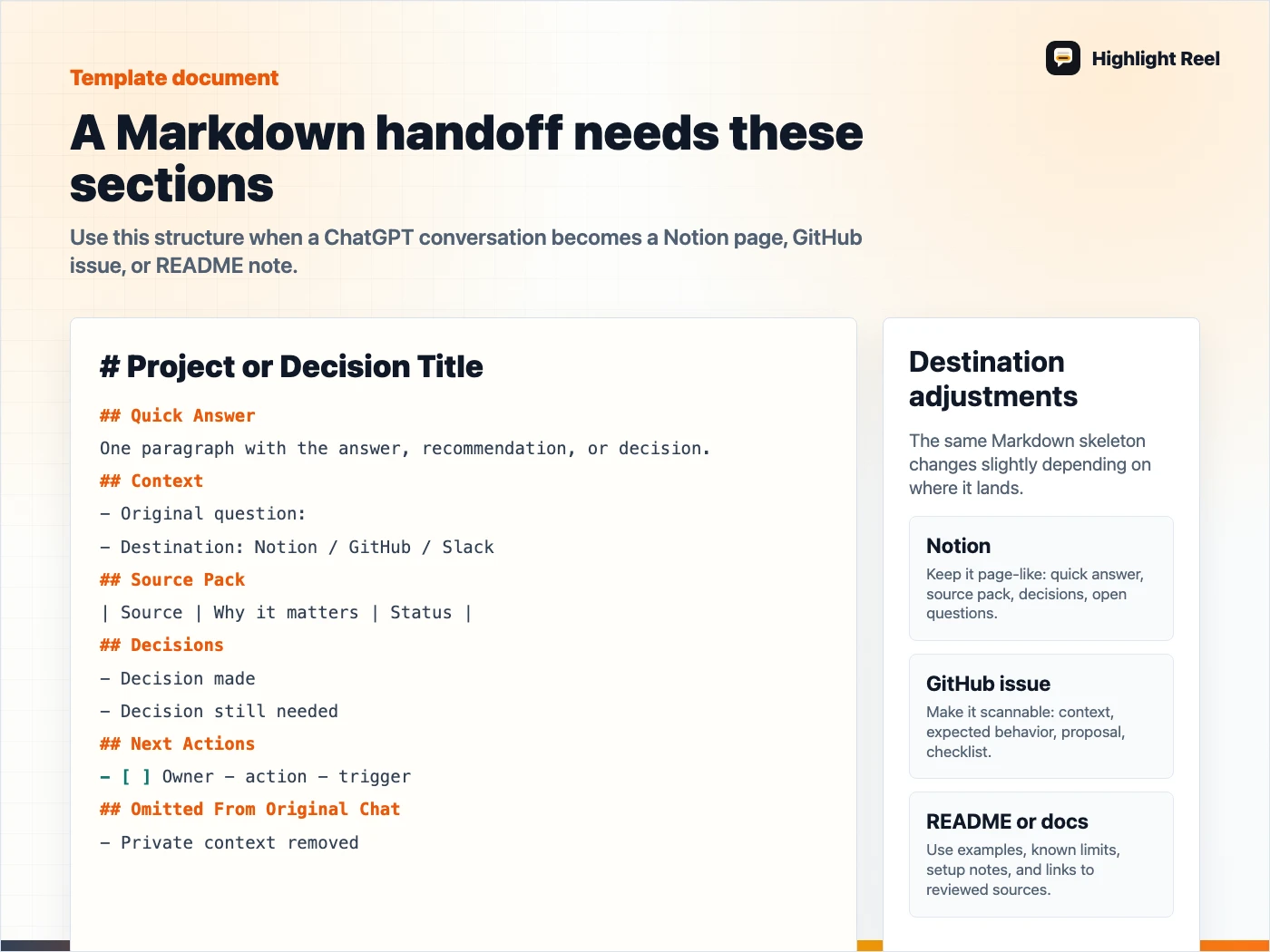
Download the Markdown handoff template card
FAQ
Can ChatGPT export one conversation directly to Markdown?
ChatGPT's official data export is for account data, and shared links are for conversation snapshots. If you need clean Markdown for Notion or GitHub, the reliable workflow is to create a reviewed Markdown handoff from the useful parts of the conversation.
Should I use a shared link or Markdown?
Use a shared link when someone needs to inspect the original conversation. Use Markdown when the result needs to become a note, ticket, README, pull request, or project handoff.
Can Notion import Markdown?
Yes. Notion's official import docs list Text & Markdown import support for .txt, .md, and .markdown files.
Does GitHub support Markdown files?
Yes. GitHub Docs explain Markdown formatting for files, issues, pull requests, comments, and discussions. For repo docs, use .md files and keep links, headings, code blocks, and task lists clean.
What should I remove before exporting ChatGPT to Markdown?
Remove private data, unrelated prompts, hallucinated claims, repeated drafts, stale assumptions, and anything the recipient does not need to act on the result.