Customer Support AI Draft to Team Note: A Realistic Example
A realistic fictional example of turning a customer support AI draft into a shareable internal note with redaction, evidence, and product follow-up.
May 13, 2026

Customer support teams often use AI to summarize tickets, draft replies, or spot patterns. The first AI draft can be useful, but it may also include customer names, account details, private URLs, billing context, or speculative language that should not travel into a product channel.
Highlight Reel
Turn support AI drafts into clean internal notes
Remove sensitive context, keep the useful pattern, and share a readable support handoff with your product team.
This article shows a realistic fictional example of turning a customer support AI draft into a shareable internal note. It is not a real customer story, support incident, or claim about a real product.
Use this when you need a customer support AI note that keeps the pattern, removes private details, and makes the next action clear.
Quick Answer
A shareable customer support AI note should include:
- the support pattern
- the affected workflow
- redacted evidence
- what the AI draft got right
- what was removed or corrected
- customer-impact wording without private identifiers
- product or operations follow-up
- owner and next action
Do not share a raw AI support draft if it contains customer identifiers, private URLs, account details, billing information, or unsupported guesses.
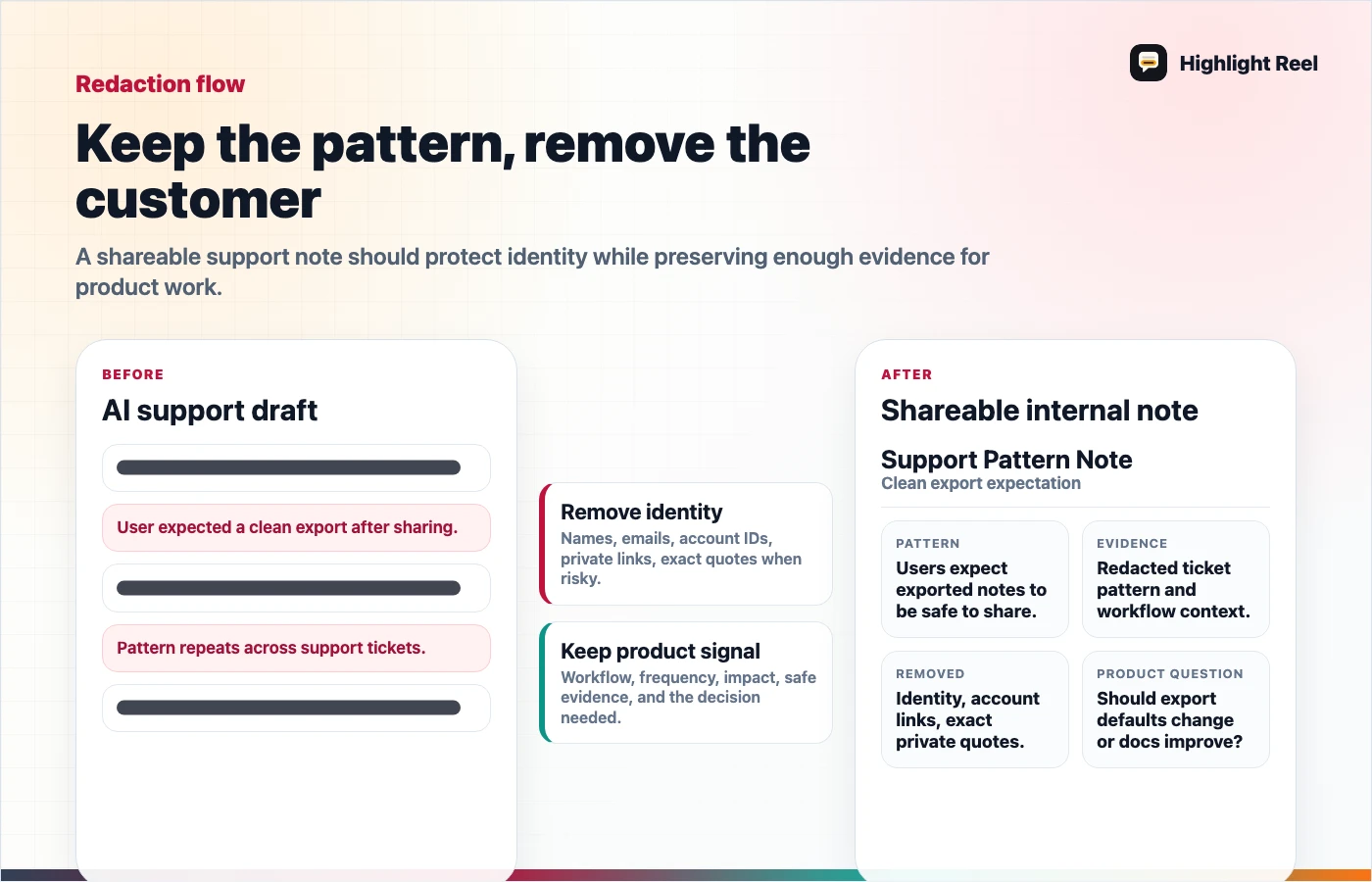
Download the support AI draft redaction flow
Scenario: A Support Pattern That Needs Redaction
Imagine a support lead asked ChatGPT to summarize three support conversations about a confusing export flow. The AI produced a draft with a useful pattern:
Customers expect a clean Markdown handoff, but they are finding a raw transcript export first.
The problem is that the draft also includes placeholder-like but still sensitive details: company names, account IDs, timestamps, and a private dashboard URL. It also guesses that the customers are "likely to churn," even though none of the tickets said that.
The support lead needs to share the pattern with product, not expose the raw ticket context.
Before: AI Support Draft
AI draft:
Three customers are frustrated with export.

- Customer A from ExampleCorp could not find Markdown export after using the
  Chrome extension.
- Customer B account 12345 asked whether the raw transcript could be cleaned
  before sending to their manager.
- Customer C opened https://internal.example.test/accounts/...

Likely churn risk: high.

Recommendation:
Add a better export button and tell product this is urgent.
This draft has the beginning of a good note, but it is not shareable. It mixes useful pattern recognition with private details and unsupported interpretation.
After: Shareable Internal Note
# Support Pattern Note: Clean export expectation

## Pattern
Several recent support conversations show the same expectation gap: users want
a clean Markdown handoff, but they find raw transcript language first.

## Redacted evidence
| Evidence | What it suggests |
| --- | --- |
| "I need to send this to my manager, not archive it." | Reader wants a reviewed handoff, not only storage. |
| "Where is the cleaned Markdown version?" | Export copy may not match the user's intent. |
| "Can I remove the messy prompts first?" | Cleanup is part of the job, not an advanced option. |

## What was removed before sharing
- customer names
- account IDs
- billing context
- private dashboard URLs
- exact ticket timestamps
- unsupported churn-risk guess

## Product question
Should the export screen separate "raw transcript" from "clean handoff" so
users can choose the right artifact faster?

## Suggested next action
Review export screen copy and consider a small label change before the next
release.

## Owner
Support lead to share with product triage.
The after version is safer and more useful. Product gets a pattern and evidence without private ticket context.
What Changed In The Transformation
| AI support draft | Shareable support note |
|---|---|
| Customer-specific details | Redacted evidence |
| Unsupported churn guess | Clear caveat by omission |
| "Add a better button" | Product question |
| Private support URLs | Removed before sharing |
| Raw AI wording | Reviewed internal note |
The note does not hide that AI helped. It shows that a human reviewed the output before it became team context.
Copyable Support Note Template
# Customer Support AI Note

## Pattern
What recurring customer issue or request appeared?

## Affected workflow
Where does it happen?

## Redacted evidence
| Evidence | What it suggests | Source type |
| --- | --- | --- |
|  |  | ticket / chat / call note |

## What the AI draft got right

## What was removed or corrected
- Private identifiers:
- Sensitive URLs:
- Unsupported claims:
- Tone issues:

## Product or operations question

## Suggested next action
- Owner:
- Destination:
- Due:
Use this when AI helps summarize support input but the output needs to become an internal note, product feedback item, or triage link.
Why Raw AI Drafts Are Risky To Share
AI support drafts often repeat the sensitive context you gave them. Removing the original prompt is not enough if the answer includes the same details in summary form.
Before sharing, check for:
- names and emails
- account IDs and workspace names
- payment or plan information
- private URLs
- ticket links that not everyone should access
- health, legal, financial, or other sensitive customer details
- speculation about intent, churn, blame, or severity
OpenAI's shared links FAQ warns that anyone with a shared ChatGPT link can view the linked conversation. If a support draft came from ChatGPT, that is a reason to share a cleaned note rather than a raw conversation link.
How ChatGPT Projects Fit
ChatGPT Projects can help organize support analysis when the team is repeatedly reviewing similar material, because related chats, files, and instructions can live together.
The shareable note still matters. A product teammate usually needs the pattern, evidence, and next action. They do not need the whole analysis workspace.
How Highlight Reel Fits
Highlight Reel is useful when the support insight starts inside an AI chat. You can select the relevant AI turns, remove sensitive details, add the reviewed note structure, and share a clean internal link.
That makes the handoff practical: support keeps the evidence, product gets the pattern, and the customer details stay out of the general channel.
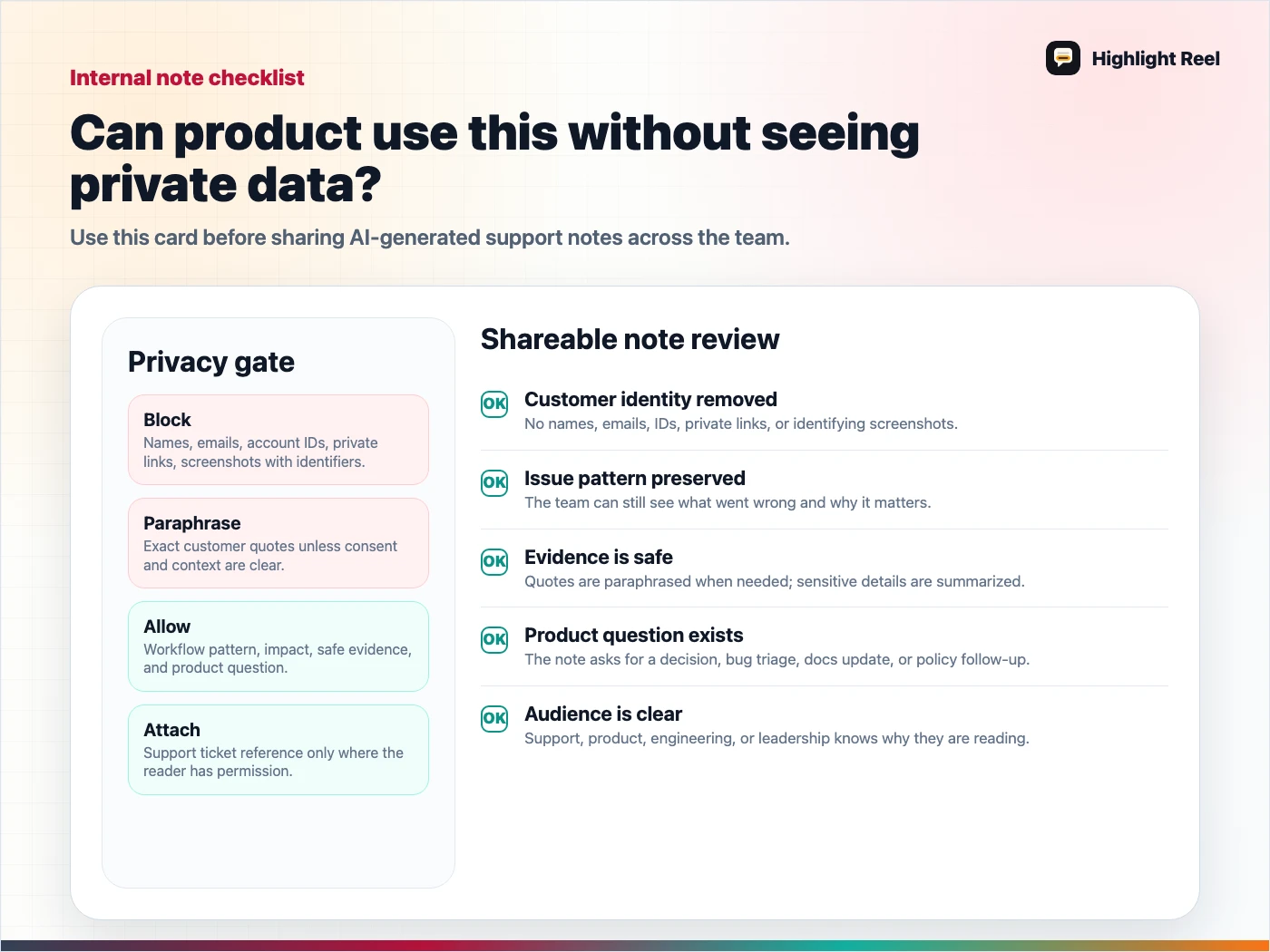
Download the shareable support note checklist
FAQ
Is this a customer case study?
No. The example is fictional and uses generic placeholders. A real customer case study would require approval, accurate details, and a different review process.
Should I include exact customer quotes?
Only if your team's policies allow it and the quote has been reviewed. For most internal pattern notes, paraphrased and redacted evidence is enough.
Can I share the raw ChatGPT link with the product team?
Only if the full conversation is safe for everyone with access to see. In many support workflows, a cleaned note is the better default.