Raw ChatGPT Thread to Team Handoff: A Realistic Example
A realistic fictional example of turning a raw ChatGPT thread into a readable team handoff with context, decisions, caveats, and next actions.
May 13, 2026

A raw ChatGPT thread can be useful to the person who created it and exhausting to everyone else. It may contain a real decision, a few good prompts, a useful table, a discarded direction, and ten turns that only made sense in the moment.
Highlight Reel
Turn a raw ChatGPT thread into a team handoff
Select useful turns, remove private context, and share a readable handoff link instead of a long AI chat.
This article shows a realistic fictional transformation from a raw ChatGPT thread to a team handoff. It is an example, not a case study, customer story, or claim about a real team.
The goal is simple: make the useful work readable by someone who was not in the original AI conversation.
Quick Answer
A good ChatGPT team handoff is not a pasted transcript. It is a cleaned artifact with:
- the original team question
- the short answer
- the decision or recommendation
- the selected ChatGPT turns that shaped the answer
- what was removed
- risks, assumptions, and open questions
- the next action and owner
Use a raw ChatGPT shared link only when the reader truly needs the full conversation. OpenAI's shared links guidance explains that a shared link is accessible to anyone with the link and represents a snapshot of the conversation up to the point it was shared. That makes cleanup important before the link enters a team channel.
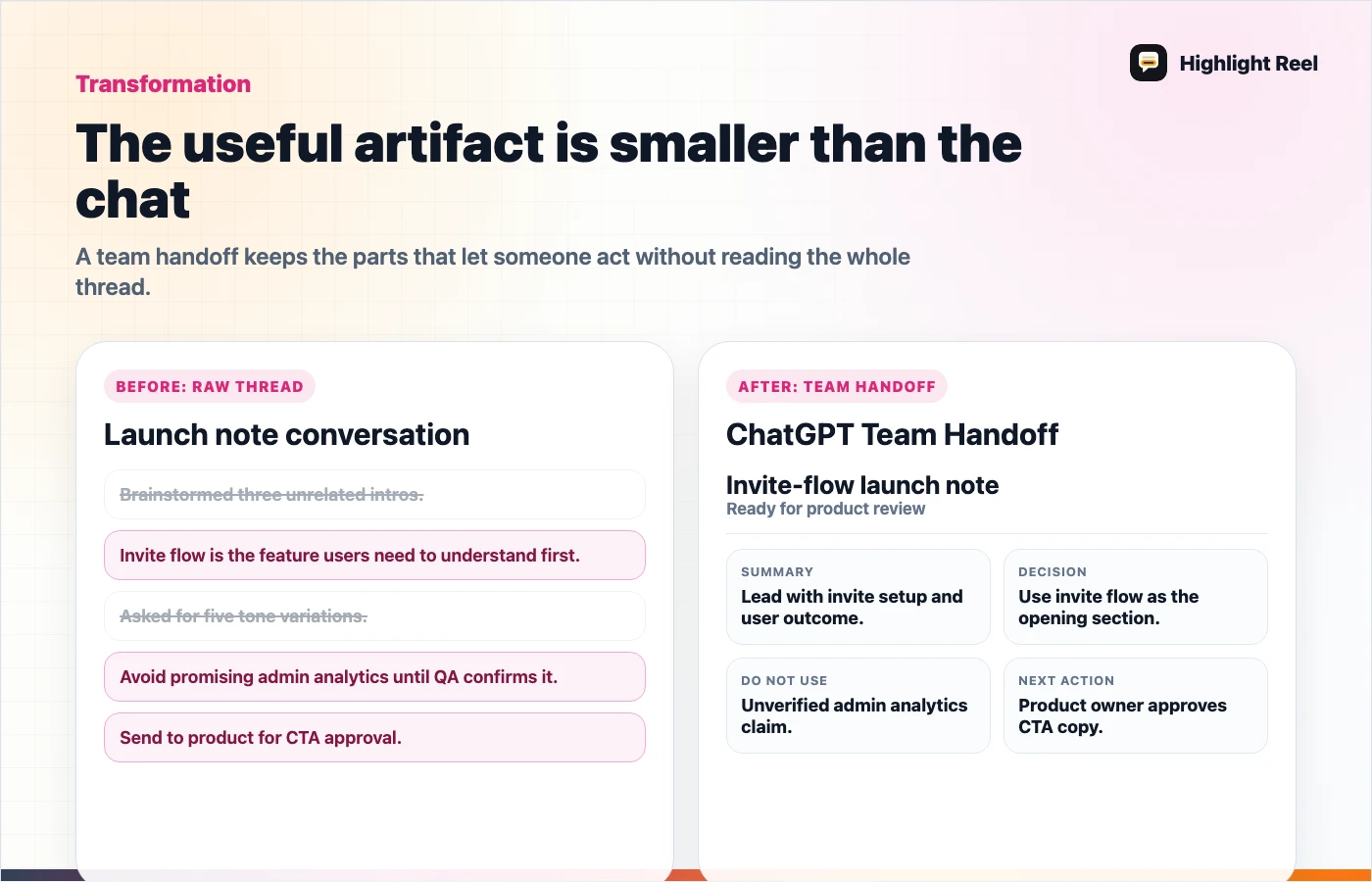
Download the raw ChatGPT thread to handoff flow
Scenario: A Launch Note That Became Too Long
Imagine a product marketer used ChatGPT to explore a launch note for a workspace invite-flow update. The thread became long because the marketer asked for positioning, objections, competitor phrasing, and a Slack announcement draft.
The teammate does not need the whole ChatGPT thread. They need to know:
- which positioning direction survived
- what claims should be avoided
- which customer language is safe to reuse
- what copy needs review
- where to leave comments
The raw thread started as exploration. The handoff needs to become work.
Before: Raw ChatGPT Thread
Prompt:
We are launching an invite-flow update. Help me write a launch note.

ChatGPT:
Here are five possible announcement angles...

Prompt:
Make it sound less salesy.

ChatGPT:
Here are softer versions...

Prompt:
Can we say it saves teams hours every week?

ChatGPT:
Yes, you could say...

Prompt:
Actually we do not have data for that. Avoid quantified claims.

ChatGPT:
Understood. Here is a version without metrics...

Prompt:
Compare this against simply sending a raw AI chat export.

ChatGPT:
The main difference is that this creates a cleaned handoff, not only a record...

Prompt:
Draft a Slack message for the product team.

ChatGPT:
Sure...
This is not bad work. It is just not a handoff yet.
Problems:
- The useful decision is buried.
- An unsupported "saves hours" claim appears in the middle.
- The reader cannot tell which answer was accepted.
- There is no next action.
- Private draft positioning may be mixed with public copy.
After: Team Handoff
# ChatGPT Team Handoff: Invite-Flow Launch Note

## Summary
We used ChatGPT to explore launch copy for the invite-flow update. The useful
direction is "help admins send the right first task" rather than "invite people
faster."

## Decision
Use the handoff framing:
"Send one clear starter task with the invite so the new teammate knows what to
do after joining."

## Do Not Use
- Do not say "saves hours every week." We do not have measured support.
- Do not imply the update replaces onboarding docs or role training.
- Do not mention customer names or internal roadmap timing.

## Selected ChatGPT Turns
1. Positioning comparison between raw invite links and task-based onboarding.
2. Revision that removed quantified claims.
3. Slack announcement draft, edited for team review.

## Caveats
- Official platform behavior can change, so keep external claims tied to
  OpenAI help pages.
- This is copy direction, not legal review.

## Next Action
Owner: product marketing
Action: edit the launch note in the shared doc and ask product for accuracy
review.
The after version does not pretend the AI thread was perfect. It turns the useful parts into a reviewable team handoff.
What Changed In The Transformation
| Raw ChatGPT thread | Team handoff |
|---|---|
| Many exploratory prompts | One clear summary |
| Accepted and rejected claims mixed together | Decision and "do not use" list separated |
| Full conversation order | Selected useful turns |
| No reader instruction | Owner and next action |
| Private context may travel | Redaction checklist added |
The handoff is shorter, but it is more useful because it answers the teammate's real question: "What should I do with this?"
What To Remove Before Sharing
Before a ChatGPT thread becomes a team handoff, remove:
- customer names, emails, account IDs, private URLs, and billing details
- unsupported metrics or claims that appeared during exploration
- prompts that reveal internal strategy but do not help the reader
- dead-end drafts that could confuse the decision
- repeated answers that add length without adding evidence
- emotional venting or scratch notes
OpenAI's data export guidance is useful when you need your broader ChatGPT history, but a team handoff usually needs less than the account export and more structure than a raw shared link.
Copyable Handoff Template
# ChatGPT Team Handoff

## Original question

## Short answer

## Decision or recommendation

## Selected ChatGPT turns
- Turn:
- Why it matters:

## Removed before sharing
- Private context:
- Unsupported claims:
- Dead ends:

## Sources or references
- Official source:
- Internal evidence:

## Open questions

## Next action
- Owner:
- Destination:
- Due:
Use this when a ChatGPT thread needs to move into Slack, Teams, Notion, Google Docs, Linear, Jira, GitHub, or email.
How ChatGPT Projects Fit
ChatGPT Projects can be useful when you want related chats, files, and instructions in one workspace. A project can help you continue work inside ChatGPT.
A team handoff has a different job. It gives another person a reviewed artifact they can read without entering the whole workspace or reconstructing the conversation.
Use the project for ongoing work. Use the handoff for readable context.
How Highlight Reel Fits
Highlight Reel is the bridge between "I have a long ChatGPT thread" and "my teammate can use this." Paste the useful turns, remove the private or confusing parts, and create a clean share link with the summary, decision, caveats, and next action attached.
The product job is not to make the AI thread look prettier. It is to make the work portable.
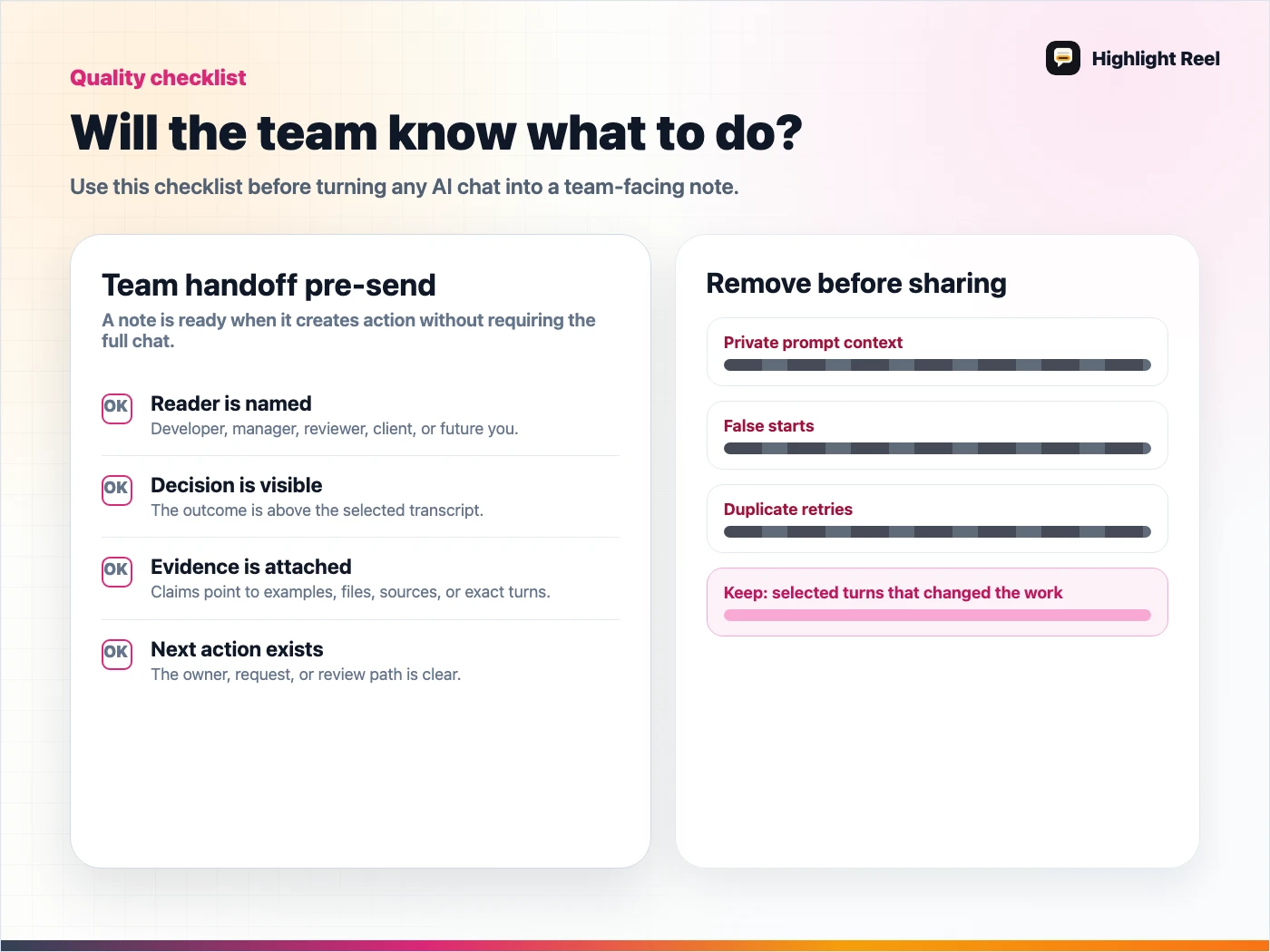
Download the AI team handoff quality checklist
FAQ
Should I include the original ChatGPT shared link?
Sometimes. If the teammate needs to inspect the original sequence, include it as a reference after the cleaned handoff. Do not make the raw link the only artifact when the teammate needs to act.
Is a ChatGPT data export better than a shared link?
Not for this use case. A data export is useful for account-level history access. A team handoff is for one reviewed piece of work.
Can I use this for internal docs?
Yes. The handoff shape works well for internal docs because it explains the decision and preserves selected transcript context without asking the reader to parse the whole chat.